

When a new conversation is created in ThriveDesk, check if the email is valid with Reoon Email Verifier, and add new member to list in Mailchimp
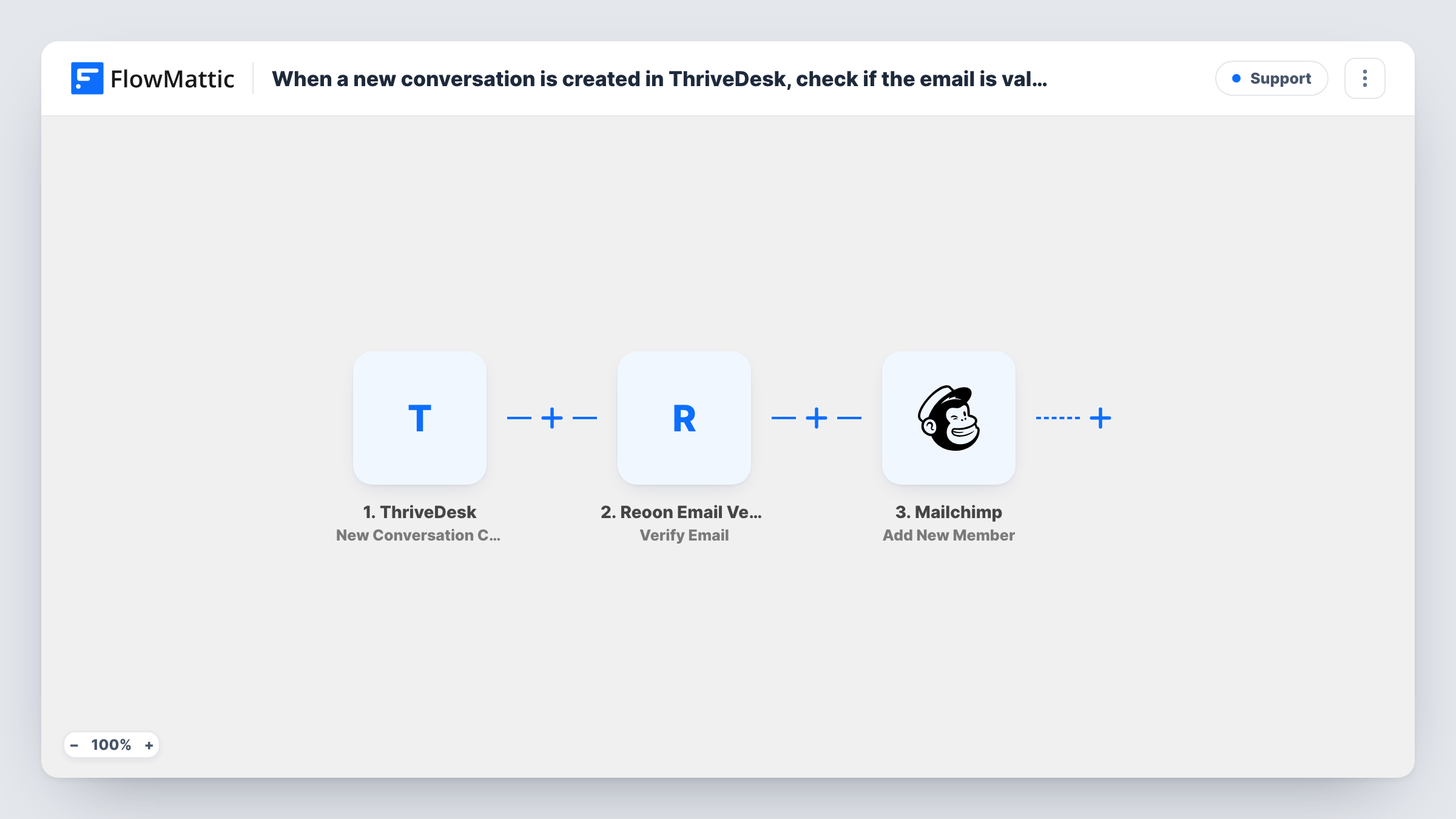
Each new ThriveDesk conversation has the customer’s email checked by Reoon Email Verifier, and then the address is added to a Mailchimp list, with the Reoon result available to map or filter on.
 ThriveDesk
 Reoon Email Verifier
 Mailchimp
3 steps Setup ~5 min Used on 729 sites Free to import
What this workflow does
Support conversations bring you real customers, and some teams want those people on a Mailchimp list for product updates. Help desk addresses can be mistyped or disposable, though, and mail sent to them bounces. This workflow runs a verification check between ThriveDesk and Mailchimp.
The ThriveDesk trigger starts when a new conversation is created. FlowMattic sends the customer's email to Reoon Email Verifier, whose Verify Email step returns a result for that address. The run then moves to Mailchimp, where Add New Member puts the person on your list, or updates them if they are already a member.
Read this before turning it on: the template has no Filter between the check and Mailchimp. As imported, every address goes to the list whatever Reoon says. To keep failed addresses out, add a Filter after the Reoon step, as the tips describe. Also make sure your list's consent rules allow adding people who contacted support.
Product update list for support contacts
A SaaS team that tells support contacts about fixes and releases adds each person who opens a conversation to a Mailchimp audience used only for those updates.
Tagging verified support contacts
Map the Reoon result into a Mailchimp merge field, so you can build a segment of support contacts whose address passed the check.
Cleaner list for a small store
A shop owner who answers questions in ThriveDesk adds a Filter on the Reoon result, so only addresses that pass reach the newsletter list.
How this workflow runs
What happens at each step once the workflow is on, and what you need before you import it.
 ThriveDesk New Conversation Created
Starts when a new conversation is created in ThriveDesk. The customer's email and the conversation details are passed on for the next two steps.
- Reoon Email Verifier Verify Email
Sends the customer's email from the conversation to Reoon Email Verifier. Reoon returns its verdict on the address, which later steps can use. Connect your Reoon account on import.
- Mailchimp Add New Member
Adds the customer to the Mailchimp list you choose, or updates them if they are already on it. As imported this runs for every address, whatever the Reoon result.
What you need
- FlowMatticCore
- ThriveDesk AccountAccount
- Reoon Email Verifier AccountAccount
- Mailchimp AccountAccount
After importing, map your own data. To keep the template universal, not every step is pre-filled. Open each step in the builder and connect your accounts and fields (channels, lists, sheets, recipients) before you switch the workflow on.
Make it yours
Changes worth making after you import it.
- Add a Filter between Reoon and Mailchimp that continues only when the verification status equals the value Reoon gives a valid address. Run a test first to see that value.
- Map the Reoon status into a Mailchimp merge field if you'd rather keep everyone but be able to segment by the check result.
- Check that the ThriveDesk event carries the customer's email in a test run before you map it, since both later steps depend on it.
Questions about this workflow
Does it keep invalid emails out of Mailchimp?
Not as imported. Reoon checks the address, but nothing acts on the result, so Mailchimp receives every address. Add a Filter after the Reoon step to stop failed ones.
What if the ThriveDesk customer is already on the Mailchimp list?
Mailchimp's Add New Member works as an upsert here, so the existing member is updated and no second copy appears. A customer who opens several conversations is sent to Mailchimp each time, so blank values in a later run could overwrite fields you mapped.
Is it fine to add support customers to a marketing list?
That depends on your consent rules and local law, not on FlowMattic. Many teams use a separate audience or ask for permission in the help desk first.
Do I need a Reoon Email Verifier account?
Yes. The check runs through your Reoon account, which you connect when importing.
More Support workflows
Other ready-to-import templates from the same category.






Import this workflow into your WordPress site
Download the JSON, import it from the Workflows screen and connect your accounts. Every run stays on your server, with no per-task fees.
30-day money-back guarantee Unlimited workflows and runs Self-hosted