

When a new customer is created in WooCommerce, create a new customer in Pabbly Subscriptions and add the customer to contact list on Mailchimp
Each new WooCommerce customer profile is copied into Pabbly Subscriptions as a customer and added to your Mailchimp audience, so billing and email marketing start from the same record.
 WooCommerce
 Pabbly Subscriptions
 Mailchimp
3 steps Setup ~5 min Used on 730 sites Free to import
What this workflow does
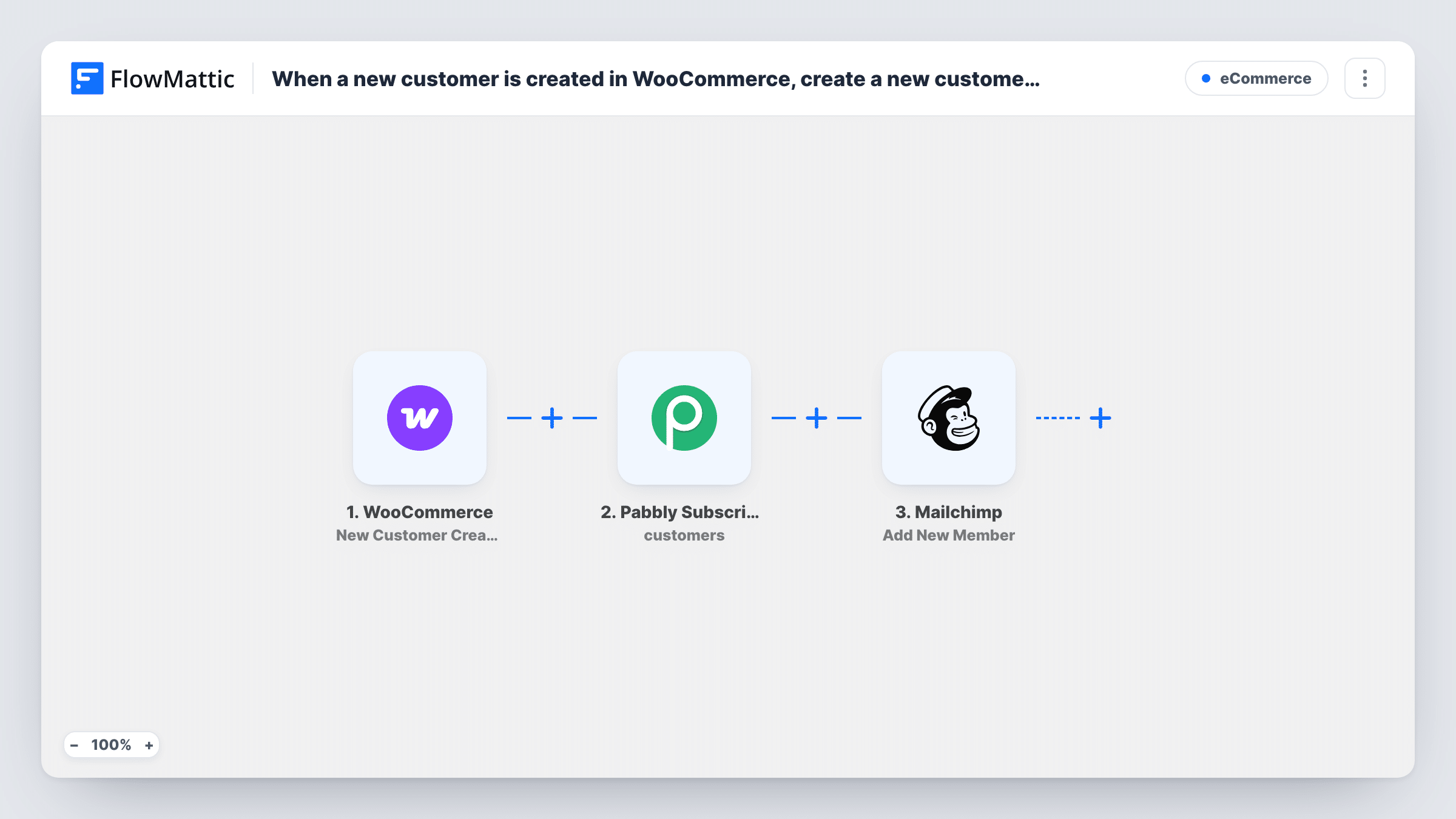
A store that sells recurring products or memberships often keeps billing in Pabbly Subscriptions and newsletters in Mailchimp. Without a link between them, every new shopper has to be entered twice. This workflow takes each new WooCommerce customer and sets them up in both places.
The WooCommerce trigger fires when a new customer profile is created, which happens when someone registers an account, rather than on each order. The customer's name, email and other profile details are passed along.
The first action creates that person as a new customer in Pabbly Subscriptions. The second adds them to your Mailchimp list with Add New Member. FlowMattic describes that action as adding a new member, or updating them if they already exist, so an address already on the list is updated rather than duplicated.
The template doesn't map either action. After import you connect Pabbly Subscriptions and Mailchimp, pick the Mailchimp list, and map the customer's email and name into both steps. Only add people to Mailchimp who agreed to marketing email; a consent checkbox at registration is the usual way to record that.
Subscription shop with one customer record
A coffee subscription store wants each new account holder ready in Pabbly Subscriptions for billing and on the Mailchimp list for roast announcements.
Member welcome emails
A membership site built on WooCommerce sends new account holders a Mailchimp welcome journey, while Pabbly Subscriptions already holds their customer profile.
Moving billing to Pabbly
A shop switching recurring billing to Pabbly Subscriptions makes sure every customer who signs up from now on already exists there.
How this workflow runs
What happens at each step once the workflow is on, and what you need before you import it.
 WooCommerce New Customer Created
Starts the workflow when WooCommerce creates a new customer profile, such as when a shopper registers an account. Their name, email and profile details are available to map.
- Pabbly Subscriptions Create Customer
Creates the WooCommerce shopper as a new customer in Pabbly Subscriptions. Connect your account after import and map the email and name from the WooCommerce profile.
- Mailchimp Add New Member
Adds the customer to your Mailchimp list, or updates them if the email is already a member. Choose the list and map the email and name from the WooCommerce trigger.
What you need
- FlowMatticCore
- WooCommerce PluginPlugin
- Pabbly Subscriptions AccountAccount
- Mailchimp AccountAccount
After importing, map your own data. To keep the template universal, not every step is pre-filled. Open each step in the builder and connect your accounts and fields (channels, lists, sheets, recipients) before you switch the workflow on.
Make it yours
Changes worth making after you import it.
- If your registration form records marketing consent, put a Filter between the Pabbly Subscriptions step and the Mailchimp step on that field. Every customer still reaches Pabbly, and only those who opted in join Mailchimp.
- Map the first and last name too, if the Add New Member step shows name fields for your list, so Mailchimp campaigns can greet each customer by name.
- Run a test registration and open Task History to see the customer ID Pabbly returns, then keep it somewhere useful, such as a Google Sheets row added after the Mailchimp step.
Questions about this workflow
Do guest checkouts in WooCommerce start this workflow?
The trigger fires when a customer profile is created. A guest checkout that doesn't create an account may not produce one, so place a test order as a guest and check Task History.
What happens if the email is already on my Mailchimp list?
Add New Member updates the existing member instead of adding a second one, so the person stays on the list once.
Does this start a subscription in Pabbly for the new WooCommerce customer?
No. It only creates the Pabbly customer. FlowMattic's Pabbly Subscriptions integration has a Create Subscription action you can add after the Create Customer step if you need one.
Are my existing WooCommerce customers synced when I turn this on?
No. Only profiles created after the workflow is active trigger a run. Bring earlier customers into Pabbly Subscriptions and Mailchimp with their own import tools.
More E-Commerce workflows
Other ready-to-import templates from the same category.





Import this workflow into your WordPress site
Download the JSON, import it from the Workflows screen and connect your accounts. Every run stays on your server, with no per-task fees.
30-day money-back guarantee Unlimited workflows and runs Self-hosted