

When a new form submission received in 123 Form Builder, check if a field contains a value using filters, and add data to Google Spreadsheet
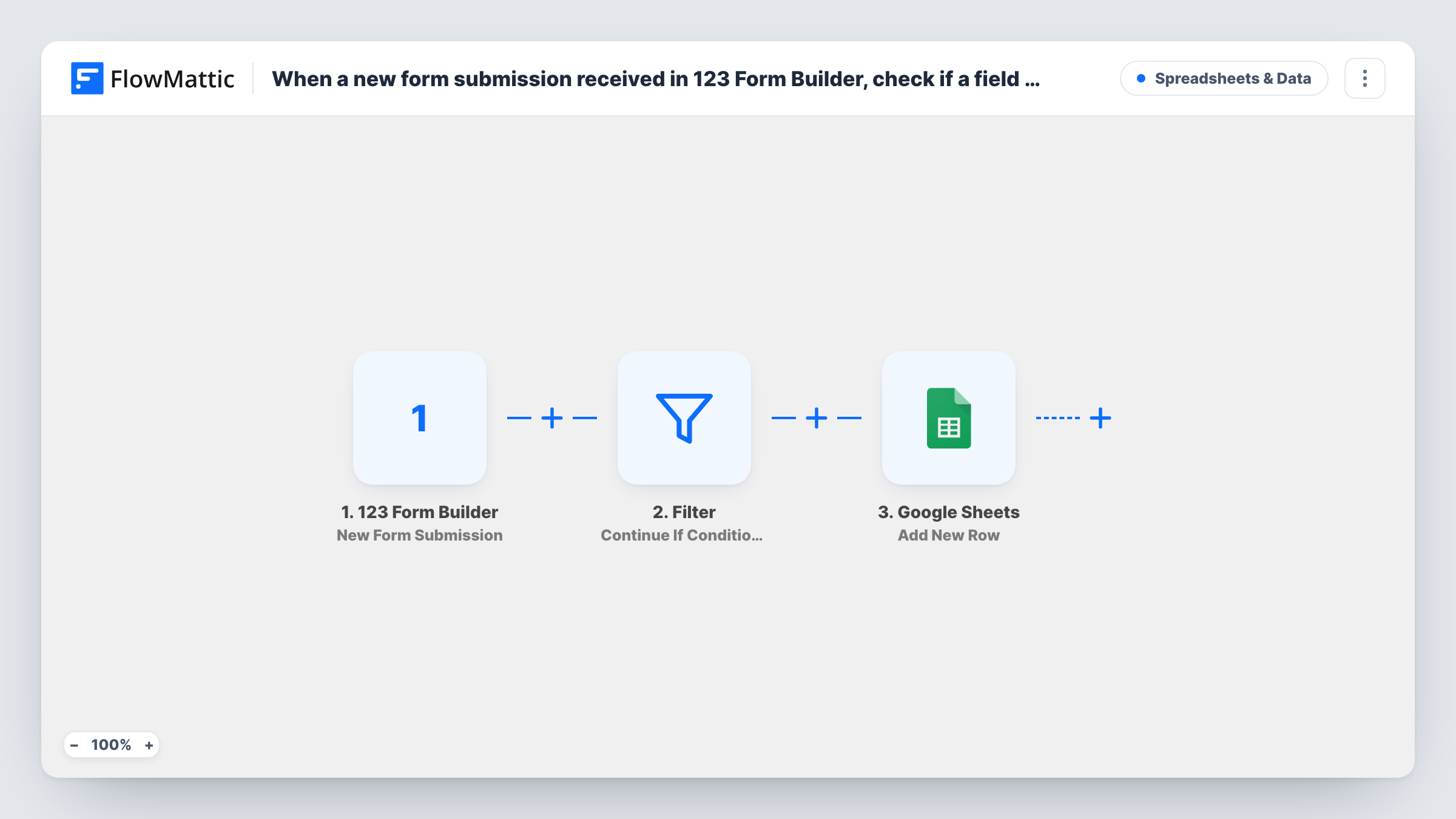
When 123 Form Builder receives a submission, a Filter checks whether a field you choose contains a value you set, and matching entries are added as a new row in Google Sheets.
 123 Form Builder
 Filter
 Google Sheets
3 steps Setup ~5 min Used on 1.7k sites Free to import
What this workflow does
Sometimes a spreadsheet should hold only part of what a form collects. You might only want orders for one product, requests for one location, or answers that mention a keyword. This workflow puts a check between your 123 Form Builder form and Google Sheets, so the sheet holds just the entries you care about.
The 123 Form Builder trigger fires on each new submission and passes every answer on. A Filter then uses a "contains" check: it continues when the field you pick contains the text you enter. The check ignores upper and lower case, and it matches part of a word too, so a short value can match more answers than you expect.
In the template, the field and the value are both blank. A blank value counts as contained in any text, so as imported every submission passes the Filter. Set the field and the text to look for before you turn the workflow on.
Each entry that gets past the check is written to Google Sheets as one new row. It ships unmapped, so pick the spreadsheet and sheet and match form answers to your column headers. Submit a test entry and check Task History to see whether it passed.
One product's orders in their own sheet
A craft seller's 123 Form Builder order form covers several items, and the Filter sends only entries whose product answer contains "workshop" to the class sign-up sheet.
Location-based request lists
A cleaning company checks the city field for its main service area and logs those requests in the sheet its local team works from.
Keyword triage for feedback
A software team collects feedback through a form and keeps entries whose comments mention "bug" in a spreadsheet for the developers.
How this workflow runs
What happens at each step once the workflow is on, and what you need before you import it.
 123 Form Builder New Form Submission
Fires when your 123 Form Builder form receives a new submission. All the answers the visitor gave are passed to the Filter and to the Google Sheets step.
- Filter Continue If Condition Meet
Continues only when the chosen field contains the text you set. Both are blank in the template, which lets every entry through, so pick the 123 Form Builder field and the value to look for after import.
- Google Sheets Add New Row
Adds a row to your Google Sheets spreadsheet for each entry that passes the Filter. No columns are mapped in the template, so choose the sheet and map the form answers you want to keep.
What you need
- FlowMatticCore
- 123 Form Builder AccountAccount
- Google Sheets AccountAccount
After importing, map your own data. To keep the template universal, not every step is pre-filled. Open each step in the builder and connect your accounts and fields (channels, lists, sheets, recipients) before you switch the workflow on.
Make it yours
Changes worth making after you import it.
- Use a value long enough to be specific. The contains check matches parts of words, so "art" would also match "party" or "start".
- If you need entries that match a different value too, add a second condition group to the Filter between the 123 Form Builder trigger and the Google Sheets step; either group passing lets the entry through.
- Keep a second copy of the workflow without the Filter if you also want a full log of every submission in another sheet tab.
Questions about this workflow
Which 123 Form Builder field does the Filter check?
Whichever one you choose. The template ships with the field and value empty, and in that state every submission passes, so set both before you go live.
Does capitalisation matter in the Filter value?
No. The check ignores upper and lower case, so "Workshop" and "workshop" match the same answers.
What happens to 123 Form Builder entries that don't match?
The run ends at the Filter, so the sheet gets nothing for them. The submission itself stays in 123 Form Builder, and Task History shows the run ending at the Filter.
More Spreadsheets & Data workflows
Other ready-to-import templates from the same category.





Import this workflow into your WordPress site
Download the JSON, import it from the Workflows screen and connect your accounts. Every run stays on your server, with no per-task fees.
30-day money-back guarantee Unlimited workflows and runs Self-hosted