

When a new form submission received in Jotform, create a new media in WordPress and upload the files to Google Drive
When a Jotform submission includes a file, FlowMattic adds it to your WordPress media library and then uploads it to Google Drive, so each file sits on your site and in a Drive folder.
 Jotform
 WordPress
 Google Drive
3 steps Setup ~5 min Used on 2.5k sites Free to import
What this workflow does
Jotform is handy for collecting files such as photos, CVs or signed documents, but they stay inside Jotform until someone downloads them. If you need those files on your WordPress site and backed up in Google Drive, doing it by hand for every entry adds up. This workflow copies the file to both places.
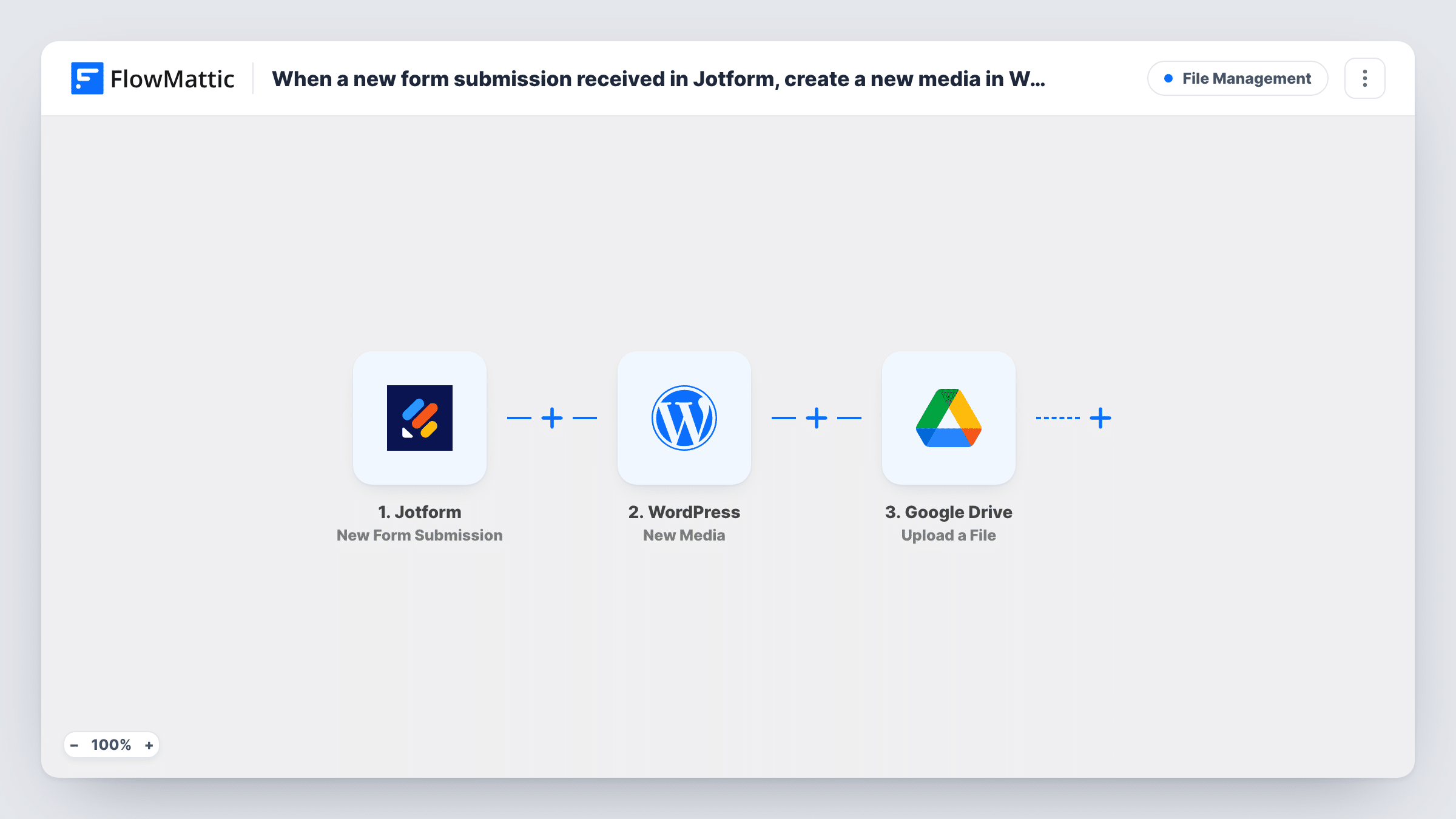
The Jotform trigger fires on a new form submission, and the answers, including any file upload field, come through with it. FlowMattic then runs the New Media action in WordPress to create a media item from the file you map. Last, the file is uploaded to the folder you select in Google Drive.
The template is built around one file per submission. If your form lets people attach several files, test with a real entry to see how Jotform passes them, and consider an Iterator so each file gets its own media item and upload. Task History shows what each step received and returned.
Photo submissions for a community gallery
Members upload a photo through Jotform; it is added to the WordPress media library ready for a gallery post and kept in a Drive folder as a backup.
Job applications with a CV
Each applicant's CV becomes a WordPress media item and lands in the hiring team's shared Google Drive folder for review.
Client document collection
An agency collects logos and brand files through a Jotform brief, storing them on the client's site and in the project's Drive folder.
How this workflow runs
What happens at each step once the workflow is on, and what you need before you import it.
 Jotform New Form Submission
Starts the run for each new Jotform submission. The answers and the file upload field are captured so the next steps can use the file.
- WordPress New Media
Creates a new media item in your WordPress media library from the file in the submission. Map the Jotform file upload field into this step.
- Google Drive Upload a File
Sends the same submitted file to a Google Drive folder you select. Connect your Google account, choose the folder and map the Jotform file field again.
What you need
- FlowMatticCore
- Jotform AccountAccount
- Google Drive AccountAccount
After importing, map your own data. To keep the template universal, not every step is pre-filled. Open each step in the builder and connect your accounts and fields (channels, lists, sheets, recipients) before you switch the workflow on.
Make it yours
Changes worth making after you import it.
- Add a Filter between the Jotform trigger and the WordPress New Media step that continues only when the file upload field is not empty, so entries without a file don't run the media and Drive steps.
- If people can attach more than one file, add an Iterator over the uploads between the Jotform trigger and the WordPress step, so the WordPress and Google Drive steps repeat for each file.
- Submit a test entry with a small file after import, then check Task History to confirm both the media item and the Drive upload worked.
Questions about this workflow
Does my Jotform form need a file upload field?
Yes. Both actions work with a file from the submission, so the form needs an upload field you can map. Without a file there is nothing to add.
Does the Google Drive copy come from WordPress or from Jotform?
From Jotform. You map the Jotform file upload field into both the New Media step and the Upload a File step, so each one works from the submitted file. Task History shows what each step received and returned.
Where in Google Drive do the Jotform files go?
Into the folder you choose in the Upload a File step. Use a shared folder if teammates need access to the files.
Will the file be attached to a WordPress post or page?
No. It is added to the media library only. Insert it into a post yourself, or add another WordPress step that uses the new media item.
More File Management workflows
Other ready-to-import templates from the same category.




Import this workflow into your WordPress site
Download the JSON, import it from the Workflows screen and connect your accounts. Every run stays on your server, with no per-task fees.
30-day money-back guarantee Unlimited workflows and runs Self-hosted