

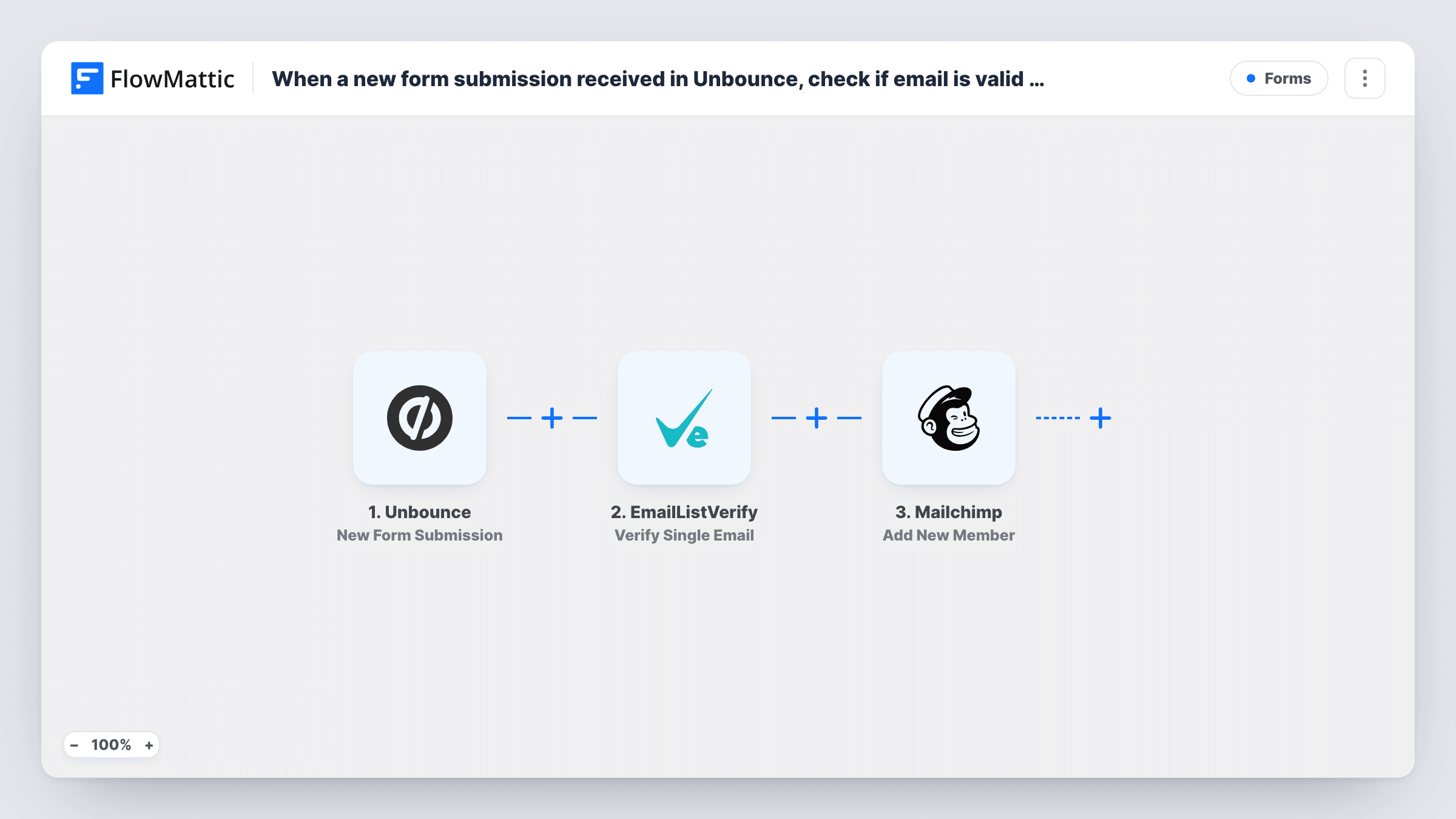
When a new form submission received in Unbounce, check if email is valid using EmailListVerify, and add a new member to Mailchimp list
Every Unbounce landing page form submission has its email checked by EmailListVerify, then the lead is added to your Mailchimp audience, or updated if already there, with the check result available to map.
 Unbounce
 EmailListVerify
 Mailchimp
3 steps Setup ~5 min Used on 3.3k sites Free to import
What this workflow does
Unbounce landing pages collect leads fast, and some of those addresses are mistyped or made up. This workflow runs each address through EmailListVerify on its way into Mailchimp, so you have a verification result for every lead you add.
The Unbounce trigger picks up each new form submission from your landing page. The email field goes to EmailListVerify through its Verify Single Email action, and the response becomes data you can use in the next step. Mailchimp then adds the person as a new member of your list, or updates them if that address is already a member.
Be clear about one thing before you turn it on: as imported, nothing acts on the verification result. Every submission continues to Mailchimp whatever EmailListVerify says. To keep failed addresses off your list, add a Filter between the two steps, as the tips explain.
Paid ad landing pages
Visitors from ads fill in an Unbounce form for an offer. Each lead is checked by EmailListVerify and then joins the Mailchimp list your follow-up emails go to.
Gated content downloads
An Unbounce page offers a checklist in exchange for an email. Adding a Filter on the verification result keeps addresses that fail the check out of Mailchimp.
Recording verification status in Mailchimp
Map the EmailListVerify result into a Mailchimp merge field you created for it, so you can see each member's check result and segment by it later.
How this workflow runs
What happens at each step once the workflow is on, and what you need before you import it.
 Unbounce New Form Submission
Starts a run for each new Unbounce form submission, carrying the lead's email address and other answers forward to the verification and Mailchimp steps.
- EmailListVerify Verify Single Email
Sends the submitted email address to EmailListVerify for a single-address check. Map the Unbounce email field here. The response can then be mapped in the Mailchimp step or used in a Filter.
- Mailchimp Add New Member
Adds the lead to your Mailchimp list as a new member, or updates the member if that address is already on the list. Map the email and any name fields from the Unbounce form.
What you need
- FlowMatticCore
- Unbounce AccountAccount
- EmailListVerify AccountAccount
- Mailchimp AccountAccount
After importing, map your own data. To keep the template universal, not every step is pre-filled. Open each step in the builder and connect your accounts and fields (channels, lists, sheets, recipients) before you switch the workflow on.
Make it yours
Changes worth making after you import it.
- Insert a Filter between EmailListVerify and Mailchimp that continues only when the result equals the value EmailListVerify returns for a deliverable address. Run a test first to see the exact value.
- If you'd rather keep every lead, map the EmailListVerify result into a Mailchimp merge field instead of filtering, and build a segment of members whose address passed.
- Submit your Unbounce form once with a real address and once with a fake one after import. Both EmailListVerify responses are then captured, so you can see what each result looks like.
Questions about this workflow
Does EmailListVerify stop bad Unbounce leads reaching Mailchimp?
Not as imported. The template has no Filter, so every submission is added to Mailchimp whatever the result. Add a Filter after the EmailListVerify step to hold back addresses that fail.
What if the Unbounce lead is already on my Mailchimp list?
Mailchimp's Add New Member action updates a member who already exists, so a repeat submission refreshes their details instead of failing.
Whose account runs the EmailListVerify check on these Unbounce leads?
Your own. You connect your EmailListVerify account in FlowMattic, and each submission uses one single-email verification from it.
Does every Unbounce landing page feed this workflow?
The trigger listens for new form submissions from Unbounce. Run a test after import to see how it is connected to your pages, and add a Filter on a page field if only some pages should feed this list.
More Forms workflows
Other ready-to-import templates from the same category.






Import this workflow into your WordPress site
Download the JSON, import it from the Workflows screen and connect your accounts. Every run stays on your server, with no per-task fees.
30-day money-back guarantee Unlimited workflows and runs Self-hosted