

When form submission is received in Gravity Forms, Create a new customer in Fluent Support
When someone submits a Gravity Forms form, FlowMattic creates them as a customer in Fluent Support, or returns their existing customer record, so your helpdesk knows the person before they open a ticket.
 Gravity Forms
 Fluent Support
2 steps Setup ~5 min Used on 1.4k sites Free to import
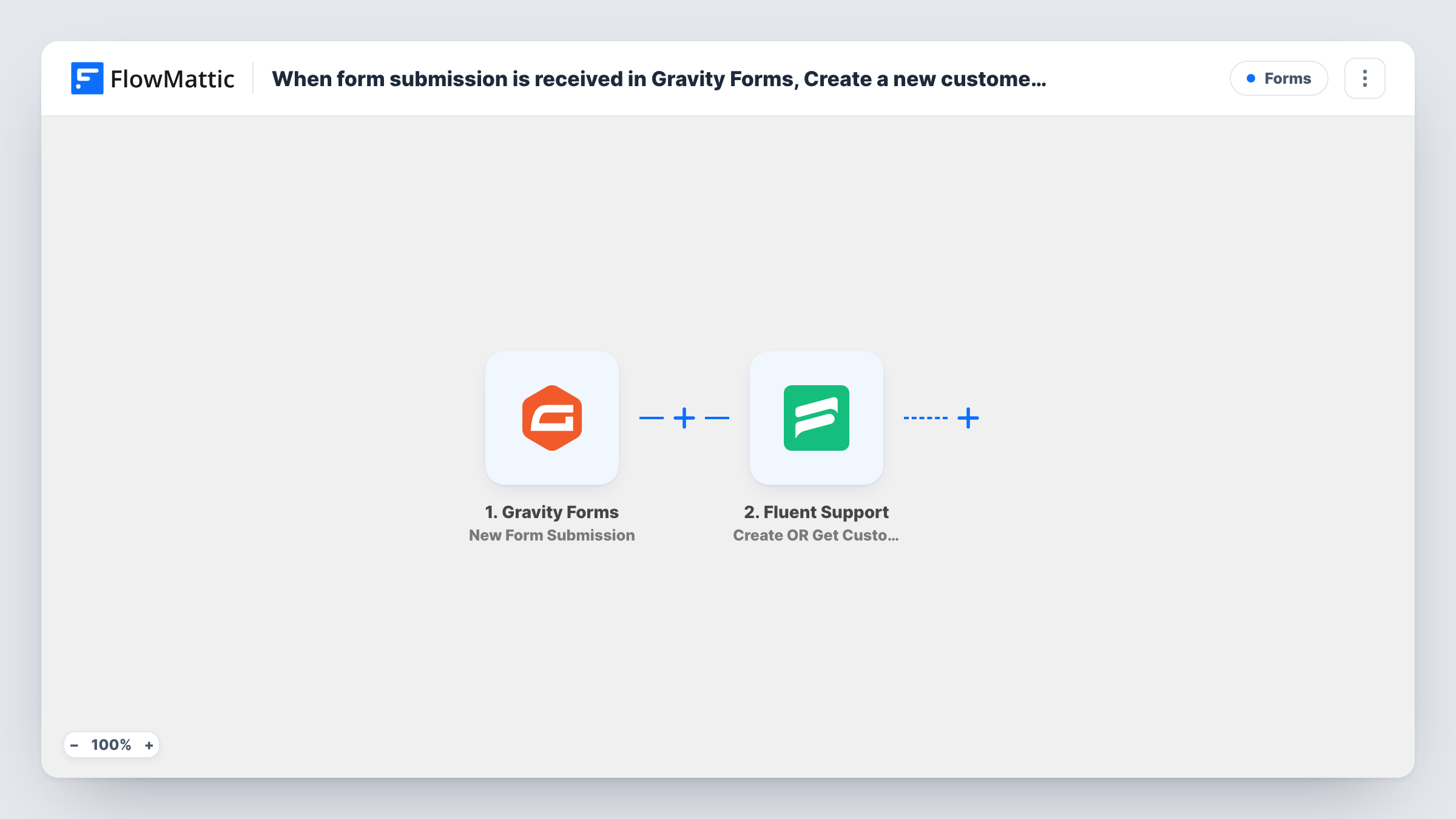
What this workflow does
People often reach you through a form first and a support ticket later. If Fluent Support has never seen them, your agents start with an empty profile. This workflow sets up the customer record in Fluent Support from each Gravity Forms entry, using the name and email the visitor typed.
The Gravity Forms trigger, New Form Submission, picks up each entry as it is saved. FlowMattic passes the entry to Fluent Support, where Create OR Get Customer Info creates a new customer if none exists, or returns the existing customer's info if one does. You map the form's email and name fields into that step.
The workflow doesn't open a ticket. It only makes sure the customer is there. If each entry should also become a ticket, add Fluent Support's Create a New Ticket Using Customer action after this step and map the customer details it returns.
Pre-sales questions on a plugin shop
A Gravity Forms pre-sales form creates the person in Fluent Support, so when they later buy and need help, their customer record is already set up.
Onboarding forms for new clients
Clients fill in a Gravity Forms onboarding form, and each one appears as a Fluent Support customer your team can open tickets for.
Warranty registration
Product owners register through a Gravity Forms form, which adds them as Fluent Support customers ahead of any warranty request.
How this workflow runs
What happens at each step once the workflow is on, and what you need before you import it.
 Gravity Forms New Form Submission
Starts the workflow each time someone sends in one of your Gravity Forms forms. Every field in the entry is available to map into the Fluent Support step.
- Fluent Support Create OR Get Customer Info
Creates a customer in Fluent Support if one doesn't exist, or returns the existing customer's info. Map the form's email and name fields, then check the result in Task History.
What you need
- FlowMatticCore
- Gravity Forms PluginPlugin
- Fluent Support PluginPlugin
After importing, map your own data. To keep the template universal, not every step is pre-filled. Open each step in the builder and connect your accounts and fields (channels, lists, sheets, recipients) before you switch the workflow on.
Make it yours
Changes worth making after you import it.
- Make the email field required in your Gravity Forms form, so every entry gives Fluent Support an address to match or create the customer with.
- If the workflow should run for only one of your Gravity Forms forms, select that form in the trigger, or add a Filter on the form ID after the trigger.
- Keep a log of every entry and the Fluent Support customer it matched: add a Google Sheets row step after this one and map the customer ID the step returns.
Questions about this workflow
Does this create a Fluent Support ticket from the Gravity Forms entry?
No. It only creates the customer, or fetches the existing one, and the form message is not sent on. To turn entries into tickets, add Fluent Support's Create a New Ticket Using Customer action after this step.
What if the Gravity Forms visitor is already a Fluent Support customer?
Per its catalog description, the step returns that customer's existing info instead of making a second record. To change stored details, add Fluent Support's Update Customer action. Test with a known address first.
Do Gravity Forms and Fluent Support need to be on the same site?
Yes. Both are WordPress plugins, and they must be installed on the WordPress site where FlowMattic runs.
More Forms workflows
Other ready-to-import templates from the same category.







Import this workflow into your WordPress site
Download the JSON, import it from the Workflows screen and connect your accounts. Every run stays on your server, with no per-task fees.
30-day money-back guarantee Unlimited workflows and runs Self-hosted