

When a new Grassrootz event is created, add a Google Calendar event and notify the team in Slack
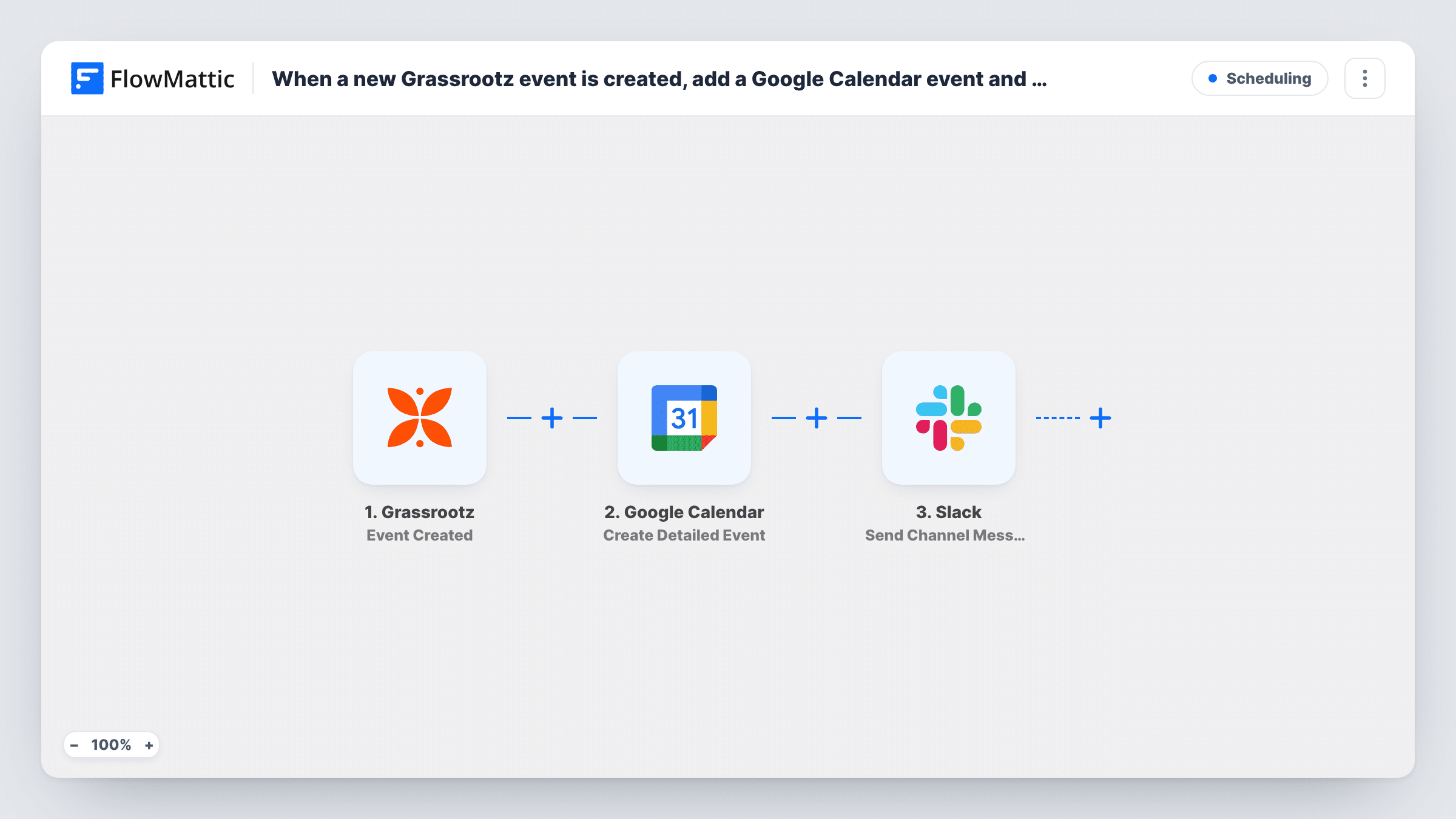
When an event is created in Grassrootz, FlowMattic adds it to a Google Calendar and then posts a message in Slack, so your team has the date in its calendar and hears about the new event.
 Grassrootz
 Google Calendar
 Slack
3 steps Setup ~5 min Used on 904 sites Free to import
What this workflow does
A fundraising event set up in Grassrootz needs people: staff to plan it, volunteers to turn up, someone to promote it. That only works if the team knows it exists and has the date in front of them. Re-entering each event in a calendar and announcing it by hand is easy to skip. This workflow does both.
It begins with the Grassrootz Event Created trigger, which passes the new event's details to FlowMattic. The second step uses the Google Calendar Create Detailed Event action to put it on the calendar you choose, filled with the Grassrootz details you map into it. Last, the Slack step posts a message to your channel, and it can include data from either earlier step.
Steps run in order, so the Slack message goes out after the calendar step. Task History shows each run, which is handy for checking that dates were mapped the way you expect.
Fun runs and community walks
A new Grassrootz fun run appears on the team's shared Google Calendar, and the Slack post tells the volunteer coordinators it is time to recruit marshals.
Gala dinner planning
When the gala is set up in Grassrootz, the date goes on the events calendar and the planning channel in Slack gets the details to start booking suppliers.
Chapters running their own events
Local chapters create events in Grassrootz, and head office sees each one land in a central calendar and an announcements channel.
How this workflow runs
What happens at each step once the workflow is on, and what you need before you import it.
 Grassrootz Event Created
Runs when a new event is created in your Grassrootz account. The event's details become data you can map into the calendar entry and the Slack message.
- Google Calendar Create Detailed Event
Creates an event in the Google Calendar you select. Map the Grassrootz event's details into the calendar entry, including when it takes place, and check the dates with a test run.
- Slack Send Channel Message
Sends an announcement to a Slack channel. Write it using the Grassrootz event details, and add data returned by the calendar step if you want that in the post too.
What you need
- FlowMatticCore
- Grassrootz AccountAccount
- Google Calendar AccountAccount
- Slack AccountAccount
After importing, map your own data. To keep the template universal, not every step is pre-filled. Open each step in the builder and connect your accounts and fields (channels, lists, sheets, recipients) before you switch the workflow on.
Make it yours
Changes worth making after you import it.
- Create a test event in Grassrootz after import, then compare the Google Calendar entry with the original to make sure the dates and time zone line up.
- Add a Delay before the Slack step if you want the announcement to go out later, for example the next morning, while the calendar entry is still made straight away.
- If only some events should reach the calendar and the channel, add a Filter between the Grassrootz trigger and the Google Calendar step, with a condition on one of the event details.
Questions about this workflow
Do updates to a Grassrootz event change the Google Calendar entry?
No. The workflow runs on Event Created only. If an event's date changes later in Grassrootz, update the calendar entry yourself or build a separate workflow for that.
Which Google Calendar do Grassrootz events go into?
The one you pick in the Create Detailed Event step. A shared team calendar works well if everyone should see the events.
Can the Slack post link to the new Google Calendar entry?
Yes, if the calendar step returns a link. Create a test event in Grassrootz, open the run in Task History to see what the Create Detailed Event step returned, and map the link field into the Slack text.
Do I need both Google Calendar and Slack to import this?
Yes, as built. If you only want one of them, delete the other step after import and the workflow keeps working with what remains.
More Scheduling workflows
Other ready-to-import templates from the same category.




Import this workflow into your WordPress site
Download the JSON, import it from the Workflows screen and connect your accounts. Every run stays on your server, with no per-task fees.
30-day money-back guarantee Unlimited workflows and runs Self-hosted