

When a new IndiaMART lead arrives, add it to ActiveCampaign and create a Todoist follow-up task
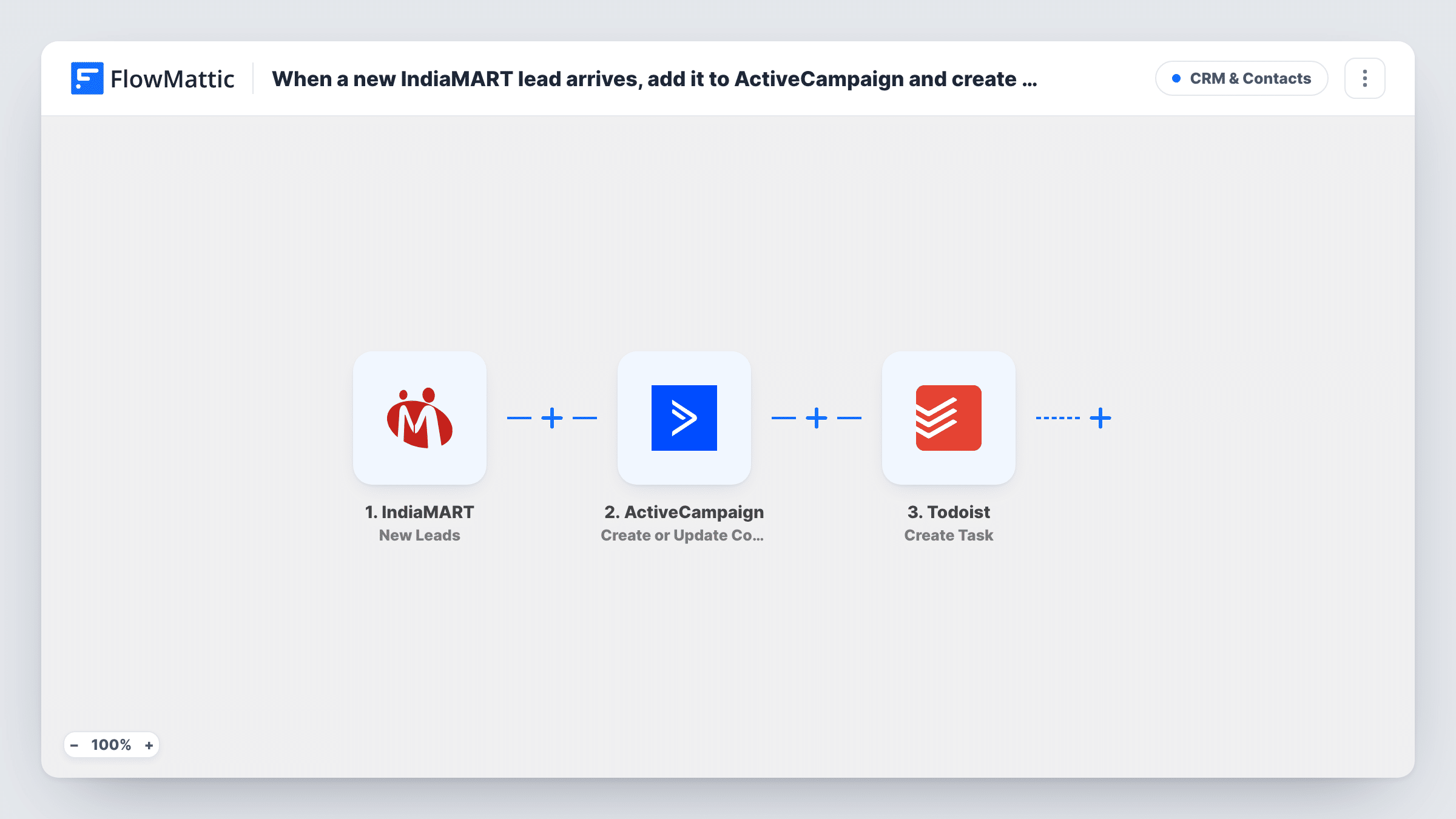
Each new IndiaMART lead is added to ActiveCampaign as a contact, or updates the contact if it exists, and a Todoist task is created so someone on your team owns the follow-up.
 IndiaMART
 ActiveCampaign
 Todoist
3 steps Setup ~5 min Used on 2.2k sites Free to import
What this workflow does
IndiaMART buyers expect a quick reply, and leads that stay in the seller panel are easy to forget. Two things usually need to happen: the buyer goes into your email marketing list, and a person on your team gets a reminder to call or quote. This workflow does both for each lead.
The IndiaMART trigger, New Leads, fires when a new lead is captured. Its details pass to ActiveCampaign, where Create or Update Contact adds the buyer as a contact, or updates the contact if that address is already there. Then Todoist runs Create Task, and you write the task from the lead's details so the rep knows who to contact.
The steps run in order for every lead. If ActiveCampaign returns an error, for example because a lead has no email address, the Todoist task is still created, and Task History shows the error on the ActiveCampaign step.
Manufacturer quoting bulk orders
Each IndiaMART enquiry becomes an ActiveCampaign contact for product mailers, and a Todoist task reminds the sales executive to send a quote.
Small trading company with one sales rep
The rep works from a Todoist list of new buyers to call, while ActiveCampaign builds a list of everyone who has enquired.
Repeat buyers asking again
When a known buyer sends a new enquiry, ActiveCampaign updates their contact instead of adding a duplicate, and a fresh task is still created.
How this workflow runs
What happens at each step once the workflow is on, and what you need before you import it.
 IndiaMART New Leads
Fires when IndiaMART captures a new lead in your account. The buyer's details and enquiry become available to the ActiveCampaign and Todoist steps.
- ActiveCampaign Create or Update Contact
Adds the IndiaMART buyer to ActiveCampaign, or refreshes the contact who already has that email. Map the lead's email and name; a lead without an email can't become a contact, and Task History shows the error.
- Todoist Create Task
Adds a Todoist task so a rep follows up on the IndiaMART enquiry. Build the task text from the lead details, so the rep knows who to contact and what they asked about. Connect your Todoist account.
What you need
- FlowMatticCore
- IndiaMART AccountAccount
- ActiveCampaign AccountAccount
- Todoist AccountAccount
After importing, map your own data. To keep the template universal, not every step is pre-filled. Open each step in the builder and connect your accounts and fields (channels, lists, sheets, recipients) before you switch the workflow on.
Make it yours
Changes worth making after you import it.
- Want calls made within a day? If the Todoist step offers a due date, set it to today, so new IndiaMART leads land in the rep's Today view.
- Add a Filter before ActiveCampaign that continues only when the lead's email is not empty, if you would rather skip leads without an address. Note that the Todoist step would then be skipped for them too.
- Put the buyer's company or the product enquired about in the task text, if the lead data includes them, so a rep scanning Todoist can tell enquiries apart without opening each one.
Questions about this workflow
What if the IndiaMART buyer is already in ActiveCampaign?
The step uses Create or Update Contact, so the existing contact is updated with the new details instead of a second one being added. Blank values in the lead can still overwrite fields you mapped, so check a test run.
Does every IndiaMART lead get a Todoist task?
Yes. There is no Filter in the template, so each lead creates one task, including leads that fail in ActiveCampaign.
Can the task go to a specific person?
Open the Todoist step after import to see which options it offers. If it lets you set an assignee in a shared project, use that; otherwise use a project that one rep owns.
More CRM & Contacts workflows
Other ready-to-import templates from the same category.






Import this workflow into your WordPress site
Download the JSON, import it from the Workflows screen and connect your accounts. Every run stays on your server, with no per-task fees.
30-day money-back guarantee Unlimited workflows and runs Self-hosted