

When a new Instabug crash is reported, create a Todoist task and notify the dev team in Slack
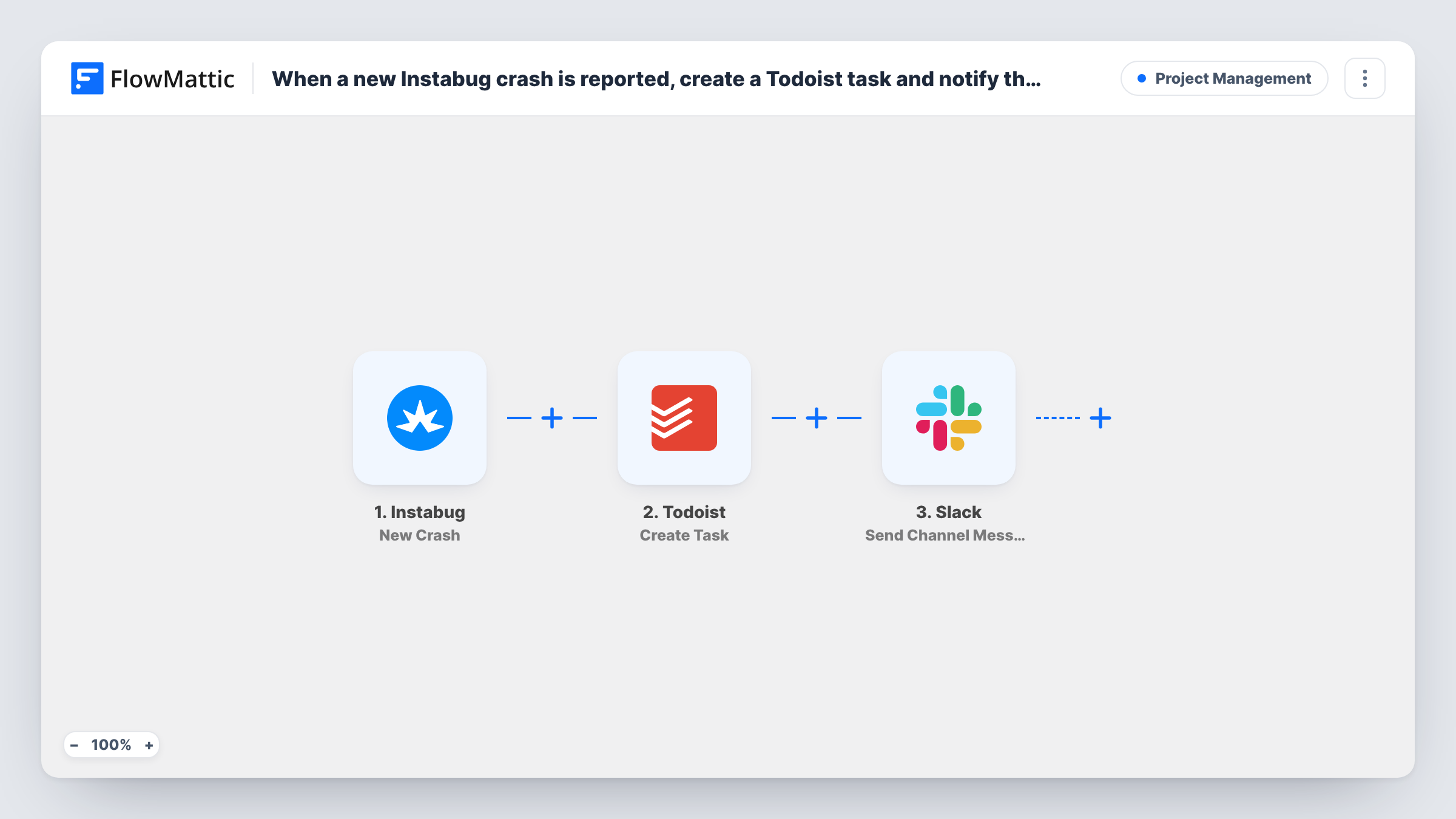
Each new crash Instabug reports for your mobile app becomes a Todoist task, and a message goes to your developers’ Slack channel, so the crash is on someone’s list and the team knows about it.
 Instabug
 Todoist
 Slack
Slack3 steps Setup ~5 min Used on 1.7k sites Productivity Free to import
What this workflow does
Crash reports pile up in Instabug, but your developers plan their work in Todoist and talk in Slack. If nobody turns a crash into a task, it waits until someone thinks to check the dashboard. This workflow does the hand-off for every new crash.
The Instabug trigger, New Crash, fires when a new crash is reported for your app. FlowMattic receives the crash details Instabug sends. The Todoist step runs Create Task, using those details for the task's content. The Slack step then posts a message to the channel you specify, and you can include details from the crash and from the new Todoist task.
Every new crash runs both steps. There's no Filter, so a minor crash and a severe one produce the same task and message. If your app reports many distinct crashes after a release, expect a task and a Slack post for each. Task History records each run with what was sent to Todoist and Slack.
Release-day crash watch
After shipping a new app version, each new crash Instabug catches appears as a Todoist task in your bug-fix project and a post in #mobile-dev.
Small team without a bug tracker
A two-person studio uses Todoist for all work. Instabug crashes become tasks next to their feature work, and Slack tells both of them right away.
On-call rotation
The Slack message reaches the channel your on-call developer watches, while the Todoist task keeps the crash on the list after the shift ends.
How this workflow runs
What happens at each step once the workflow is on, and what you need before you import it.
 Instabug New Crash
Runs each time Instabug reports a fresh crash for your mobile app. The crash details Instabug sends become data for the Todoist task and the Slack message.
- Todoist Create Task
Creates a task in Todoist for the crash. Map the crash title or summary into the task content, and add the crash details or a link to it in Instabug if Instabug sends one.
- Slack Send Channel Message
Posts a message to a Slack channel to tell the dev team about the crash. Include the crash summary and, if you like, the Todoist task details from the previous step.
What you need
- FlowMatticCore
- Instabug AccountAccount
- Todoist AccountAccount
- Slack AccountAccount
After importing, map your own data. To keep the template universal, not every step is pre-filled. Open each step in the builder and connect your accounts and fields (channels, lists, sheets, recipients) before you switch the workflow on.
Make it yours
Changes worth making after you import it.
- Put a Filter between the Instabug trigger and the Todoist step on a crash field Instabug sends, such as app version or platform. Crashes from other builds then get neither a task nor a Slack message.
- Use a private dev channel? Swap the Slack step for Send Private Channel Message, since Send Channel Message is meant for public channels.
- If iOS and Android crashes belong in different Todoist projects, put a Router between the Instabug trigger and the Todoist step with one Create Task step per route, using distinct platform values. End the routes in a Join before the Slack step so it posts once.
Questions about this workflow
Does every Instabug crash create a new Todoist task?
Each crash Instabug reports as new starts a run, and each run creates one task. The template has no step that checks Todoist for an existing task first.
Can the Slack message include the Todoist task details?
Yes. The Slack step runs after Todoist, so the data Todoist returns for the new task can be mapped into the message alongside the crash details.
Will older Instabug crashes be added to Todoist?
No. Only crashes reported after you activate the workflow trigger it. Existing crashes stay in Instabug.
Which Todoist project do the Instabug crash tasks go into?
You decide that in the Todoist step once the workflow is imported. The template leaves that step unmapped, so connect Todoist, choose where the tasks go, and map the crash title or summary into the task content.
More Project Management workflows
Other ready-to-import templates from the same category.




Import this workflow into your WordPress site
Download the JSON, import it from the Workflows screen and connect your accounts. Every run stays on your server, with no per-task fees.
30-day money-back guarantee Unlimited workflows and runs Self-hosted