

When a new lead is captured in Convertbox, create a new customer in Pabbly Subscription Billing, and add a new subscriber in Campaign Monitor
Every lead captured by a Convertbox form becomes a customer in Pabbly Subscriptions Billing and a subscriber on your Campaign Monitor list, from one opt-in.
 Convertbox
 Pabbly Subscriptions
 Campaign Monitor
3 steps Setup ~5 min Used on 3.0k sites Free to import
What this workflow does
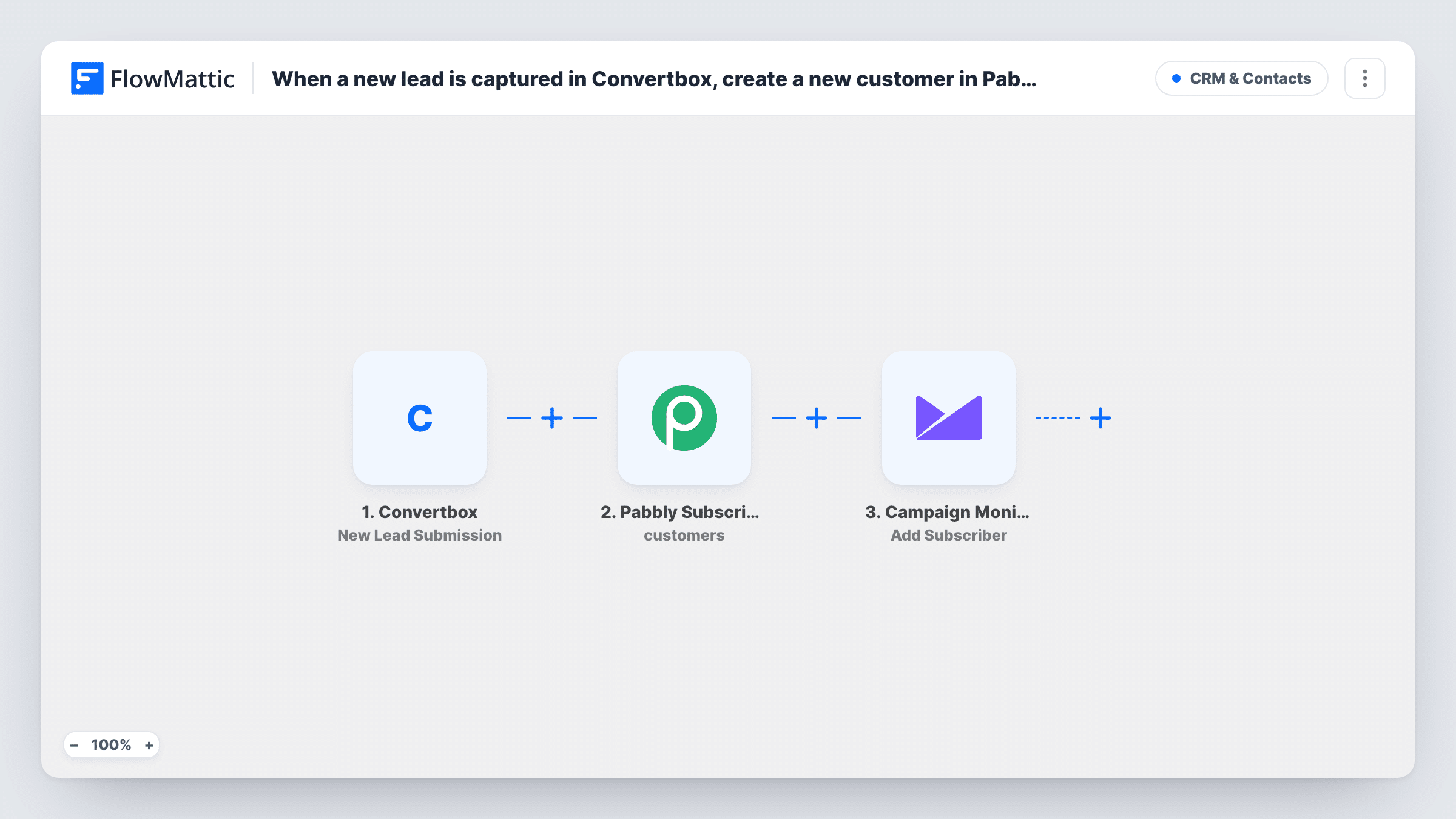
A Convertbox opt-in is often the first step towards a paid plan. If you bill through Pabbly Subscriptions and email through Campaign Monitor, each new lead needs a record in both. This workflow creates them in one pass, so the lead can get your emails and is ready to be billed when they buy.
The Convertbox trigger fires when a new lead is submitted through one of your Convertbox forms. The lead's answers, typically the email and name, are passed to FlowMattic.
Next, the Pabbly Subscriptions Create Customer step adds the lead as a new billing customer. The Campaign Monitor step then adds them as a subscriber to the list you pick. Both actions are empty in the template: after import you connect each account, choose the Campaign Monitor list and map the lead's email and name into each step.
Every Convertbox lead runs both steps. Someone who opts in twice is sent to Pabbly and Campaign Monitor again, and each app handles the repeat in its own way. Make a test submission with an address you already use and read the responses in Task History.
Free trial opt-in on a SaaS site
A software company's Convertbox popup offers a trial. Each lead lands in Pabbly ready for a plan and joins the Campaign Monitor list that sends trial tips.
Coaching enquiry with a newsletter
A coach collects enquiries through a Convertbox form. The enquirer becomes a Pabbly customer for the coach's monthly package and gets the weekly Campaign Monitor newsletter.
Membership waitlist
A membership site's waitlist box adds each person to Pabbly ahead of launch and to a Campaign Monitor list for launch-day announcements.
How this workflow runs
What happens at each step once the workflow is on, and what you need before you import it.
 Convertbox New Lead Submission
Fires when a visitor submits a Convertbox form and becomes a new lead. Their email, name and any other answers you ask for are passed on to the next two steps.
- Pabbly Subscriptions Create Customer
Creates a customer in Pabbly Subscriptions Billing from the lead. Nothing is mapped yet: connect Pabbly and map the Convertbox email and name into the customer fields.
- Campaign Monitor Add Subscriber
Adds the lead to a Campaign Monitor list as a subscriber. Connect Campaign Monitor, pick the list and map the same email and name from the Convertbox trigger.
What you need
- FlowMatticCore
- Convertbox AccountAccount
- Pabbly Subscriptions AccountAccount
- Campaign Monitor AccountAccount
After importing, map your own data. To keep the template universal, not every step is pre-filled. Open each step in the builder and connect your accounts and fields (channels, lists, sheets, recipients) before you switch the workflow on.
Make it yours
Changes worth making after you import it.
- If only some Convertbox forms are for buyers, put a Filter between the Convertbox trigger and the Pabbly step that checks a field identifying the box. Pick that field from a test lead.
- Ask for a consent checkbox in Convertbox if your list needs explicit opt-in, then put a Filter between the Pabbly step and the Campaign Monitor step that continues only when it is ticked.
- Keep the email field required in Convertbox, because both Pabbly and Campaign Monitor need an address to create their records.
Questions about this workflow
Does the Convertbox lead get a Pabbly subscription too?
No. The Pabbly step only creates the customer. Add Pabbly's Create Subscription action after it if leads should start on a plan straight away.
What if a Convertbox lead is already on my Campaign Monitor list?
The Add Subscriber request is still sent with the lead's details. How a known address is treated is up to Campaign Monitor, so test with one and look at its response in Task History.
Can I send Convertbox leads to different Campaign Monitor lists?
Yes. Put a Router between the Pabbly step and the Campaign Monitor step with routes on a field that tells the boxes apart, and move the Add Subscriber step into one route, with a copy for each other list in its own route. Choose box values for the routes that no single lead can match twice.
More CRM & Contacts workflows
Other ready-to-import templates from the same category.







Import this workflow into your WordPress site
Download the JSON, import it from the Workflows screen and connect your accounts. Every run stays on your server, with no per-task fees.
30-day money-back guarantee Unlimited workflows and runs Self-hosted