

When a new lead is captured in Facebook Lead Ads, create a contact in OpenPhone
Each new lead from your Facebook Lead Ads forms becomes a contact in OpenPhone, with the name and phone number they gave, so your team sees who is calling or texting and can reach them from OpenPhone.
 Facebook Lead Ads
 OpenPhone
2 steps Setup ~5 min Used on 2.4k sites Free to import
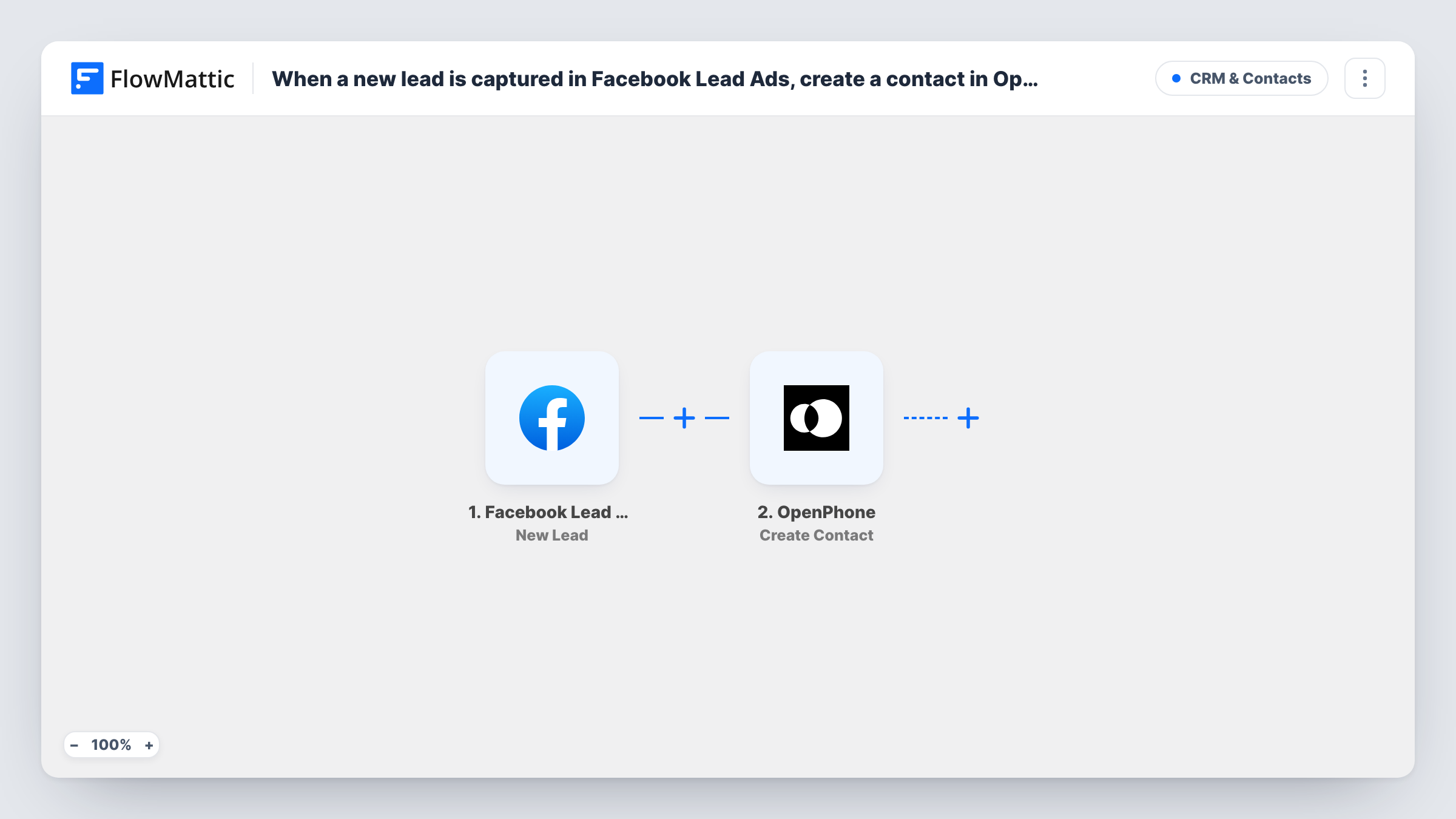
What this workflow does
Lead ads collect phone numbers, but those numbers sit in Facebook until someone downloads them. When a sales rep then calls from OpenPhone, the lead shows up as an unknown number. This workflow adds each lead to OpenPhone as a contact as soon as Facebook creates it.
The Facebook Lead Ads trigger starts a run each time Facebook records a fresh lead from your ad. The answers from the lead form come into FlowMattic for mapping. The OpenPhone step, Create Contact, then adds a new contact to your OpenPhone workspace from those answers.
Create Contact is a create action and isn't described as matching existing contacts, so a person who fills in your form twice may appear twice in OpenPhone. Task History keeps a record of each run and the data sent to OpenPhone, which helps when you check how the fields were mapped.
Home services quote requests
A roofing company runs lead ads for free estimates. Each lead is in OpenPhone with their name before the estimator calls back.
Real estate enquiries
Buyers ask about a listing through a lead ad. Agents who text from OpenPhone see the lead's name on the conversation instead of a bare number.
Fitness studio trial sign-ups
People claiming a free class through a lead form are added to OpenPhone, so front desk staff can text them a confirmation from the shared number.
How this workflow runs
What happens at each step once the workflow is on, and what you need before you import it.
 Facebook Lead Ads New Lead
Fires when a new lead is created on your Facebook lead form. The answers the person submitted, such as their name and phone number, are passed on for mapping.
- OpenPhone Create Contact
Creates a new contact in OpenPhone from the lead. Map the lead's name and phone number, plus any other answers you want stored, then connect your OpenPhone account.
What you need
- FlowMatticCore
- Facebook Lead Ads AccountAccount
- OpenPhone AccountAccount
After importing, map your own data. To keep the template universal, not every step is pre-filled. Open each step in the builder and connect your accounts and fields (channels, lists, sheets, recipients) before you switch the workflow on.
Make it yours
Changes worth making after you import it.
- Make phone number a question on your lead form. Without it, there is no number to save on the OpenPhone contact.
- Want a text sent as well? Add OpenPhone's Send Text Message step after Create Contact to send the lead a short greeting from your OpenPhone number.
- Submit a test lead on your form after import so FlowMattic captures the lead fields, then map them in the OpenPhone step.
Questions about this workflow
What happens if the Facebook lead is already an OpenPhone contact?
The step creates a contact without looking for an existing one, so the same person may end up listed twice. Review OpenPhone for duplicates from time to time, or add a check before the create step if that matters to you.
Which Facebook Lead Ads answers reach OpenPhone?
Only those you map in the Create Contact step. Any question on your lead form can be mapped, so you choose what the contact holds.
Are leads from before the import added to OpenPhone?
No. The trigger fires on leads created after you turn the workflow on. Older leads need to be added another way.
Does the OpenPhone contact show which Facebook ad the lead came from?
Only if you map it. If the lead data carries the ad or form name, map it into one of the contact fields the step offers; check a test lead in Task History to see what arrives.
More CRM & Contacts workflows
Other ready-to-import templates from the same category.







Import this workflow into your WordPress site
Download the JSON, import it from the Workflows screen and connect your accounts. Every run stays on your server, with no per-task fees.
30-day money-back guarantee Unlimited workflows and runs Self-hosted