

When a new lead is captured in OpenRead.io, share the lead data to Pabbly Connect
Each lead your OpenRead.io lead magnet captures is sent to a Pabbly Connect webhook as JSON, so the automations you already run in Pabbly Connect can pick it up.
 OpenRead.io
 Pabbly Connect
2 steps Setup ~5 min Used on 1.5k sites Free to import
What this workflow does
Some teams build their follow-up automations in Pabbly Connect and still want WordPress-side tools feeding them. This workflow is the bridge for OpenRead.io: every new lead goes straight to a Pabbly Connect webhook, where your existing Pabbly workflows take over.
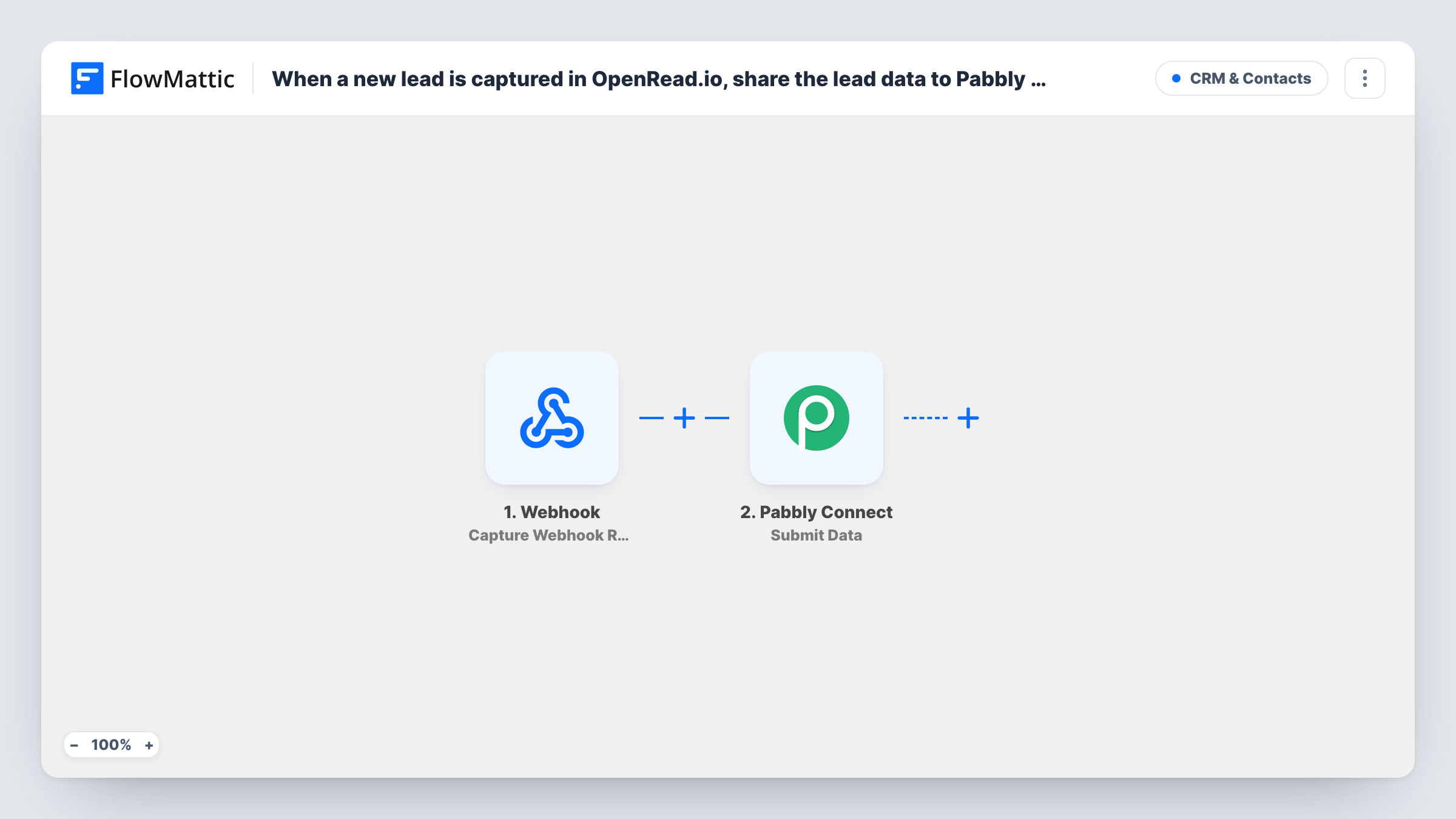
The OpenRead.io Capture New Lead trigger starts a run when your lead magnet or funnel collects a lead. FlowMattic then runs the Pabbly Connect Submit Data action, which sends the data you map to a Pabbly Connect webhook as a POST request in JSON format.
Both sides need a little setup. In Pabbly Connect, create a workflow that starts from a webhook and copy its URL. In FlowMattic, paste that URL into the Submit Data step and map the lead's fields, such as the name and email, into the data it sends. The template maps nothing, so the lead fields that reach Pabbly Connect are exactly the ones you add.
Each captured lead sends one request. Capture a test lead, then check that Pabbly Connect received it and look in Task History for the response FlowMattic got back.
Lead magnet sign-ups into an existing CRM flow
A coach already runs a Pabbly Connect workflow that adds leads to a CRM, and points this template at its webhook so OpenRead.io sign-ups join the same flow.
One entry point for several lead sources
A marketer sends leads from different tools to the same Pabbly Connect webhook, so all of them pass through one set of follow-up steps there.
Moving an automation gradually
A team keeps its follow-up logic in Pabbly Connect for now, while new lead capture runs through FlowMattic on its WordPress site.
How this workflow runs
What happens at each step once the workflow is on, and what you need before you import it.
 OpenRead.io Capture New Lead
Starts the workflow when OpenRead.io captures a new lead. The lead's details are passed on; capture a test lead after import to see the fields you can send.
- Pabbly Connect Submit Data
Sends data to a Pabbly Connect webhook as a JSON POST request. The step ships unmapped, so paste in your Pabbly webhook URL and map the OpenRead.io lead fields you want Pabbly Connect to receive.
What you need
- FlowMatticCore
- OpenRead.io AccountAccount
- Pabbly Connect AccountAccount
After importing, map your own data. To keep the template universal, not every step is pre-filled. Open each step in the builder and connect your accounts and fields (channels, lists, sheets, recipients) before you switch the workflow on.
Make it yours
Changes worth making after you import it.
- Create the webhook-triggered workflow in Pabbly Connect first, and send a test lead while Pabbly is waiting for data, so it learns the field names.
- Use the same key names Pabbly Connect already expects, if you are reusing an existing webhook, so the steps there keep working.
- Add a lead source field with a fixed value such as openread to the data you send, so a shared Pabbly webhook can tell where each lead came from.
Questions about this workflow
What do I need in Pabbly Connect for the OpenRead.io leads?
A Pabbly Connect workflow that starts from a webhook. Copy its URL into the Submit Data step, then build the follow-up actions there, such as adding the lead to your CRM or email tool.
Which lead details does Pabbly Connect receive?
Only the fields you map into the Submit Data step. FlowMattic sends them as JSON, so add every OpenRead.io field your Pabbly steps will need.
Could FlowMattic do the follow-up instead of Pabbly Connect?
Often, yes. FlowMattic connects to many CRM and email apps directly, so you can replace the Submit Data step with those actions and keep everything in one workflow on your WordPress site.
More CRM & Contacts workflows
Other ready-to-import templates from the same category.






Import this workflow into your WordPress site
Download the JSON, import it from the Workflows screen and connect your accounts. Every run stays on your server, with no per-task fees.
30-day money-back guarantee Unlimited workflows and runs Self-hosted