

When a new lead is generated in Marquiz, create a subtask automatically in ClickUp
Each new lead from a Marquiz quiz becomes a subtask in ClickUp, built from the answers and contact details you map, so your team follows up from the task list they already use.
 Marquiz
 ClickUp
2 steps Setup ~5 min Used on 2.7k sites Productivity Free to import
What this workflow does
A quiz on your site can bring in leads faster than anyone checks the Marquiz dashboard. When follow-up lives in ClickUp, each lead needs to end up there as work someone owns. This workflow turns every new Marquiz lead into a ClickUp subtask.
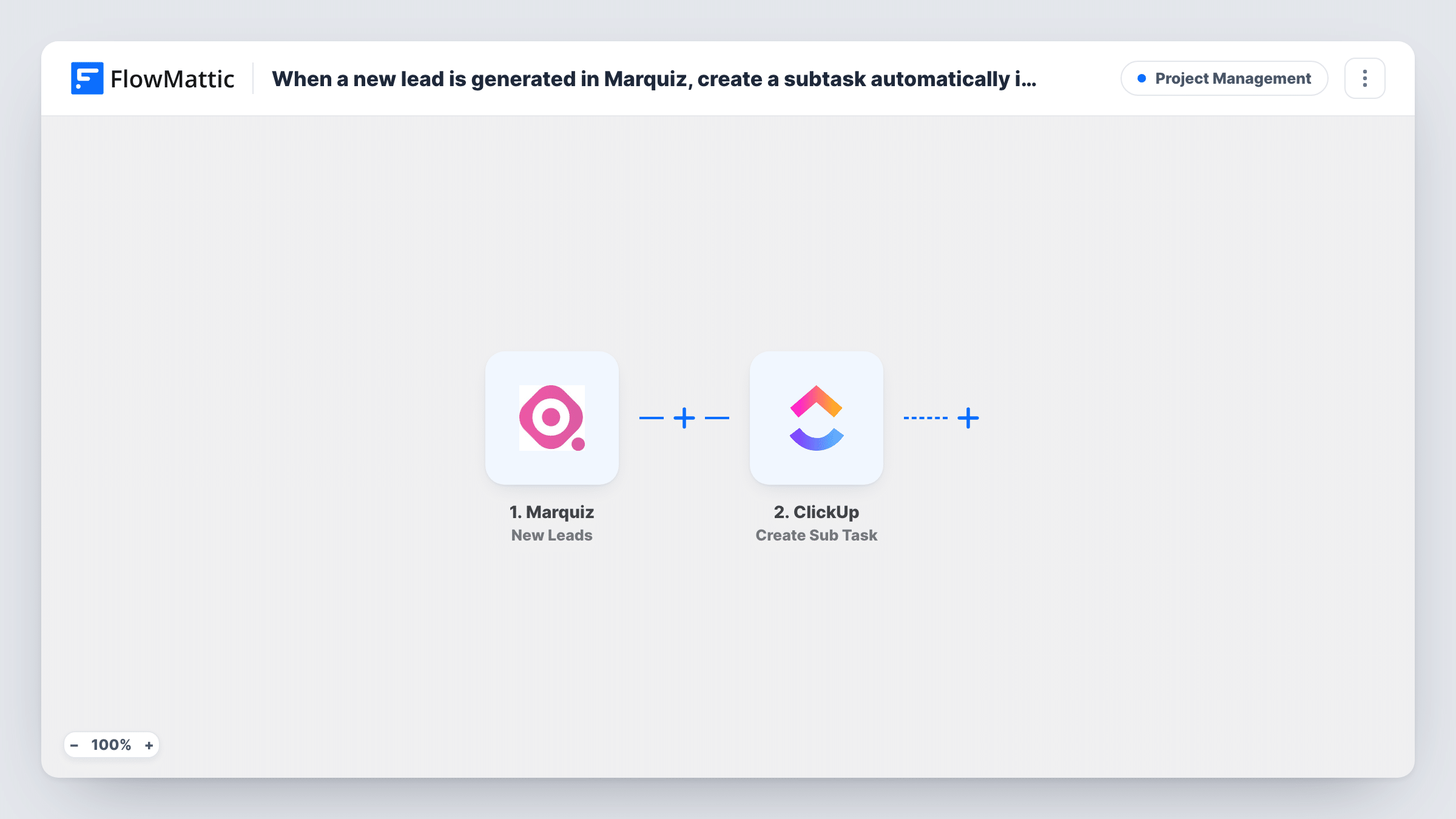
The Marquiz trigger runs when a new lead comes in. FlowMattic takes the lead data from that run and passes it to the Create Sub Task action in ClickUp. You decide what the subtask is called and what it holds, for example the lead's name in the title and their quiz answers in the description.
A ClickUp subtask sits under a parent task, so the leads gather in one place, such as a task named after the quiz or the campaign. Every new lead creates one subtask, with no conditions in between. Once a subtask exists, your team assigns it, comments on it and closes it in ClickUp as with any other task.
Product picker quiz for a store
Shoppers who finish a product quiz and leave contact details show up as subtasks under a Quiz Leads task, ready for your sales team to call or email.
Agency project estimate quiz
A prospect answers questions about budget and scope in Marquiz. The subtask carries those answers, so whoever picks it up knows what was asked before replying.
One parent task per campaign
Point the subtask step at a parent task for the current campaign, and each lead from that quiz is grouped beneath it for reporting.
How this workflow runs
What happens at each step once the workflow is on, and what you need before you import it.
 Marquiz New Leads
Starts whenever a new Marquiz lead arrives. The lead's contact details and answers are passed on to the ClickUp step for mapping.
- ClickUp Create Sub Task
Creates a subtask in ClickUp from the Marquiz lead. Map the lead's name and answers into the subtask, connect your ClickUp account, and use a test run to confirm it appears under the parent task you expect.
What you need
- FlowMatticCore
- Marquiz AccountAccount
- ClickUp AccountAccount
After importing, map your own data. To keep the template universal, not every step is pre-filled. Open each step in the builder and connect your accounts and fields (channels, lists, sheets, recipients) before you switch the workflow on.
Make it yours
Changes worth making after you import it.
- If you run several quizzes, add a Filter after the trigger so only leads from the quiz you care about create a subtask. Check a test run to find which value identifies the quiz.
- Submit a test lead through your Marquiz quiz after import, so FlowMattic captures real lead data to map in the ClickUp step.
- Want a reminder for the team too? Add a chat or email step after ClickUp that mentions the new lead, using the same Marquiz data.
Questions about this workflow
Why a ClickUp subtask instead of a task?
A subtask keeps every quiz lead grouped under one parent task, which makes them easy to find. If you prefer standalone tasks, swap the action for a ClickUp task creation step after import.
Do all Marquiz leads create a subtask?
Yes. Each new lead starts a run and the workflow has no condition, so every lead becomes a subtask. Add a Filter after the trigger if you want to narrow it.
Are leads collected before I import the workflow sent to ClickUp?
No. Only leads that arrive after the workflow is turned on create subtasks. Earlier leads stay in Marquiz.
Could one person end up with two ClickUp subtasks?
Yes. If Marquiz reports a second lead for that person, the workflow runs again and creates another subtask. It does not search ClickUp for an existing one first.
More Project Management workflows
Other ready-to-import templates from the same category.






Import this workflow into your WordPress site
Download the JSON, import it from the Workflows screen and connect your accounts. Every run stays on your server, with no per-task fees.
30-day money-back guarantee Unlimited workflows and runs Self-hosted