

When a new message is created in FaceUp, send an email notification via MailerLite
When a sender adds a new message to a FaceUp report, this workflow sends a MailerLite campaign so the people handling cases get an email about it without logging in to FaceUp to check.
 FaceUp
 MailerLite
2 steps Setup ~5 min Used on 2.0k sites Free to import
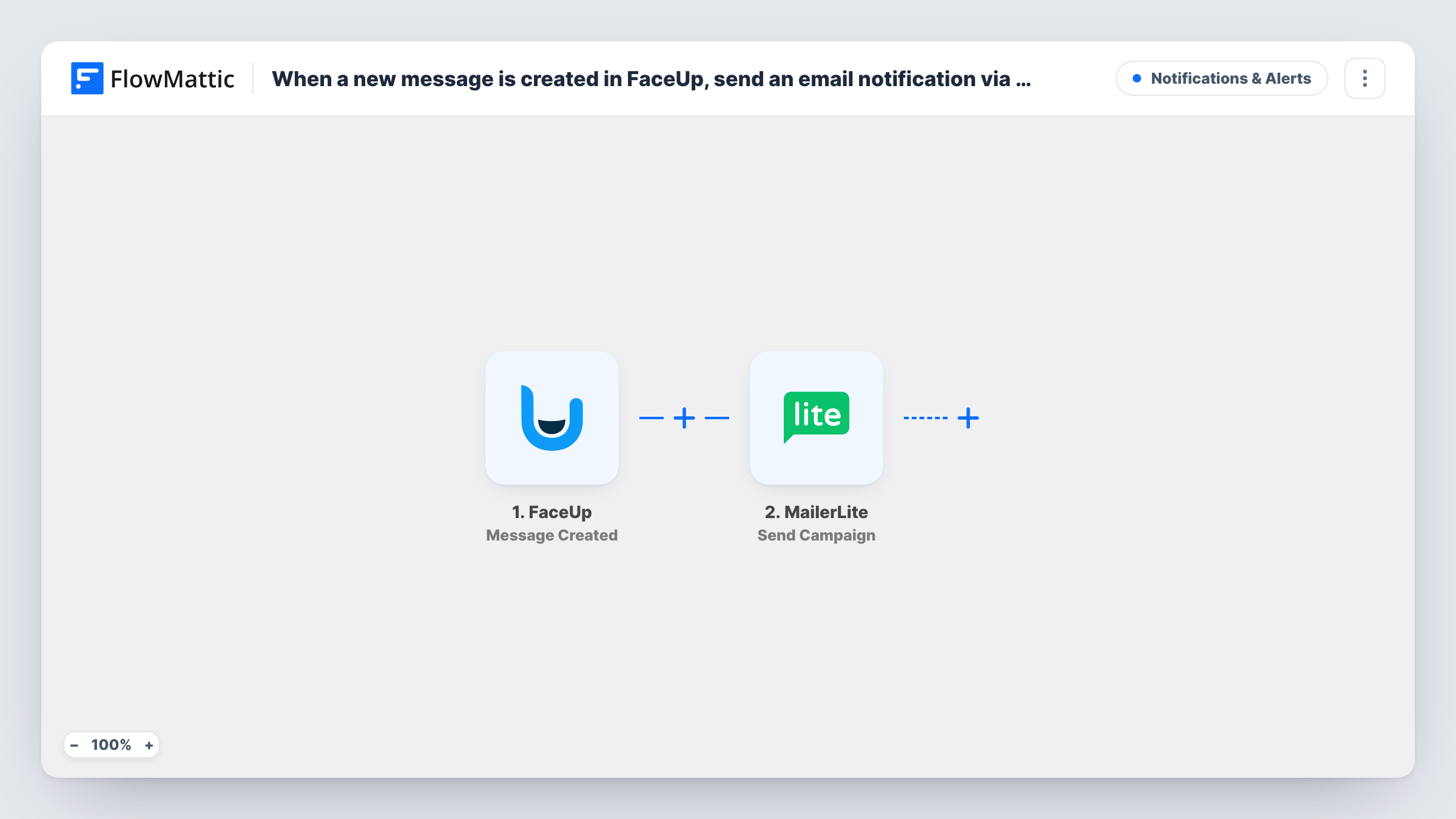
What this workflow does
FaceUp collects reports and follow-up messages from people who may want to stay anonymous. A reply from a reporter can sit unread if the case handler doesn't happen to open the dashboard that day. This workflow turns each new message into an email, sent through your MailerLite account.
The FaceUp trigger fires when a new message from a sender is created. The data from that event is passed to MailerLite, whose Send Campaign action sends a new campaign each time the workflow runs. You can use the FaceUp values wherever the step accepts mapped data.
Because it is a campaign, it goes to MailerLite subscribers, not to an address typed into the workflow. Keep a small group in MailerLite that holds only your case handlers, and check in the step who receives the campaign before you turn it on. A campaign sent to your main list would put reporter messages in front of every subscriber. Think about how much of the message text you place in the email, since FaceUp is often used for confidential matters. Task History shows each run and what MailerLite replied.
HR team following whistleblowing cases
A reporter answers a question on an open FaceUp case. The two people on the HR case team get an email from MailerLite telling them a new message is waiting.
School safeguarding inbox
Students report concerns through FaceUp. Each new message emails the safeguarding staff, so a follow-up from a student is seen the same day.
Compliance officer away from the dashboard
An officer who works mostly from email gets a short notice for each new sender message, with a prompt to sign in to FaceUp and read it there.
How this workflow runs
What happens at each step once the workflow is on, and what you need before you import it.
 FaceUp Message Created
Fires when a sender creates a new message in FaceUp. The data from the event is passed on so the MailerLite step can use it in the campaign.
- MailerLite Send Campaign
Sends a new MailerLite campaign on every run. Connect your MailerLite account on import, then check who the campaign goes to and what it contains before you switch the workflow on.
What you need
- FlowMatticCore
- FaceUp AccountAccount
- MailerLite AccountAccount
After importing, map your own data. To keep the template universal, not every step is pre-filled. Open each step in the builder and connect your accounts and fields (channels, lists, sheets, recipients) before you switch the workflow on.
Make it yours
Changes worth making after you import it.
- Before the first test, make sure the step sends only to a MailerLite group holding your case handlers, so a test message never reaches real subscribers.
- Keep the email short, such as a case reference and a note that a message arrived, and leave the full text in FaceUp where access is controlled.
- Want a record as well? Add a Google Sheets Add New Row step after MailerLite to log when each FaceUp message came in, without copying its content.
Questions about this workflow
Does every new FaceUp message send a MailerLite campaign?
Yes. No step in the template limits which messages count, so each sender message starts a run and a new campaign. Add a Filter after the trigger if only some messages should send an email.
Why MailerLite Send Campaign instead of a normal email step?
This template uses MailerLite, so the email goes out as a campaign to subscribers. If you want to email a fixed address, swap the step for FlowMattic's Email step and type in the address.
Will a test FaceUp message send a real campaign?
Yes. Send Campaign sends through your MailerLite account, so limit the recipients to yourself or your case team before you test.
Does this tell me about new FaceUp reports too?
No. It listens for new sender messages only. FaceUp has a separate Report Created trigger in FlowMattic if you want an email for each new report.
More Notifications & Alerts workflows
Other ready-to-import templates from the same category.






Import this workflow into your WordPress site
Download the JSON, import it from the Workflows screen and connect your accounts. Every run stays on your server, with no per-task fees.
30-day money-back guarantee Unlimited workflows and runs Self-hosted