

When a new MoreApp submission is created, store it in Airtable and notify the field team in Telegram
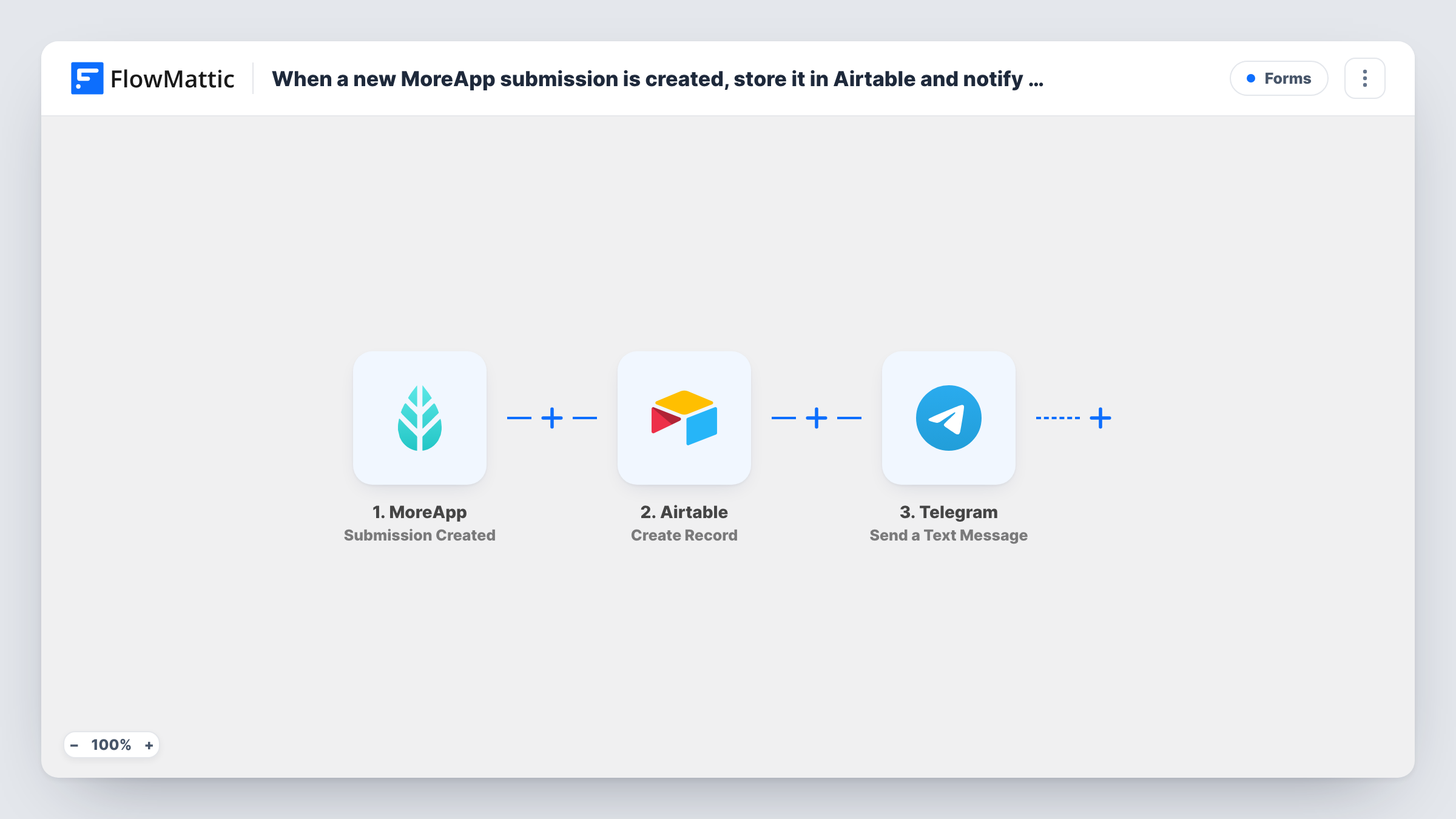
When someone submits a MoreApp form, this workflow creates a record in your Airtable base from the answers, then sends a Telegram text message to the chat your field team uses so they know a new submission is in.
 MoreApp
 Airtable
 Telegram
3 steps Setup ~5 min Used on 2.6k sites Free to import
What this workflow does
Field forms filled in through MoreApp are useful once the right people see them. Office staff want a structured record they can sort and link, and the crew out on site wants a quick heads-up on their phones. This workflow covers both from a single submission.
The MoreApp trigger, Submission Created, starts a run as soon as a completed form reaches MoreApp. FlowMattic passes the answers to Airtable, whose Create Record step adds a new record to the base and table you pick, with each field mapped to a form answer. Next, the Telegram step sends a text message to the chat you set, and you can put form answers or details of the new Airtable record into that message.
The steps run in order for every submission, with no Filter, so each one produces one record and one Telegram message. Task History keeps a log of every run and the response from each app.
Job sheets for a service crew
A technician submits a MoreApp job sheet after a visit. The office gets an Airtable record for invoicing, and the crew's Telegram group sees the job is closed.
Safety observations on site
Workers report hazards through a MoreApp form. Each report is stored in an Airtable safety log and posted to the site supervisors' Telegram chat.
Stock counts from the warehouse
Staff submit stock counts in MoreApp. Airtable holds the counts for the buyer, and a Telegram message lets the team lead know a count was done.
How this workflow runs
What happens at each step once the workflow is on, and what you need before you import it.
 MoreApp Submission Created
Runs for each form a user submits in MoreApp. Every submitted answer comes into FlowMattic and can be mapped in the Airtable and Telegram steps.
- Airtable Create Record
Adds one Airtable record per submission to the table you pick. Connect your Airtable account and map each column to a MoreApp answer, such as the job number, address or notes.
- Telegram Send a Text Message
Posts a Telegram text to the field team's chat via your connected bot. Write the message and add values from the form or from the new Airtable record so the team knows what came in.
What you need
- FlowMatticCore
- MoreApp AccountAccount
- Airtable AccountAccount
- Telegram AccountAccount
After importing, map your own data. To keep the template universal, not every step is pre-filled. Open each step in the builder and connect your accounts and fields (channels, lists, sheets, recipients) before you switch the workflow on.
Make it yours
Changes worth making after you import it.
- Add the Telegram bot to your field team's group chat before you set up the step, otherwise it has nowhere to send the message.
- To notify the team only for some forms or answers, add a Filter between Airtable and Telegram. The record is still stored, and only matching submissions trigger a message.
- Submit one real test form after import so FlowMattic captures MoreApp's field names. Mapping the Airtable columns is much easier with that sample.
Questions about this workflow
Do I need a Telegram bot for the field team alert?
Yes. The Telegram step sends through a bot you connect to FlowMattic. Add that bot to the chat or group where your team should get the messages.
What if the Airtable step fails for a MoreApp submission?
FlowMattic still moves on to the Telegram step, so the team may get a message even when no record was created. Task History shows the Airtable error for that run.
Can the Telegram message include a link to the Airtable record?
Only if the Create Record step returns the data you need to build one. Check the step's output in a test run, then map what it gives you into the message.
Does every MoreApp form in my account start a run?
As imported, the trigger fires on submissions it receives without picking out a form. Add a Filter after the trigger on a value that identifies the form if you need just one.
More Forms workflows
Other ready-to-import templates from the same category.







Import this workflow into your WordPress site
Download the JSON, import it from the Workflows screen and connect your accounts. Every run stays on your server, with no per-task fees.
30-day money-back guarantee Unlimited workflows and runs Self-hosted