

When a new Nimbata call is received, create a Zoho CRM lead and notify the rep on Telegram
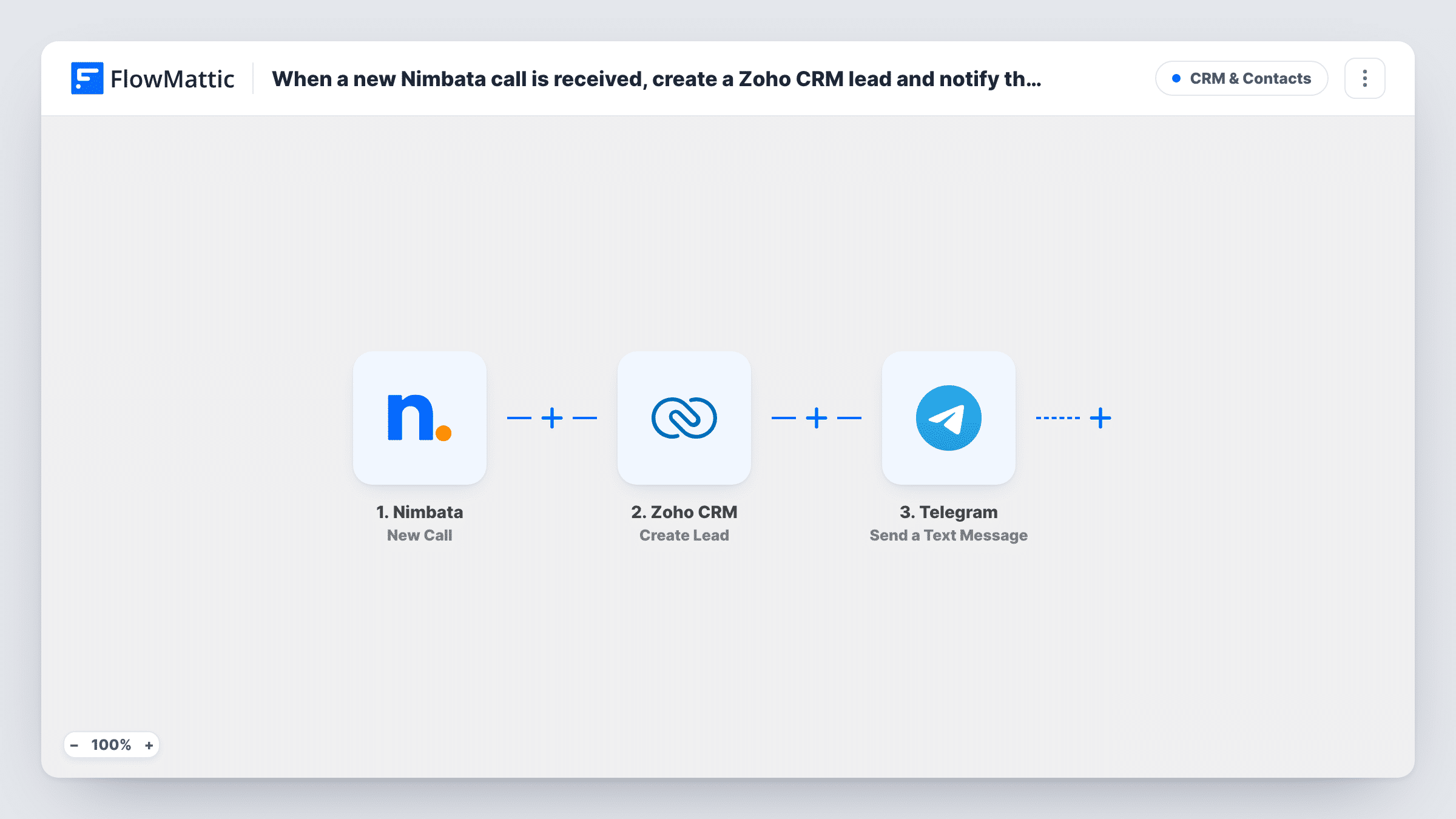
When an inbound call to a Nimbata tracking number is completed, FlowMattic creates a lead in Zoho CRM from the call data and sends a Telegram message to your sales rep so they can call back.
 Nimbata
 Zoho CRM
 Telegram
3 steps Setup ~5 min Used on 390 sites Free to import
What this workflow does
An inbound call is a lead that is ready to talk, and the sooner a rep calls back, the fresher the conversation. If the call only lives in the call-tracking dashboard, nobody may notice it until the end of the day. This workflow records each call as a Zoho CRM lead and tells a rep about it on Telegram.
The Nimbata trigger, New Call, starts a run once an inbound call to any of your tracking numbers ends. The Zoho CRM step then creates a new lead from the call values you map, such as the caller's number and the tracking source. Last, the Telegram step sends a text message through your bot to the chat you set, and can include the call details and data from the new lead.
The message always goes to the same chat. The template does not pick a rep per call, so use a team group chat or one rep's chat. Every completed call creates a lead, including repeat calls from the same person.
Small sales team on the road
Reps out on visits see a Telegram message for each tracked call and ring the caller back, while Zoho CRM keeps the lead record for the office.
Agency reporting on call campaigns
Each call from a client's ad number becomes a Zoho CRM lead with its tracking source, and the account manager's Telegram group hears about it.
After-hours enquiries
Calls that reach your tracking number in the evening are logged as Zoho leads, and the on-call rep gets the Telegram alert to follow up first thing.
How this workflow runs
What happens at each step once the workflow is on, and what you need before you import it.
 Nimbata New Call
Starts the run as soon as a caller hangs up on an inbound call to a Nimbata tracking number. The caller and tracking details are passed on for the Zoho CRM and Telegram steps.
- Zoho CRM Create Lead
Creates a new lead in Zoho CRM from the call data. Map the caller's number and any campaign details you want on the lead, and connect your Zoho CRM account on import.
- Telegram Send a Text Message
Your Telegram bot posts the alert into the one chat named in this step. Map the caller's number and any lead details into the message so the rep can call back straight from it.
What you need
- FlowMatticCore
- Nimbata AccountAccount
- Zoho CRM AccountAccount
- Telegram AccountAccount
After importing, map your own data. To keep the template universal, not every step is pre-filled. Open each step in the builder and connect your accounts and fields (channels, lists, sheets, recipients) before you switch the workflow on.
Make it yours
Changes worth making after you import it.
- If each rep owns a campaign, put a Router between the Zoho CRM step and the Telegram step, with one route per tracking number and its own Telegram step sending to that rep's chat. Make each route match a single tracking number.
- If Nimbata's call data includes a duration, put a Filter between the Nimbata trigger and the Zoho CRM step that continues only above a set length. Short or missed calls then create no lead and send no Telegram alert.
- Check that each rep who should get messages has started a chat with your Telegram bot first. Telegram bots can't open a conversation with someone who never wrote to them.
Questions about this workflow
Which rep gets the Telegram message for a Nimbata call?
Whoever is in the chat you set in the Telegram step. The template sends every alert to that one chat, so use a group chat for a team, or put a Router between the Zoho CRM step and the Telegram step to send different calls to different reps' chats.
Does a repeat caller create a second Zoho CRM lead?
The step is Create Lead, so each completed call creates a new lead. Zoho CRM's response for each run appears in Task History, and you can merge duplicate leads in Zoho.
Can the Telegram alert show the Nimbata caller's number?
Yes, if Nimbata sends it with the call. The Send a Text Message step ships without text, so after import you write the alert and map in the caller's number plus any lead details from the Zoho CRM step.
More CRM & Contacts workflows
Other ready-to-import templates from the same category.






Import this workflow into your WordPress site
Download the JSON, import it from the Workflows screen and connect your accounts. Every run stays on your server, with no per-task fees.
30-day money-back guarantee Unlimited workflows and runs Self-hosted