

When a DocSpring PDF submission changes status, email the recipient via Gmail
Whenever a DocSpring PDF submission changes status, FlowMattic sends an email to the recipient you map, using FlowMattic’s Email step with Gmail’s SMTP details or your own mail.
 DocSpring
 Email
Email2 steps Setup ~5 min Used on 1.3k sites Free to import
What this workflow does
When DocSpring fills a PDF for someone, such as a contract, certificate or form, that person usually needs to hear about it. This workflow emails them each time a submission's status changes, so they know where their document stands without you checking DocSpring.
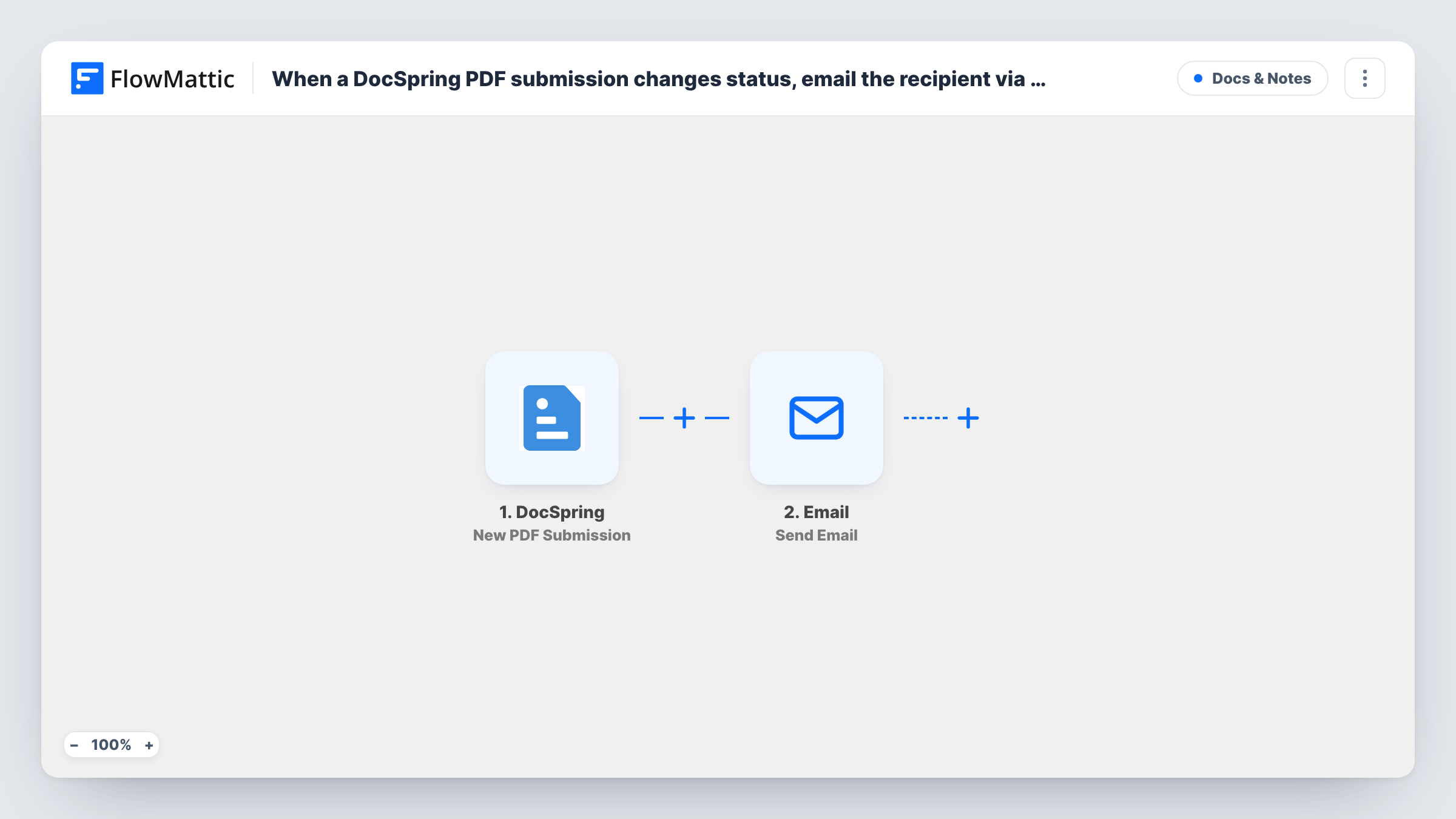
The DocSpring New PDF Submission trigger fires whenever a PDF job status changes. That can mean more than one run for the same submission as it moves through its statuses, so look at a test run to see the status values and the other submission data DocSpring sends, such as the submission ID and any link to the finished PDF.
The title says Gmail, but the action is FlowMattic's Email step, which sends through WordPress mail or an SMTP account. To send through Gmail, enter Gmail's SMTP details in the step, or replace it with the Gmail app's Send Email action. The step ships unmapped: map the recipient's email from the submission data, write the subject and message, and include the status and PDF link where they help.
Every status change sends one email. If you only want to write when the PDF is ready, add a Filter on the status between the trigger and the Email step. Task History shows each run and the data DocSpring sent.
Signed contract ready to download
A small agency emails each client a link to their filled-in DocSpring contract, once a Filter lets through only the finished status.
Certificates sent to course finishers
A training provider generates completion certificates in DocSpring and emails each learner the link from the submission data.
Staff notice when a PDF job has a problem
An operations team maps its own inbox as the recipient and filters on an error status, if its test runs show one, so someone can fix the submission.
How this workflow runs
What happens at each step once the workflow is on, and what you need before you import it.
 DocSpring New PDF Submission
Fires whenever a DocSpring PDF job status changes, which can happen more than once per submission. The submission's status, ID and other data are passed on, so check one test submission for the field names.
 Email Send Email
Sends an email with FlowMattic's Email module, through WordPress mail or your SMTP account, such as Gmail's SMTP. Nothing is mapped yet: set the recipient from the submission and write the message.
What you need
- FlowMatticCore
- DocSpring AccountAccount
After importing, map your own data. To keep the template universal, not every step is pre-filled. Open each step in the builder and connect your accounts and fields (channels, lists, sheets, recipients) before you switch the workflow on.
Make it yours
Changes worth making after you import it.
- Put a Filter between the DocSpring trigger and the Email step that continues only for the status you want to announce, such as the finished one. Check a test run for the exact status value first.
- Swap the Email step for the Gmail app's Send Email action if you'd rather send from a connected Gmail account than enter SMTP details.
- Map the PDF's download link into the message, if DocSpring includes one in the submission data, so the recipient can open the document straight away.
- Store the recipient's email in the DocSpring submission data when you create it, so the workflow has an address to map.
Questions about this workflow
Is this workflow sent through Gmail?
Only if you set it up that way. The step is FlowMattic's Email module, so enter Gmail's SMTP details in it, or replace it with the Gmail app's Send Email action.
Will one DocSpring submission send several emails?
It can. The trigger fires whenever a PDF job status changes, so a submission that moves through more than one status runs the workflow each time. Add a Filter on the status between the DocSpring trigger and the Email step to send just one.
Is the generated PDF attached to the email?
Not as imported. Map the PDF link from the DocSpring data into the message instead. The Email step can only attach files stored on your WordPress site.
Where does the recipient's email address come from?
From whatever DocSpring sends with the submission. The template leaves the recipient empty, so map the email field your submissions carry, or enter a fixed address for internal notices.
More Docs & Notes workflows
Other ready-to-import templates from the same category.






Import this workflow into your WordPress site
Download the JSON, import it from the Workflows screen and connect your accounts. Every run stays on your server, with no per-task fees.
30-day money-back guarantee Unlimited workflows and runs Self-hosted