

When a new Poper lead is captured, add it to ActiveCampaign and notify the team on Telegram
Each lead your Poper popup captures is created or updated as an ActiveCampaign contact, and your team gets a Telegram message with the lead’s details right after.
 Poper
 ActiveCampaign
 Telegram
3 steps Setup ~5 min Used on 1.2k sites Free to import
What this workflow does
Popups collect leads at the moment a visitor is interested. If those leads sit in Poper until someone exports them, your follow-up starts late and the team has no idea a lead arrived. This workflow moves each lead into your CRM and tells the team in the same run.
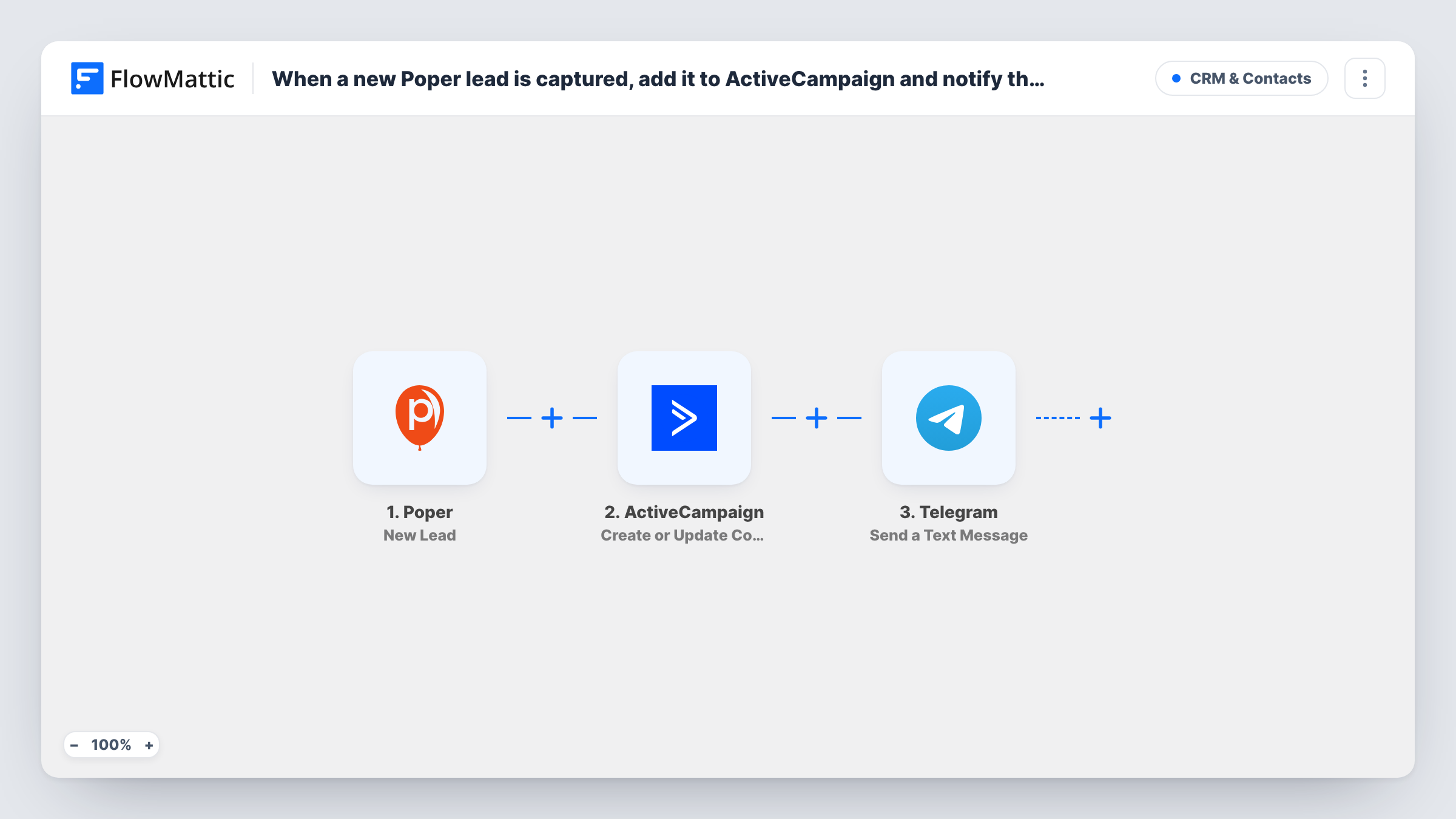
The Poper trigger fires for a new lead from a popup. FlowMattic sends the captured details to ActiveCampaign, whose Create or Update Contact action adds the person, or updates their contact if the email is already known. The last step uses Telegram to post a text message to the chat you set, with whatever lead details you place in it.
Every lead runs all three steps; there is no Filter. ActiveCampaign becomes the place you nurture the lead, and Telegram is the heads-up. For each lead, Task History records what ActiveCampaign sent back, which is the first place to look if a contact seems off.
Discount popup on an online store
Visitors trade their email for a coupon in a Poper popup. They join ActiveCampaign for your offer emails, and the sales chat on Telegram sees each sign-up.
Consultation requests from an exit popup
A consultant's exit-intent popup asks for a phone number and email. The lead becomes a contact, and the Telegram message prompts a quick personal reply.
Small team without a shared CRM login
Only one person manages ActiveCampaign, but everyone is in the Telegram group, so the whole team knows when a lead comes in.
How this workflow runs
What happens at each step once the workflow is on, and what you need before you import it.
 Poper New Lead
Runs when Poper captures a new lead from one of your popups. The details the visitor entered are passed on for mapping in ActiveCampaign and Telegram.
- ActiveCampaign Create or Update Contact
Creates a contact in ActiveCampaign from the Poper lead, or updates the existing contact. Connect your ActiveCampaign account and map the lead's email and any name details you collect.
- Telegram Send a Text Message
Sends a text message through your Telegram bot to the chat you choose. Write the message after import and insert Poper details, such as the lead's email, so the team sees who signed up.
What you need
- FlowMatticCore
- Poper AccountAccount
- ActiveCampaign AccountAccount
- Telegram AccountAccount
After importing, map your own data. To keep the template universal, not every step is pre-filled. Open each step in the builder and connect your accounts and fields (channels, lists, sheets, recipients) before you switch the workflow on.
Make it yours
Changes worth making after you import it.
- If you run several popups and only one should feed ActiveCampaign and the Telegram alert, put a Filter between the Poper trigger and the ActiveCampaign step. Check a test lead to see which value tells the popups apart.
- Keep personal data in the Telegram message to what the team needs, such as name and email, especially when the chat is a group with many members.
- Capture a test lead through your popup after import, then map its fields in the ActiveCampaign and Telegram steps before you turn the workflow on.
Questions about this workflow
What if the Poper lead is already a contact in ActiveCampaign?
Create or Update Contact updates the existing contact with the new details rather than adding a second one.
Do I need a Telegram bot for the alert?
Yes. The Telegram step sends through a bot you connect to FlowMattic, and the bot must be able to post in the chat or group you pick.
Can the Poper lead alert go to a Telegram group instead of one person?
Yes. The Send a Text Message step posts to whichever chat you set, so it can be a group the bot belongs to or a private chat with the bot. Pick the chat after import and write the message there.
Can I put the lead on an ActiveCampaign list?
Add an ActiveCampaign Subscribe or Unsubscribe Contact From List step after the contact step, and map the email so the Poper lead joins the list you pick.
More CRM & Contacts workflows
Other ready-to-import templates from the same category.





Import this workflow into your WordPress site
Download the JSON, import it from the Workflows screen and connect your accounts. Every run stays on your server, with no per-task fees.
30-day money-back guarantee Unlimited workflows and runs Self-hosted