

Send Zoho Sign signature requests for new HubSpot contacts
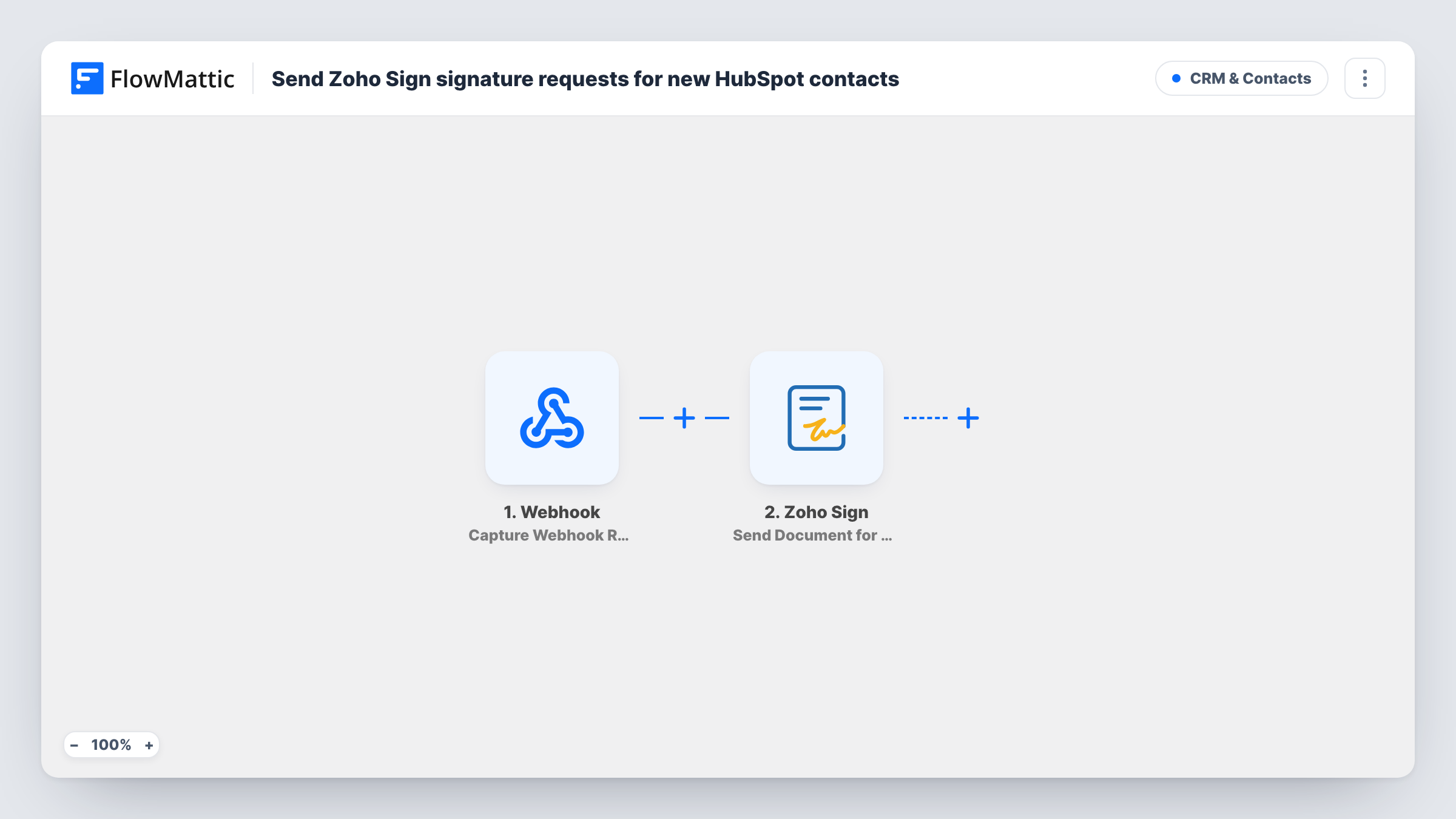
HubSpot posts each new contact to a FlowMattic webhook, and FlowMattic sends that contact a Zoho Sign signature request from your template, so agreements go out as soon as the contact exists.
 Webhook
 Zoho Sign
2 steps Setup ~5 min Used on 792 sites Free to import
What this workflow does
Many teams send the same document to every new contact: a service agreement, an NDA, a consent form. Doing it by hand means opening Zoho Sign, picking the template and typing the person's details each time. This workflow sends the request for you when HubSpot reports a new contact.
FlowMattic's HubSpot integration has actions but no triggers, so the workflow starts with the Webhook trigger instead. You set HubSpot up to post each new contact to the webhook URL FlowMattic gives you, for example from a HubSpot workflow that runs when a contact is created. Whatever HubSpot puts in that request, such as the email, first name and last name, is what FlowMattic receives.
Next, Zoho Sign builds a signature request from a template you choose and sends it. It ships unmapped, so after import you connect Zoho Sign, pick the template and map the contact's name and email from the webhook data to the recipient. Zoho Sign emails the document to that person for signature.
Every request that reaches the webhook sends a document, so make sure HubSpot only posts the contacts who should get one. Send a test contact first and check Task History for the data HubSpot posted and Zoho Sign's response.
Service agreements for new clients
An agency adds a client contact in HubSpot after a discovery call, and the contact receives the agency's service agreement from Zoho Sign to sign.
NDAs before a sales demo
A product company asks every new prospect in HubSpot to sign a short NDA from a Zoho Sign template before sharing the roadmap.
Consent forms for new patients or students
A clinic or school records each new person in HubSpot and sends the standard consent form for signature right away.
How this workflow runs
What happens at each step once the workflow is on, and what you need before you import it.
 Webhook Capture Webhook Response
Gives you a webhook URL that HubSpot posts new contacts to. Each request starts a run, and the fields HubSpot includes, such as the contact's email and name, become available to map. Set up the sending side in HubSpot.
- Zoho Sign Send Document from Template
Creates and sends a Zoho Sign request from a template. The step arrives empty after import: choose your Zoho Sign template and map the contact's name and email from the webhook as the recipient.
What you need
- FlowMatticCore
- Zoho Sign AccountAccount
After importing, map your own data. To keep the template universal, not every step is pre-filled. Open each step in the builder and connect your accounts and fields (channels, lists, sheets, recipients) before you switch the workflow on.
Make it yours
Changes worth making after you import it.
- Turn on the Webhook trigger's "Require authentication on incoming requests" setting and send the matching key from HubSpot, so only HubSpot can start a run.
- If only some contacts need the document, limit what HubSpot posts, or put a Filter between the Webhook trigger and the Zoho Sign step on a field HubSpot sends, such as lifecycle stage. Set it to your own field and value.
- Build the Zoho Sign template with a single signer role first, so you only need to map one name and one email from HubSpot.
- Build a second workflow on Zoho Sign's Document Completed trigger with the Download Signed Document action, so each signed copy is fetched once every signer has finished.
Questions about this workflow
Why is there no HubSpot trigger step in this Zoho Sign workflow?
FlowMattic has HubSpot actions but no HubSpot trigger, so HubSpot has to send the new contact to FlowMattic. The Webhook trigger gives you a URL to post to from HubSpot.
Which HubSpot contact details does Zoho Sign need?
At least the email and name of the person who signs. Make sure HubSpot includes them in the request, then map them in the Zoho Sign step. A test request shows exactly what arrived.
Do I need a Zoho Sign template before importing this?
Yes. The step sends a document from an existing Zoho Sign template, so create the template and its signer role in Zoho Sign first.
What if HubSpot posts the same contact twice?
Each request starts a run, so the contact would get a second signature request. Make the HubSpot side post each contact once, or put a Filter between the Webhook trigger and the Zoho Sign step on a HubSpot field that marks contacts already sent.
More CRM & Contacts workflows
Other ready-to-import templates from the same category.






Import this workflow into your WordPress site
Download the JSON, import it from the Workflows screen and connect your accounts. Every run stays on your server, with no per-task fees.
30-day money-back guarantee Unlimited workflows and runs Self-hosted