

When a Benchmark Email subscriber is added, log them in Google Sheets, add them to FluentCRM, and notify the team in Slack
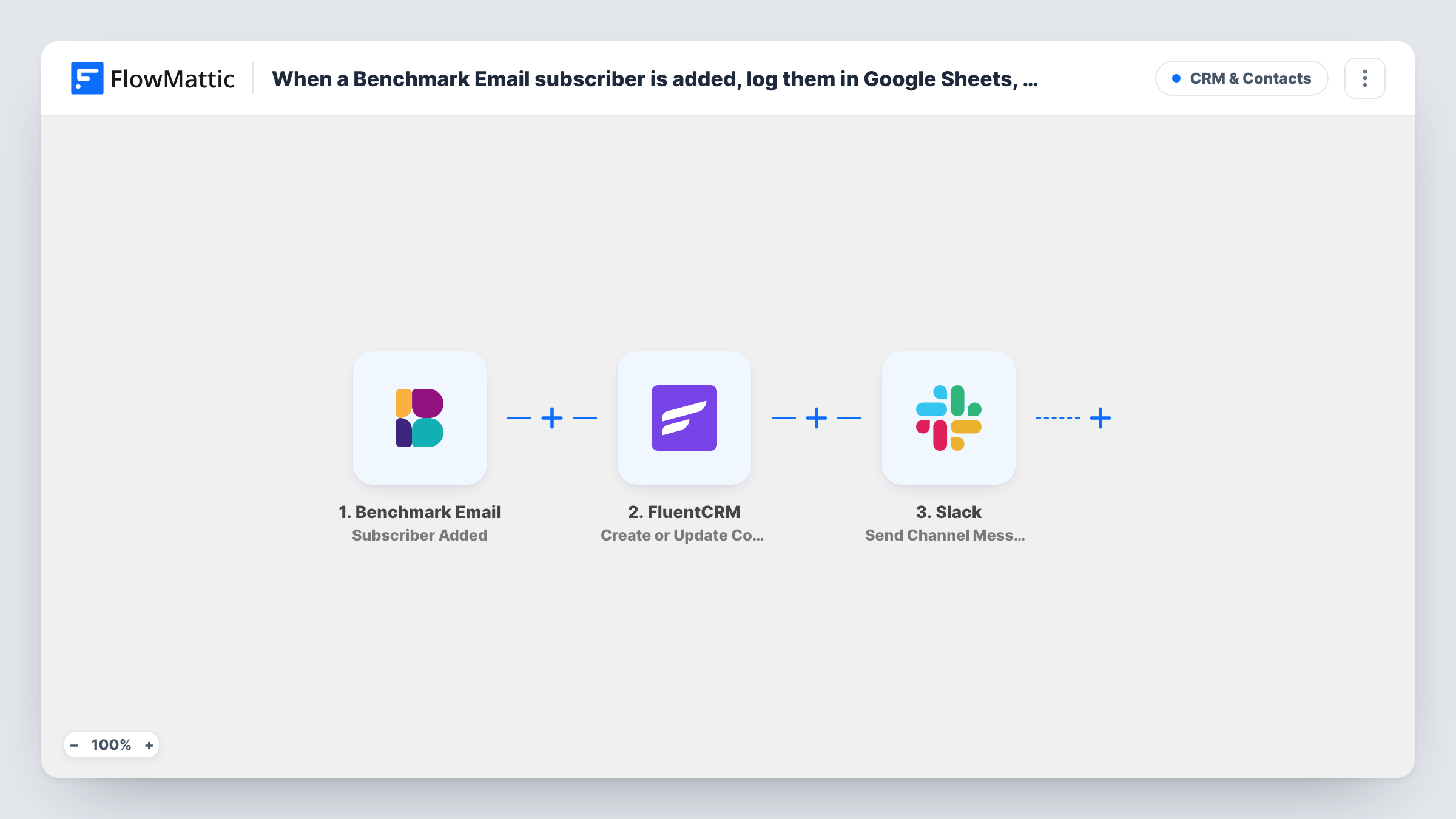
When a new subscriber is added in Benchmark Email, FlowMattic logs them in Google Sheets, creates or updates their FluentCRM contact by email, and posts a message about them in Slack.
 Benchmark Email
 Google Sheets
 FluentCRM
 Slack
Slack4 steps Setup ~8 min Used on 3.2k sites Free to import
What this workflow does
If you collect subscribers in Benchmark Email but run your CRM in WordPress with FluentCRM, new people only reach your CRM when someone exports them. This workflow copies each new subscriber into a log sheet and FluentCRM, then tells your team in Slack.
The Benchmark Email Subscriber Added trigger fires when a new subscriber is added and passes their details on. The Google Sheets step then adds one row for them. After import you pick the spreadsheet and map the email, name and date into your columns.
Next, the FluentCRM step creates a contact, or updates the existing one, based on the email address. Map the email and name, and choose any lists, tags or status you want new subscribers to have. The last step posts a message in a Slack channel; pick the channel and write a short note with the subscriber's name and email.
All three action steps ship unmapped, so nothing is written until you set them. Add a test subscriber in Benchmark Email and check Task History to see what each step returned.
Newsletter sign-ups into a WordPress CRM
A publisher grows its list in Benchmark Email and keeps FluentCRM in step, so subscriber details sit next to their WordPress activity.
A simple sign-up log
A small business keeps a Google Sheet of every new subscriber with the date they joined, to check list growth each month.
Sales hears about new subscribers
A B2B team posts every new subscriber in a Slack channel so a sales rep can spot people from target companies.
How this workflow runs
What happens at each step once the workflow is on, and what you need before you import it.
 Benchmark Email Subscriber Added
Starts a run each time Benchmark Email records a new subscriber. Their email, name and other profile details are passed on to the sheet, FluentCRM and Slack.
- Google Sheets Add New Row
Adds one row per subscriber to your Google Sheets spreadsheet. Pick the spreadsheet and sheet after import and map the subscriber fields you want into your columns.
- FluentCRM Create or Update Contact
Adds the subscriber to FluentCRM, matching on email so a known contact is updated rather than duplicated. Map the email and name, and set any lists, tags or status new subscribers should get.
- Slack Send Channel Message
Posts a note about the new subscriber in a Slack channel. The step ships empty: choose the channel and write a message with the subscriber's name and email mapped in.
What you need
- FlowMatticCore
- Benchmark Email AccountAccount
- Google Sheets AccountAccount
- FluentCRM PluginPlugin
- Slack AccountAccount
After importing, map your own data. To keep the template universal, not every step is pre-filled. Open each step in the builder and connect your accounts and fields (channels, lists, sheets, recipients) before you switch the workflow on.
Make it yours
Changes worth making after you import it.
- Map a timestamp into a Date column in the Google Sheets step so you can count new subscribers by week or month.
- Add a FluentCRM tag such as "Benchmark" in the contact step so you can tell these contacts apart from ones who joined through your WordPress forms.
- Put a Filter between the FluentCRM step and the Slack step if only some subscribers should be announced, such as emails that contain a company domain you track. The sheet row and contact are still created for everyone.
Questions about this workflow
What if the Benchmark subscriber is already a FluentCRM contact?
FluentCRM's Create or Update Contact matches by email address, so the existing contact is updated instead of duplicated.
Are my existing Benchmark Email subscribers copied over?
No. People who were on your Benchmark list before you switched the workflow on don't start a run. Import your current list into FluentCRM separately.
Does an unsubscribe in Benchmark Email change FluentCRM?
Not with this workflow. FlowMattic's Benchmark Email integration has a separate Unsubscribe trigger you could use in a second workflow.
More CRM & Contacts workflows
Other ready-to-import templates from the same category.




Import this workflow into your WordPress site
Download the JSON, import it from the Workflows screen and connect your accounts. Every run stays on your server, with no per-task fees.
30-day money-back guarantee Unlimited workflows and runs Self-hosted