

Add or update LeadConnector contacts from new Gravity Forms submissions
When someone submits a Gravity Forms form on your site, this workflow creates a contact in LeadConnector (GoHighLevel) from their answers, or updates the contact if they’re already in your sub-account.
 Gravity Forms
 LeadConnector V2
2 steps Setup ~5 min Used on 1.8k sites Free to import
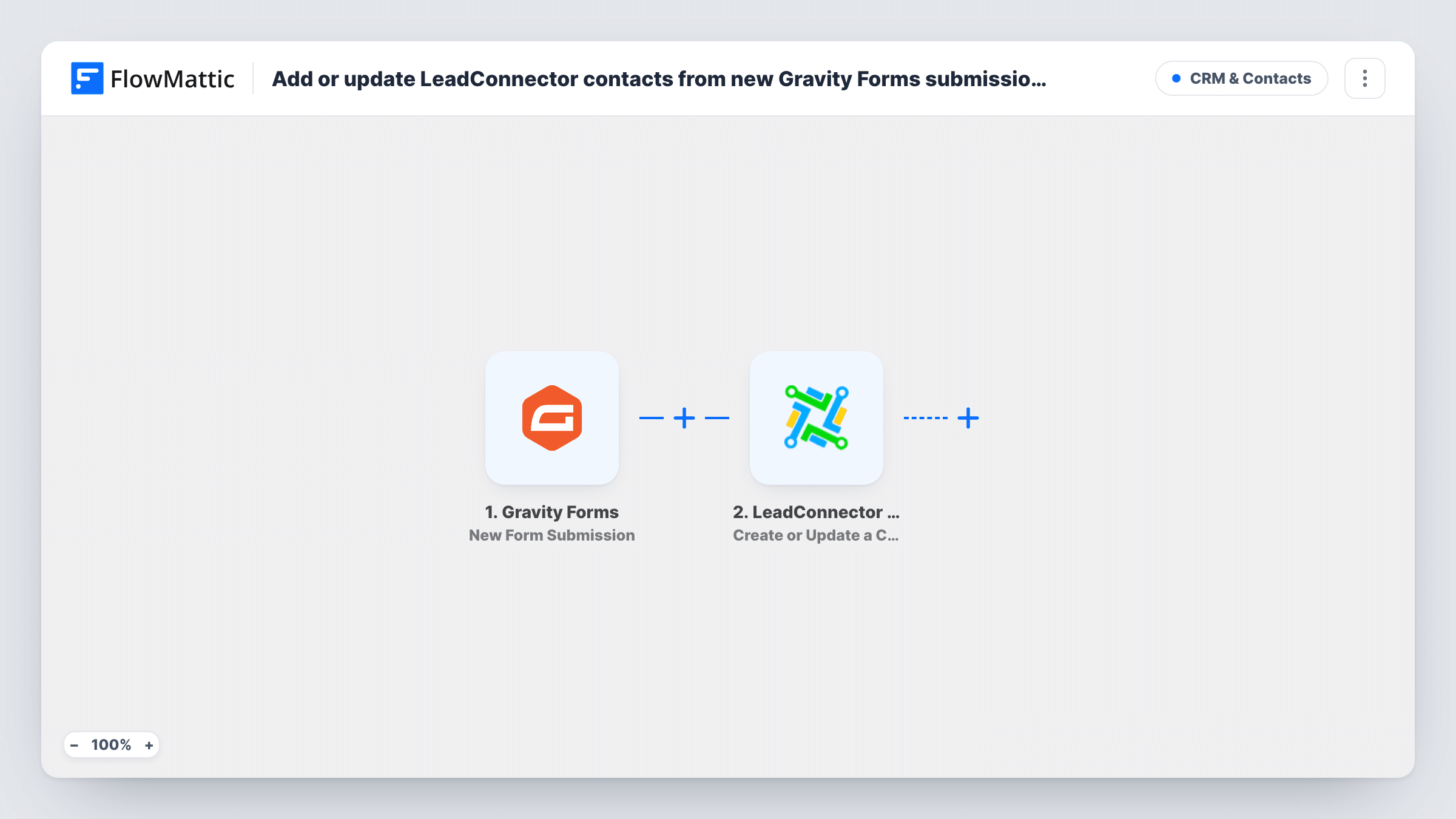
What this workflow does
If your website runs Gravity Forms and your follow-up happens in LeadConnector, every enquiry has to make it from WordPress into the CRM. Copying entries by hand leaves gaps and duplicates. This workflow sends each submission straight to LeadConnector.
The Gravity Forms trigger fires when a visitor submits a form on your site. Each field in the entry becomes a value you can map.
The LeadConnector V2 step is Create or Update a Contact, which per FlowMattic's catalog creates or updates a contact at the sub-account level. You map the email, name, phone and any other answers to the contact. When the person already exists, their record is updated rather than duplicated, so someone who fills in two forms stays one contact.
An update writes whatever the new submission sends. If a later form leaves a field blank and you have mapped it, that blank can replace a value you had before, so map only the fields each form collects. Task History shows each run and LeadConnector's response.
Agency client lead forms
An agency builds a client's site with Gravity Forms and sends every enquiry into the client's LeadConnector sub-account, where their follow-up automations run.
Quote requests for a trade business
A roofing company's quote form adds each homeowner to LeadConnector, and a returning customer's details are refreshed instead of duplicated.
Webinar or event sign-ups
A Gravity Forms registration form feeds LeadConnector, so you can send reminders and follow-ups from the CRM you already use.
How this workflow runs
What happens at each step once the workflow is on, and what you need before you import it.
 Gravity Forms New Form Submission
Fires when a visitor submits a Gravity Forms form on your WordPress site. Every field in the entry is passed on so you can map it to the contact.
- LeadConnector V2 Create or Update a Contact
Creates a contact in your LeadConnector sub-account from the form answers, or updates the existing one. Map the email, plus the phone if your form asks for it, so an existing contact can be found.
What you need
- FlowMatticCore
- Gravity Forms PluginPlugin
- LeadConnector V2 AccountAccount
After importing, map your own data. To keep the template universal, not every step is pre-filled. Open each step in the builder and connect your accounts and fields (channels, lists, sheets, recipients) before you switch the workflow on.
Make it yours
Changes worth making after you import it.
- Make the email field required in your Gravity Forms form, so LeadConnector always gets an address to create or match the contact with.
- If a test shows entries from other forms reaching this workflow, add a Filter after the trigger that continues only for the form you want.
- Want to start your LeadConnector follow-up right away? Add LeadConnector's Add Contact to Workflow step after this one, mapping the contact from this step's result.
Questions about this workflow
What if the Gravity Forms visitor is already a LeadConnector contact?
The step creates or updates, so the existing contact is updated with the new answers instead of a second contact being created.
Can a blank Gravity Forms field wipe out contact data?
It can, if that field is mapped and the new submission leaves it empty. Map only fields the form collects, and test with an existing contact before going live.
Does this work with GoHighLevel?
Yes. FlowMattic lists the app as LeadConnector (GoHighLevel), and you connect your sub-account to it when you import the workflow.
Will past Gravity Forms entries go into LeadConnector?
No. The trigger reacts to new Gravity Forms entries from the moment the workflow is switched on. Import older entries into LeadConnector separately if you need them.
More CRM & Contacts workflows
Other ready-to-import templates from the same category.








Import this workflow into your WordPress site
Download the JSON, import it from the Workflows screen and connect your accounts. Every run stays on your server, with no per-task fees.
30-day money-back guarantee Unlimited workflows and runs Self-hosted