

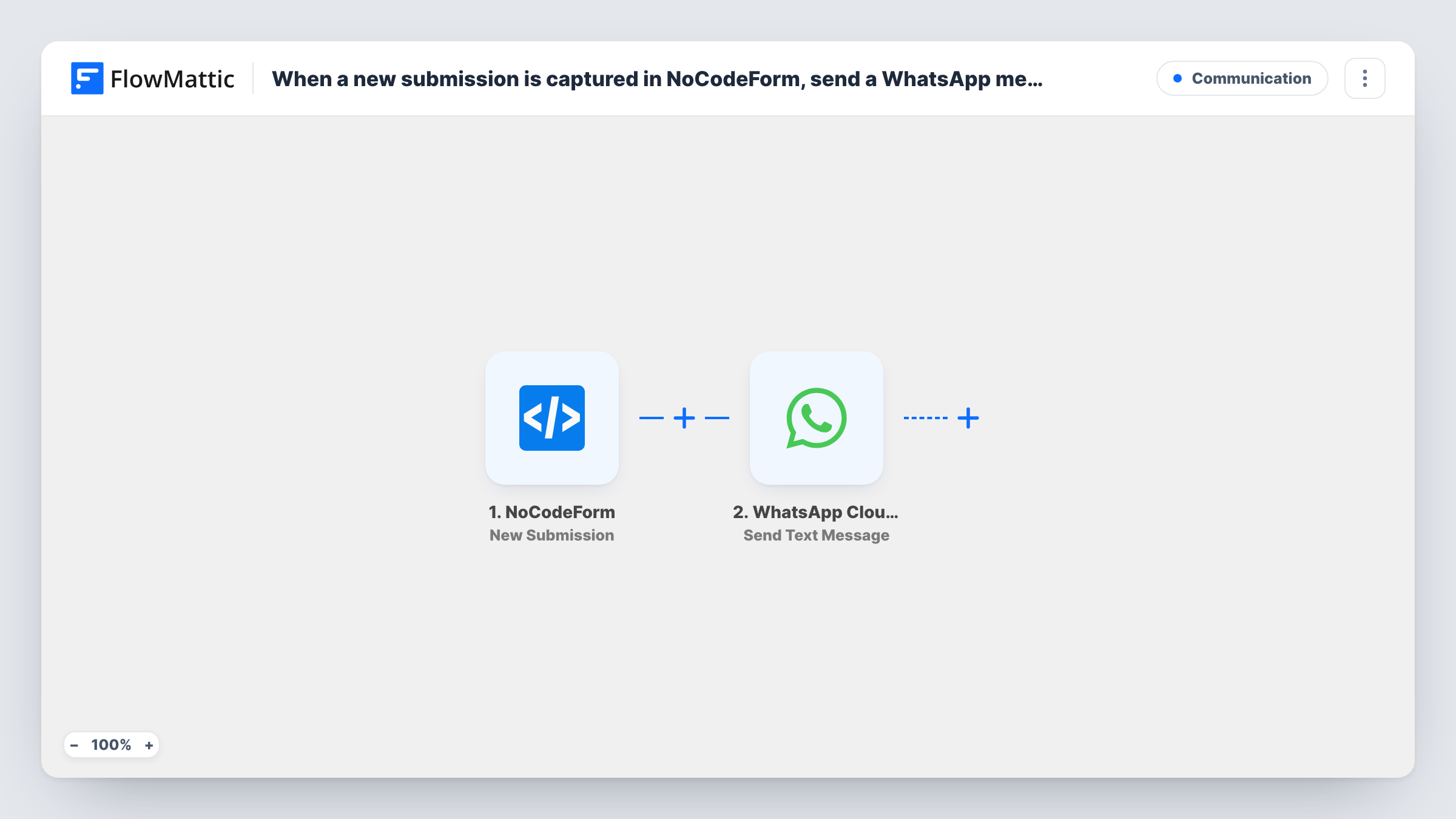
When a new submission is captured in NoCodeForm, send a WhatsApp message via WhatsApp Cloud API
When NoCodeForm captures a new submission, this workflow sends a WhatsApp text through the WhatsApp Cloud API. Map the number from the form or use your own; free-form text only lands within 24 hours of a person writing to you.
 NoCodeForm
 WhatsApp Cloud API
2 steps Setup ~5 min Used on 3.3k sites Free to import
What this workflow does
Form answers that sit in an inbox get read late. If you or your respondents live on WhatsApp, a message there is harder to miss. This workflow sends one from your WhatsApp business number each time NoCodeForm captures a submission.
The NoCodeForm trigger runs when a new submission is captured, and the answers come into FlowMattic for mapping. The WhatsApp Cloud API step then sends a text. You choose who gets it: map a phone number from the form to message the respondent, or enter your own team's number to be alerted. The text can include any answer from the form.
One WhatsApp rule shapes how this works. A free-form text is only delivered if the recipient sent your business number a message in the last 24 hours. Respondents who never wrote to you usually won't receive it. For them, switch the step to Send Template Message with a template WhatsApp has approved. A team number that chats with your business number regularly is the easiest case for plain text. Task History shows what WhatsApp returned on each run.
Staff alert for each new enquiry
Map your own phone number as the recipient. Each NoCodeForm enquiry arrives on WhatsApp with the name and message, so you can reply while the lead is fresh.
Reply to people already chatting with you
A form linked from your WhatsApp chat collects details. Those respondents wrote to you recently, so a plain text confirming receipt can reach them.
Booking confirmations with a template
Swap in Send Template Message and every respondent to a booking form gets an approved WhatsApp confirmation with their chosen date filled in.
How this workflow runs
What happens at each step once the workflow is on, and what you need before you import it.
 NoCodeForm New Submission
Runs when NoCodeForm captures a new submission. Every answer in the form becomes available to map into the WhatsApp message and recipient.
- WhatsApp Cloud API Send Text Message
Sends a WhatsApp text from your WhatsApp Cloud API number to the recipient you map. Plain text reaches a person only if they wrote to your number within the past 24 hours.
What you need
- FlowMatticCore
- NoCodeForm AccountAccount
- WhatsApp Cloud API AccountAccount
After importing, map your own data. To keep the template universal, not every step is pre-filled. Open each step in the builder and connect your accounts and fields (channels, lists, sheets, recipients) before you switch the workflow on.
Make it yours
Changes worth making after you import it.
- Add a phone field to your NoCodeForm form and ask for the country code, since WhatsApp needs the full international number.
- To reach respondents who never wrote to you, change the action to Send Template Message from the WhatsApp Cloud API app and use an approved template.
- Add a Filter after the trigger that continues only when the phone field is not empty, so submissions without a number stop before the WhatsApp step.
Questions about this workflow
Will NoCodeForm respondents always get the WhatsApp text?
No. A plain WhatsApp text is only delivered when the respondent messaged your business number in the last 24 hours. Use an approved template message to reach anyone else.
Can the WhatsApp message go to me instead of the respondent?
Yes. Enter your own number as the recipient instead of mapping one from the form. You then get a text with the form answers for each submission.
Does my NoCodeForm form need a phone field?
Only if you want to message the respondent. Without one there is no number to map, so you would send the text to a fixed number instead.
What WhatsApp setup does this NoCodeForm workflow need?
A WhatsApp Cloud API account with a business phone number, connected to FlowMattic on import. That number is the sender of each text.
More Communication workflows
Other ready-to-import templates from the same category.





Import this workflow into your WordPress site
Download the JSON, import it from the Workflows screen and connect your accounts. Every run stays on your server, with no per-task fees.
30-day money-back guarantee Unlimited workflows and runs Self-hosted