

When a new subscriber is added in FluentCRM, automatically create a MemberPress member with a free trial subscription
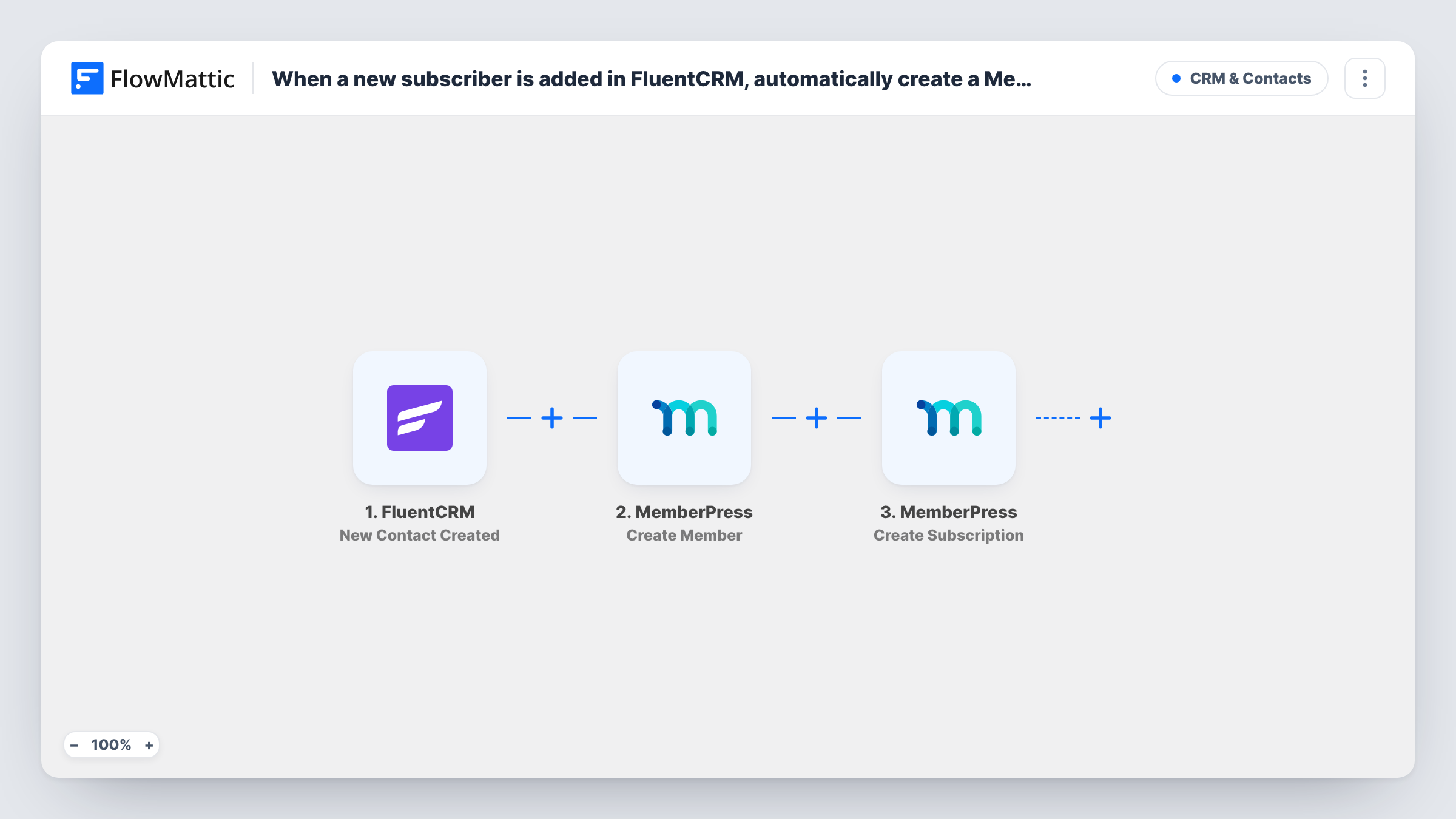
When a new contact is created in FluentCRM, FlowMattic creates a MemberPress member from their email and name, then starts a subscription for that member with a free trial.
 FluentCRM
 MemberPress
3 steps Setup ~5 min Used on 3.1k sites Free to import
What this workflow does
A trial is a simple way to let new subscribers try your members area. Setting each one up by hand in MemberPress takes time, and people wait. This workflow does it as soon as a contact appears in FluentCRM, so the person has a member account and a trial subscription without you touching the dashboard.
FlowMattic starts a run whenever FluentCRM creates a contact, wherever that contact came from, so every new contact runs the workflow. The contact's email, first name and last name are passed on.
The first MemberPress step creates a member. It's already mapped with the contact's email, first name and last name from FluentCRM. The second MemberPress step creates a subscription record for the member ID returned by the first step, with the trial option switched on. After import, open that step and choose the membership the trial is for, and check the remaining subscription settings with a test contact.
If the email already belongs to a user on your site, MemberPress may return an error for the Create Member step. Run a test with a fresh email and look at Task History to see what each MemberPress step returned.
Trial access for newsletter sign-ups
A publisher's newsletter form adds people to FluentCRM, and each new contact gets a MemberPress trial of the premium articles area.
Course previews for leads
An online school creates a MemberPress trial for every lead that lands in FluentCRM, so prospects can open the first lessons before paying.
Community trial after a webinar
A coach imports webinar attendees into FluentCRM, and each new contact gets a member account with a trial of the private community.
How this workflow runs
What happens at each step once the workflow is on, and what you need before you import it.
 FluentCRM New Contact Created
Fires when a new contact is created in FluentCRM, for example from a form or one you add by hand. The contact's email, first name and last name are passed to MemberPress.
- MemberPress Create Member
Creates a new MemberPress member. The template maps the FluentCRM contact's email, first name and last name, so the member account carries the same details as the CRM contact.
- MemberPress Create Subscription
Creates a subscription record for the member from the previous step, with the trial option set. After import, choose the membership the trial belongs to and review the other subscription settings in a test run.
What you need
- FlowMatticCore
- FluentCRM PluginPlugin
- MemberPress PluginPlugin
After importing, map your own data. To keep the template universal, not every step is pre-filled. Open each step in the builder and connect your accounts and fields (channels, lists, sheets, recipients) before you switch the workflow on.
Make it yours
Changes worth making after you import it.
- Before a bulk import into FluentCRM, turn the workflow off if the imported contacts shouldn't get trials, then check Task History afterwards to confirm no runs started.
- To give trials only to some contacts, put a Filter between the FluentCRM trigger and the Create Member step on a contact field from a test run. Treat any field and value you pick as your own example rule, not a fixed setting.
- Tell new members how to sign in, for example with a welcome email from FluentCRM, since the workflow itself sends nothing to the contact.
Questions about this workflow
Does every new FluentCRM contact get a MemberPress trial?
Yes, as imported. The trigger fires for each new contact and nothing narrows it. Add a Filter between the trigger and the first MemberPress step to limit who gets a member account and trial.
Which MemberPress membership does the trial subscription use?
The one you choose in the Create Subscription step after import. The template only sets the member and the trial option, so pick the membership and check the result on a test contact.
What if the FluentCRM contact is already a WordPress user?
MemberPress may refuse to create a second member for an email that is already in use. Check Task History for the Create Member response on that contact.
Is the contact charged when the trial ends?
That depends on the membership's own settings and payment setup in MemberPress. The workflow only creates the member and the trial subscription record.
More CRM & Contacts workflows
Other ready-to-import templates from the same category.





Import this workflow into your WordPress site
Download the JSON, import it from the Workflows screen and connect your accounts. Every run stays on your server, with no per-task fees.
30-day money-back guarantee Unlimited workflows and runs Self-hosted