

When a new subscription is added in Stripe, wait for 3 minutes, and add the details to Google Spreadsheet
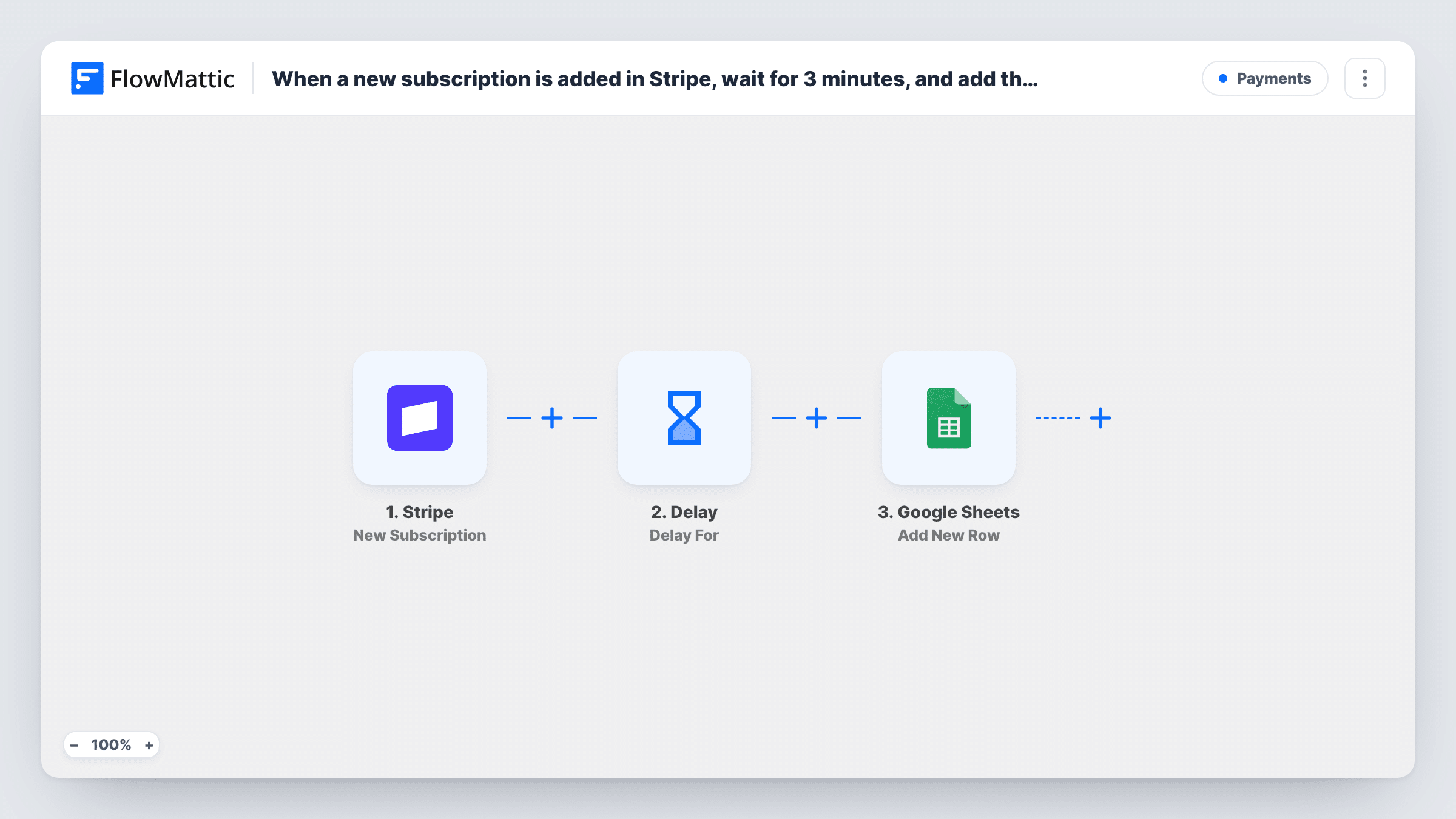
When a new subscription is created in Stripe, this workflow waits a short time with a Delay step, then adds the subscription details to a new row in your Google Sheets spreadsheet.
 Stripe
 Delay
Delay
 Google Sheets
3 steps Setup ~5 min Used on 1.9k sites Free to import
What this workflow does
Stripe holds every subscription, but finance and reporting work often happens in a spreadsheet. Exporting new subscriptions by hand means the sheet is always behind. This workflow writes each new subscription to Google Sheets after a short pause.
The Stripe trigger fires when a subscription is created in your Stripe account. FlowMattic receives the subscription data and keeps it for the later steps. Next, a Delay step holds the run for the time you set. The workflow is named for a three-minute wait, so check the step after import and set 3 minutes, or any other length that suits you. Then the Google Sheets step adds a row with the subscription values you map.
The Delay does not fetch anything new from Stripe. The row holds the subscription data as it arrived with the trigger, only written a few minutes later. Every new subscription adds one row, and Task History shows each run, including the wait.
Monthly recurring revenue sheet
Each new subscription lands in a sheet where you total plan amounts and track how many customers joined each month.
Ordering rows after another workflow
If a separate workflow also writes to the same spreadsheet when a customer signs up, the wait gives that one time to run first.
Shared list for an account manager
An account manager without Stripe access sees new subscribers in a Google Sheet and contacts them to arrange onboarding.
How this workflow runs
What happens at each step once the workflow is on, and what you need before you import it.
 Stripe New Subscription
Runs when a new subscription is created in your Stripe account. The subscription data Stripe sends is held for the Google Sheets step.
- Delay Delay For
Holds the run before the row is written. The workflow name says three minutes, so open the step after import and set the wait you want, or remove the step if you need no pause.
- Google Sheets Add New Row
Adds a row to the Google Sheets spreadsheet you choose, using the subscription values from the trigger. Map each column and connect your Google account.
What you need
- FlowMatticCore
- Stripe AccountAccount
- Google Sheets AccountAccount
After importing, map your own data. To keep the template universal, not every step is pre-filled. Open each step in the builder and connect your accounts and fields (channels, lists, sheets, recipients) before you switch the workflow on.
Make it yours
Changes worth making after you import it.
- If you have no reason to wait, delete the Delay step. The row is then added as soon as the subscription is created.
- Create a test subscription in Stripe test mode after import, so FlowMattic captures real data before you map the sheet columns.
- Add a Filter after the trigger if you only want some plans in the sheet, with a condition on the plan or price value Stripe sends.
Questions about this workflow
Why does this Stripe workflow wait before adding the row?
The template includes a Delay step, named for a three-minute wait. It only pauses the run. The row still uses the data from the moment Stripe reported the subscription, so remove the Delay if you do not need it.
Does the Google Sheets row show changes made to the subscription during the wait?
No. Nothing fetches the subscription again after the Delay, so the row holds the values the trigger received.
Are renewals or cancellations added to the sheet?
No. The trigger is New Subscription, which fires when a subscription is created. Renewals, plan changes and cancellations are different Stripe events.
Will subscriptions created before import be logged?
No. Only subscriptions created after the workflow is turned on are added to the spreadsheet.
More Payments workflows
Other ready-to-import templates from the same category.




Import this workflow into your WordPress site
Download the JSON, import it from the Workflows screen and connect your accounts. Every run stays on your server, with no per-task fees.
30-day money-back guarantee Unlimited workflows and runs Self-hosted