

When a new support ticket is created in Fluent Support, create feedback in Savio
Each new Fluent Support ticket is copied into Savio as a feedback entry, so what customers raise in your WordPress helpdesk reaches the place where your product team reviews requests.
 Fluent Support
 Savio
2 steps Setup ~5 min Used on 1.1k sites Free to import
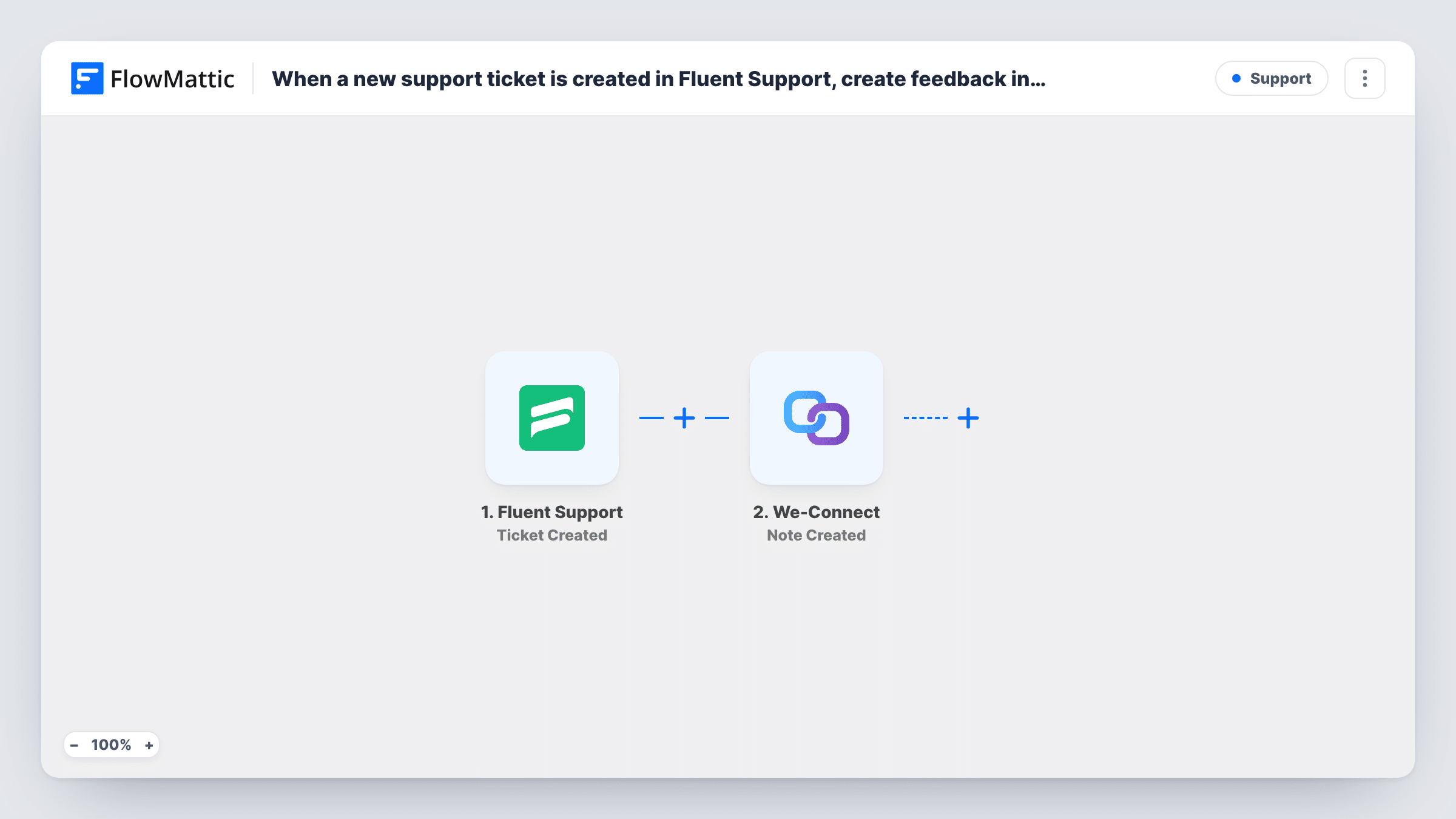
What this workflow does
Support tickets are one of the best sources of product feedback, and one of the easiest to lose. An agent solves the problem, the ticket closes, and the pattern behind it never reaches the people deciding what to build. This workflow sends each new ticket from Fluent Support into Savio, where feedback is collected and linked to feature requests.
The Fluent Support Ticket Created trigger runs when a ticket is created on your WordPress site. FlowMattic describes it as firing for tickets created by either a customer or an agent, so tickets your team opens on someone's behalf count too. The ticket's subject, content and customer details are passed on.
The Savio step then creates a new feedback entry. It ships unmapped: after import, connect your Savio account and map the ticket content into the feedback text, plus the customer's email or name if you want Savio to know who said it.
Every ticket becomes feedback, including password resets and billing questions. To send only product-related tickets, add a Filter between the Fluent Support trigger and the Savio step. Open a test ticket and check Task History to see what Savio returned.
Plugin support feeding the roadmap
A WordPress plugin company sends every Fluent Support ticket to Savio. During planning, the team sorts feedback to see which problems come up most.
Feature requests raised in tickets
A SaaS team's customers often ask for features in support tickets. Each one lands in Savio, where a product manager links it to the matching feature request.
Agent-logged phone calls
Agents open Fluent Support tickets for issues reported by phone, and those also reach Savio because the trigger covers tickets agents create.
How this workflow runs
What happens at each step once the workflow is on, and what you need before you import it.
 Fluent Support Ticket Created
Fires when a new Fluent Support ticket is created, by a customer or by an agent. The ticket's subject, message and customer details become available to the Savio step.
- Savio Create Feedback
Turns the ticket into a Savio feedback entry. The step ships unmapped: connect Savio and map the ticket's subject and content into the feedback, along with the customer's email or name.
What you need
- FlowMatticCore
- Fluent Support PluginPlugin
- Savio AccountAccount
After importing, map your own data. To keep the template universal, not every step is pre-filled. Open each step in the builder and connect your accounts and fields (channels, lists, sheets, recipients) before you switch the workflow on.
Make it yours
Changes worth making after you import it.
- Put a Filter between the Fluent Support trigger and the Savio step that continues only for a product or mailbox you choose, so billing and account tickets stay out of Savio. Open a test ticket to see which field names the product.
- Include the ticket's subject and number in the feedback text, so a product manager in Savio can find the original conversation in Fluent Support.
- Map the customer's email into Savio if the step offers it, so feedback from the same person is grouped together.
Questions about this workflow
Do tickets my agents create in Fluent Support go to Savio too?
Yes. The Ticket Created trigger fires for tickets created by either a customer or an agent. Add a Filter between the trigger and the Savio step if you want to leave some out.
Are replies to a Fluent Support ticket sent to Savio?
No. Only the new ticket starts a run. Fluent Support also has Customer Replies to a Ticket and Agent Replies to a Ticket triggers in FlowMattic if you want replies too.
Does the workflow link the Savio feedback to a feature request?
No. It creates the feedback entry only. You link feedback to a feature request in Savio when you review it.
Do I need Fluent Support on the same WordPress site as FlowMattic?
Yes. Fluent Support is a WordPress helpdesk plugin, and the trigger picks up tickets created on the site where FlowMattic is installed.
More Support workflows
Other ready-to-import templates from the same category.






Import this workflow into your WordPress site
Download the JSON, import it from the Workflows screen and connect your accounts. Every run stays on your server, with no per-task fees.
30-day money-back guarantee Unlimited workflows and runs Self-hosted