

When a new SurveyCTO submission comes in, add it to a Google Sheets row and alert the field team in Telegram
Each new SurveyCTO submission is added to a Google Sheets row, then a Telegram text message goes to your field team, so the record and the heads-up come from the same run.
 SurveyCTO
 Google Sheets
 Telegram
3 steps Setup ~5 min Used on 1.6k sites Free to import
What this workflow does
Survey teams often need two things from each submission: a row in a shared sheet for analysis, and a quick note to the people in the field. Doing both by hand means someone exports data and then types a message about it. This workflow handles both, one after the other, for each SurveyCTO form that comes in.
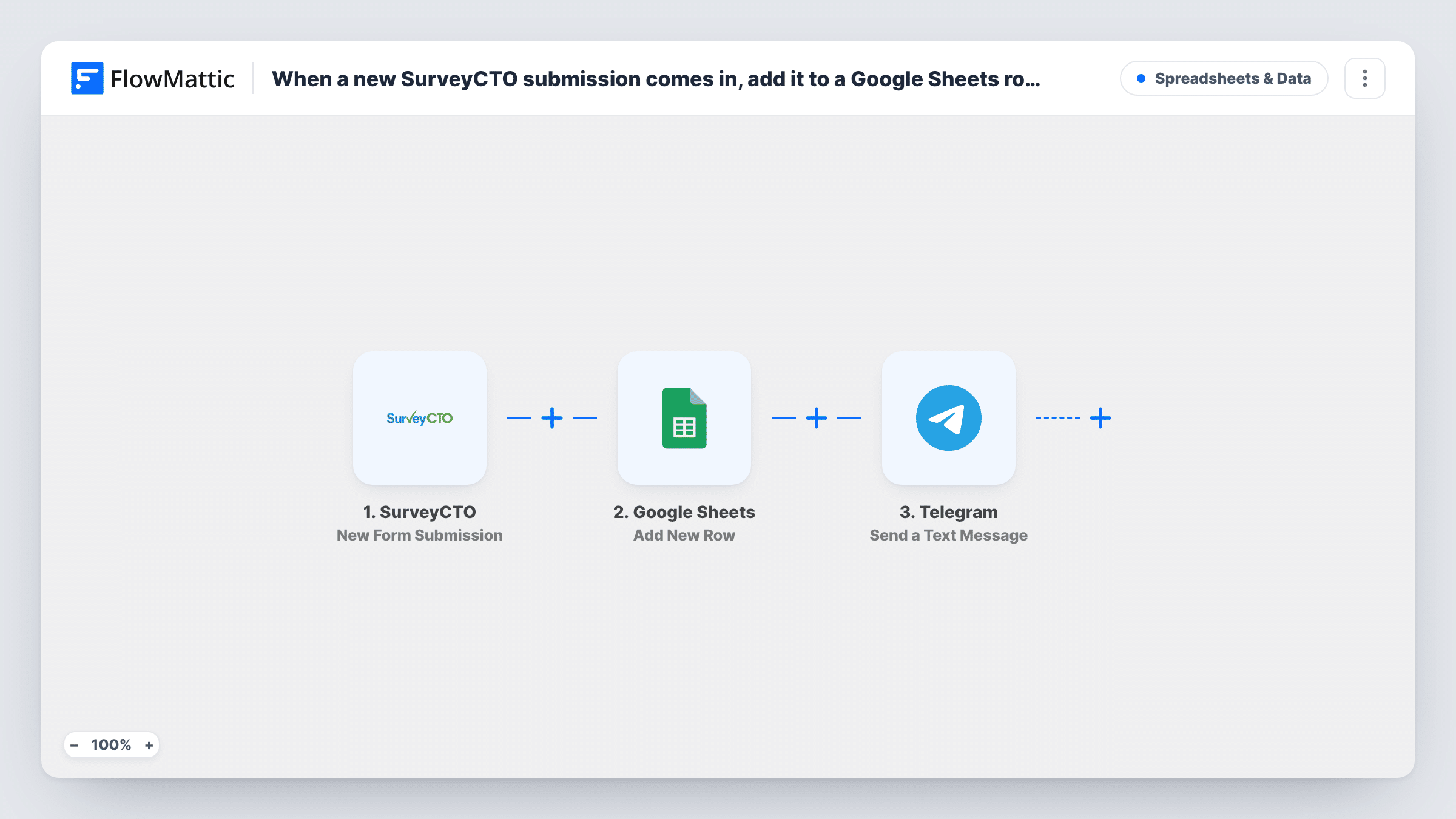
The SurveyCTO trigger fires on a new form submission and hands over its data. FlowMattic first adds a new row to Google Sheets, with each submitted value in the column you map. Next, the Telegram step sends a text message to the chat you choose, written with whichever details from the submission you place in it.
Every submission produces both a row and a message. Task History lists what each step returned for every submission, so you can check the row and the message side by side. The Telegram message supports markup, so you can bold the values your team looks for first.
Daily progress during a baseline survey
Each completed interview becomes a row the analyst can tally, while supervisors in a Telegram group see the enumerator and village for every submission.
Field inspections that need follow-up
An inspector's SurveyCTO form logs the site to the sheet, and the maintenance crew's Telegram chat gets the site name and the issue noted.
Distribution monitoring
Records of each aid delivery land in a shared sheet for reporting, and the logistics team gets a Telegram text naming the delivery point.
How this workflow runs
What happens at each step once the workflow is on, and what you need before you import it.
 SurveyCTO New Form Submission
Starts the run for each new SurveyCTO form submission. The submitted values come through with the event for the sheet and the Telegram message.
- Google Sheets Add New Row
Appends a row to the Google Sheets spreadsheet you select. Connect your Google account and map each SurveyCTO value to a column of the sheet.
- Telegram Send a Text Message
Sends a Telegram text message to the chat you set. Connect your Telegram account and compose the message with SurveyCTO values, using markup if you want emphasis.
What you need
- FlowMatticCore
- SurveyCTO AccountAccount
- Google Sheets AccountAccount
- Telegram AccountAccount
After importing, map your own data. To keep the template universal, not every step is pre-filled. Open each step in the builder and connect your accounts and fields (channels, lists, sheets, recipients) before you switch the workflow on.
Make it yours
Changes worth making after you import it.
- Add a Filter between the Google Sheets step and the Telegram step if the team only needs messages for some submissions, such as ones flagged for follow-up. The sheet step sits before the Filter, so every submission is still logged.
- If supervisors and field staff use separate Telegram groups, add a second Send a Text Message step for the other chat with a message suited to that group.
- Send a test submission after import so FlowMattic captures the SurveyCTO field names, then map them in both later steps.
Questions about this workflow
Does the Telegram message go to a group or one person?
Whichever chat you set in the Telegram step. A group chat suits a field team; send a test submission to confirm the message reaches that group.
What if a SurveyCTO form has dozens of questions?
Map all of them to sheet columns, but put only the few values your team needs into the Telegram text so it stays readable on a phone.
Can the Telegram alert use bold text?
Yes. FlowMattic describes Send a Text Message as supporting markup, so you can bold the values field staff scan for, such as the enumerator or site name. Send a test submission to see how the text looks in the chat.
Are older SurveyCTO submissions copied into the sheet?
No. Only submissions that arrive after you turn the workflow on create rows and messages.
More Spreadsheets & Data workflows
Other ready-to-import templates from the same category.



Import this workflow into your WordPress site
Download the JSON, import it from the Workflows screen and connect your accounts. Every run stays on your server, with no per-task fees.
30-day money-back guarantee Unlimited workflows and runs Self-hosted