

When a WordPress user is created, add or update their row in a Metabox custom table
When a WordPress user account is created, FlowMattic checks your Meta Box custom table for a row for that user, updates it if one exists and adds a new row if not, so each user has one row of data.
 WordPress
 Metabox - Custom Table
 Branch
5 steps Setup ~8 min Used on 403 sites Free to import
What this workflow does
Meta Box custom tables keep user data in its own table instead of the usual user meta, which suits membership directories, profiles and reports. This workflow makes sure each new account gets its row, without writing a second copy when one is already there.
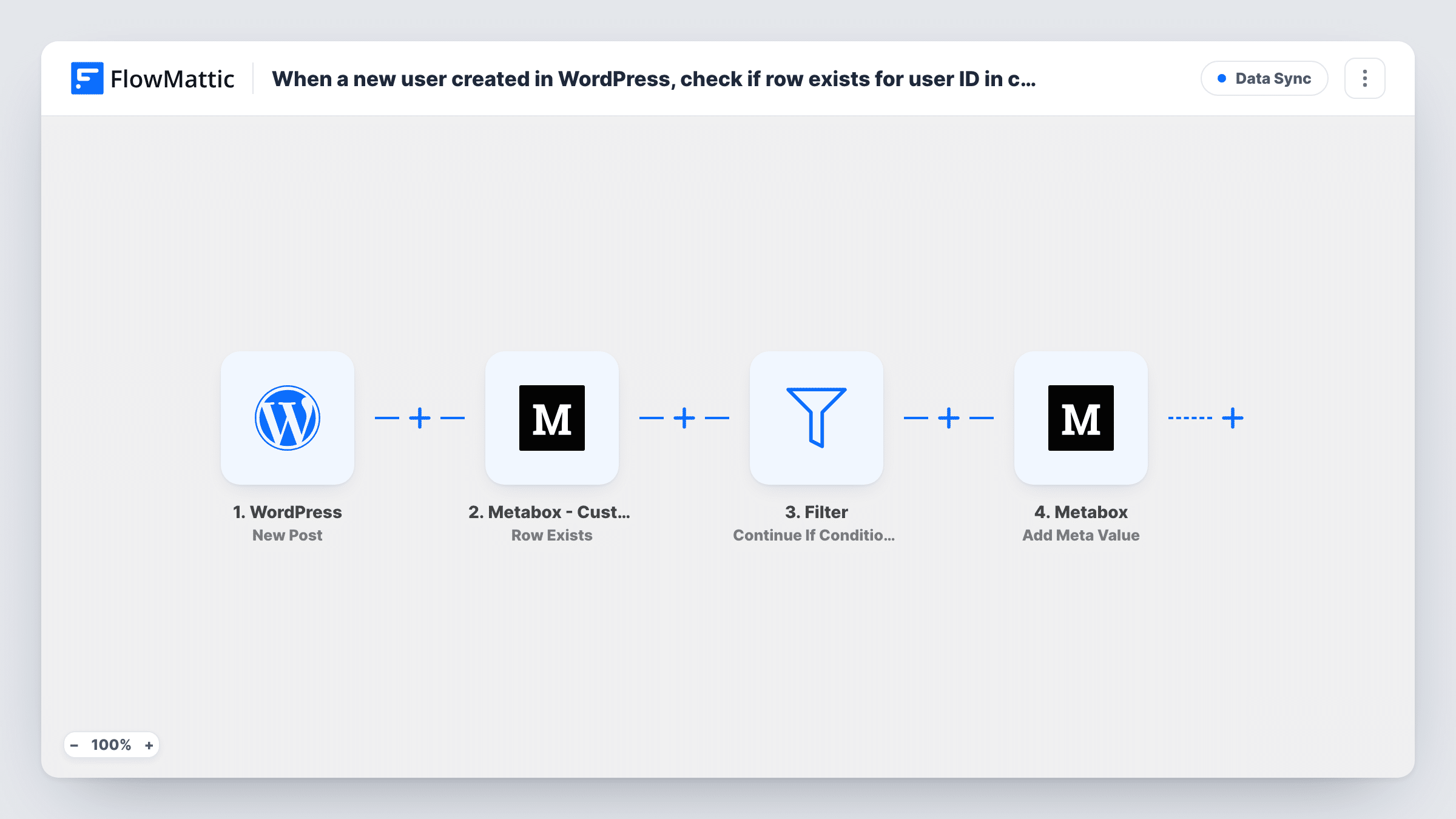
The WordPress New User trigger fires for every account registered on your site: a front-end sign-up, one an admin creates, or one a plugin or import adds. The user's ID and profile details are passed on. The first Metabox - Custom Table step, Row Exists, checks whether the custom table already holds a row for that user.
A Branch then reads that result. When a row exists, the Yes path runs Update Data in Table; when there isn't one, the No path runs Add Data to Table. Each user takes only one path. All three Meta Box steps ship unmapped. After import, choose your custom table in each, map the WordPress user ID as the object, and map the user fields you want stored into the table's columns.
For most brand-new accounts no row exists yet, so the No path adds one. The Yes path matters when a registration form or another plugin writes to the table first. Test with a new account and check Task History to see which path ran.
Member directory from a custom table
A membership site lists members from a Meta Box custom table, and each new account gets its directory row with the name and email from registration.
Profiles filled by a sign-up form
A site whose registration form writes some profile fields into the custom table has this workflow update that row with the account details instead of adding a duplicate.
Reporting table for new accounts
An LMS keeps a lean custom table of users for reports, and every account an admin or an import creates is added to it.
How this workflow runs
What happens at each step once the workflow is on, and what you need before you import it.
 WordPress New User
Fires when a new WordPress user is registered, however the account is created. The user's ID and account details are passed to the Meta Box steps.
- Metabox - Custom Table Row Exists
Checks whether your Meta Box custom table already has a row for this user. The step ships unmapped: pick the table and map the WordPress user ID as the object to look up.
- Branch Branch
Reads the Row Exists result. If it is true, the Yes path updates the row; if not, the No path adds one. Only one path runs for each new user.
- Metabox - Custom Table Update Data in Table
On the Yes path, updates the existing row for the user. Choose the custom table, map the user ID as the object and map the WordPress fields into the columns to overwrite.
- Metabox - Custom Table Add Data to Table
On the No path, adds a new row to the custom table for the user. Choose the table, map the user ID and map each field you want stored, such as email and display name.
What you need
- FlowMatticCore
- Metabox - Custom Table AccountAccount
After importing, map your own data. To keep the template universal, not every step is pre-filled. Open each step in the builder and connect your accounts and fields (channels, lists, sheets, recipients) before you switch the workflow on.
Make it yours
Changes worth making after you import it.
- Map the same user fields in both the Update and Add steps, so a user's row ends up with the same columns filled whichever path ran.
- If only some roles belong in the table, put a Filter between the New User trigger and the Row Exists step that continues for those roles, such as subscriber.
- Pair this with a second workflow on WordPress's User Profile Updated trigger and the same Meta Box steps, so later profile edits also reach the custom table.
Questions about this workflow
Why check for a Meta Box row when the WordPress user is brand new?
Another plugin or your registration form may write to the custom table during sign-up. Checking first means this workflow updates that row instead of adding a second one.
Are accounts created by admins or imports included?
Yes. The New User trigger fires for every new account, whether the person signs up, an admin adds them or a plugin or import creates them.
Do I need the Meta Box custom table extension?
Yes. The steps work with Meta Box custom tables, so the table must exist with the columns you plan to fill before you map the steps.
Can a new user end up with two rows?
This workflow avoids it: the Branch sends each user to either the update step or the add step, based on the Row Exists result.
More Data Sync workflows
Other ready-to-import templates from the same category.






Import this workflow into your WordPress site
Download the JSON, import it from the Workflows screen and connect your accounts. Every run stays on your server, with no per-task fees.
30-day money-back guarantee Unlimited workflows and runs Self-hosted