

When a Polly survey is submitted, log it in Google Sheets, alert the team in Slack, then mark the row processed
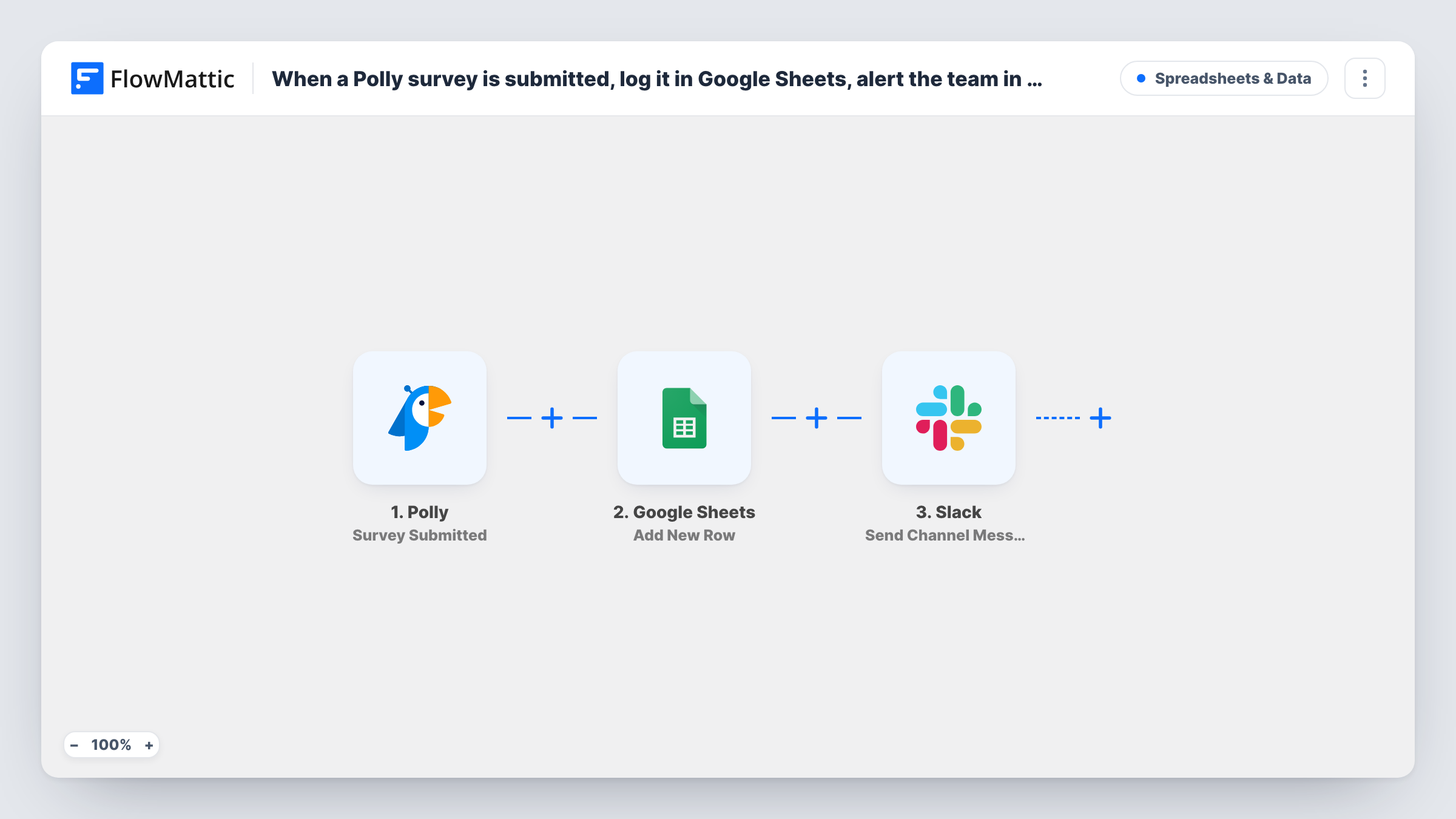
Each submitted Polly survey becomes a new row in Google Sheets, your team gets a Slack channel alert, and FlowMattic then updates the same row, found by its row number, to mark the response processed.
 Polly
Polly
 Google Sheets
 Slack
Slack4 steps Setup ~8 min Used on 2.7k sites Free to import
What this workflow does
Polly makes it easy to collect quick feedback, but answers spread across many surveys are hard to review together. This workflow gathers each submission into one Google Sheet, tells your team in Slack that a new response arrived, and stamps the row once the alert has been sent.
The Polly Survey Submitted trigger starts a run each time a survey is submitted. The Google Sheets Add New Row step writes the response to the sheet you choose and returns the number of that new row. A Slack channel message follows. The final Update Row step uses {google_spreadsheets2.row_number}, already mapped, to change that exact row.
As imported, the Sheets and Slack steps have no mapping. Choose the spreadsheet and sheet, map the survey fields into columns, pick the channel and write the alert text, then point Update Row at the same sheet and set a status column to Processed or a word your team prefers.
Processed is written right after the alert posts. It tells you the response was logged and shared, not that someone has read it, so add a column for that if you need it. Task History shows each submission and every step's reply.
One sheet for every pulse survey
A people team runs several Polly pulse checks and reviews all the answers in one Google Sheet, sorted by date and question.
Product feedback in the team channel
A product manager sees each Polly response in #feedback in Slack and replies in a thread when an answer needs a follow-up conversation.
Charting results over time
An operations lead builds a chart in Google Sheets from the logged Polly answers to see how satisfaction scores move across quarters.
How this workflow runs
What happens at each step once the workflow is on, and what you need before you import it.
 Polly Survey Submitted
Starts the workflow each time a Polly survey is submitted. The response data is available to the next steps; run a test submission and check Task History to see its fields.
- Google Sheets Add New Row
Adds the survey response as one new row in the spreadsheet and sheet you select, and returns the row's number. Map the Polly fields into your columns after import, since the template sets none.
- Slack Send Channel Message
Alerts your team in a Slack channel. Pick the channel and write the message after import, mapping in survey details such as the question or answer from the trigger data.
- Google Sheets Update Row
Changes the row from step 2, using the row number that step returned, which the template already maps. Choose the same spreadsheet and sheet, then set your status column to Processed.
What you need
- FlowMatticCore
- Polly AccountAccount
- Google Sheets AccountAccount
- Slack AccountAccount
After importing, map your own data. To keep the template universal, not every step is pre-filled. Open each step in the builder and connect your accounts and fields (channels, lists, sheets, recipients) before you switch the workflow on.
Make it yours
Changes worth making after you import it.
- Put a Read by column next to the status column and let your team fill it in by hand, so the sheet shows both the automatic Processed mark and real review.
- Use Slack's Send Private Channel Message action instead of Send Channel Message if survey answers should stay in a private channel.
- If only some surveys need a Slack alert, put a Filter between the first Google Sheets step and the Slack step. It stops the Update Row step too, so those rows stay logged but unmarked.
Questions about this workflow
How does Update Row change the Polly response's own row?
Add New Row returns the number of the row it created. Update Row ships with {google_spreadsheets2.row_number} as its row number, so it updates that same row in place.
Which survey fields are saved in the sheet?
The ones you map. Add New Row ships with no columns mapped, so after import you match the Polly fields from a test submission to your column headers.
Is the Slack alert sent for every Polly submission?
Yes, each submission starts a run that reaches the Slack step. To limit alerts, put a Filter between the first Google Sheets step and the Slack step, keeping in mind it also stops the Update Row step.
More Spreadsheets & Data workflows
Other ready-to-import templates from the same category.





Import this workflow into your WordPress site
Download the JSON, import it from the Workflows screen and connect your accounts. Every run stays on your server, with no per-task fees.
30-day money-back guarantee Unlimited workflows and runs Self-hosted