

When a product is added in WooCommerce, create text to image in Nano Banana for product visualization
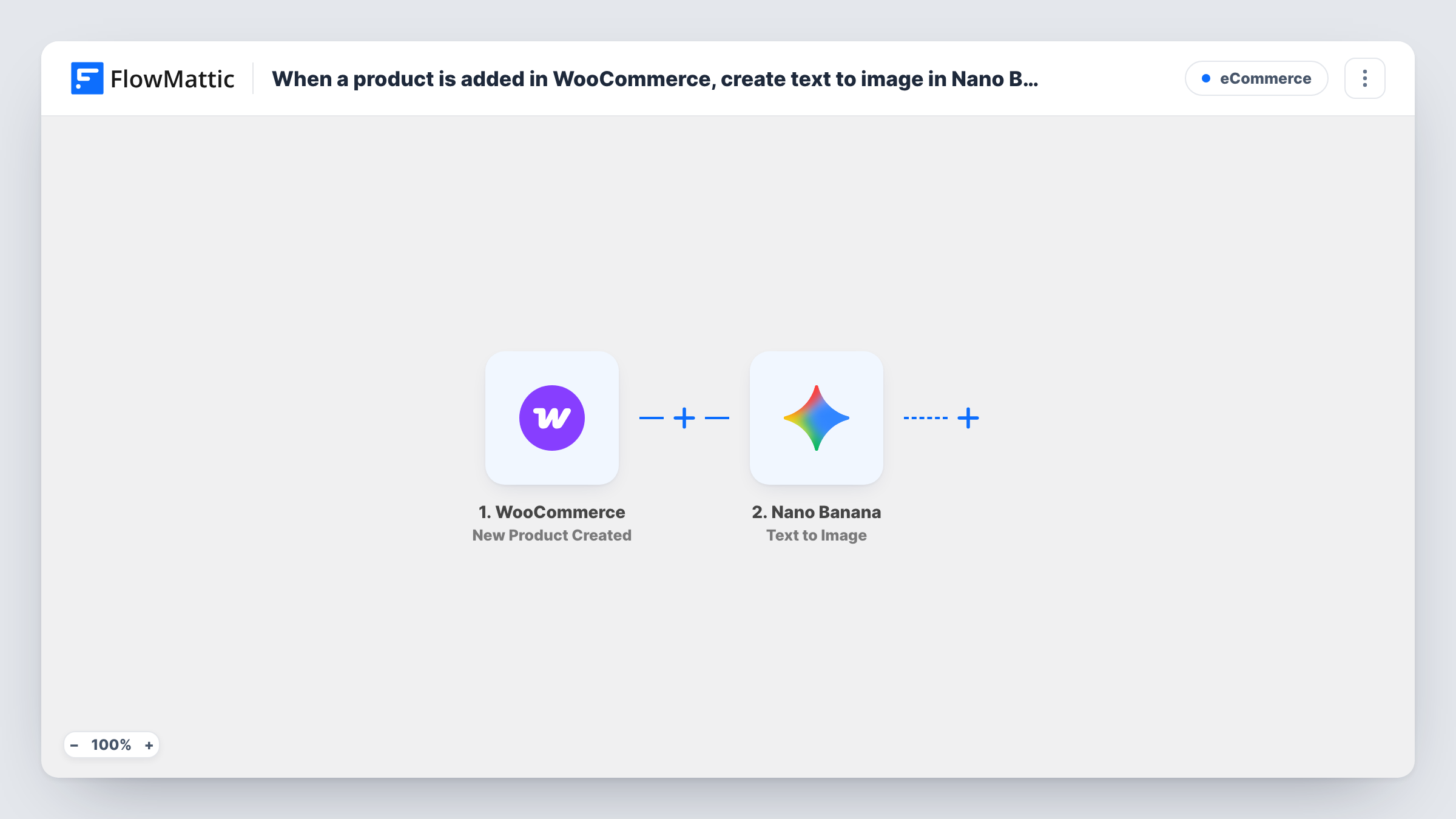
When a new product is created in WooCommerce, this workflow sends a text prompt built from its details to Nano Banana, which generates an image with Gemini AI. The image comes back to FlowMattic; nothing attaches it to the product until you add a step.
 WooCommerce
 Nano Banana
2 steps Setup ~5 min Used on 2.9k sites Free to import
What this workflow does
New products often go live with a placeholder image or none at all while someone arranges a photo. A generated visual gives you a concept to review straight away. This workflow asks Nano Banana for an image each time a product is added to your store.
The WooCommerce trigger fires when a new product is created, and the product's details, such as its name and description, become fields in FlowMattic. The Nano Banana step runs Text to Image, which generates an image from a text prompt using Gemini AI. You write that prompt and drop the product details into it, for example a style instruction followed by the product name.
Be clear on where the result goes. The generated image is returned to FlowMattic as the step's output; this template does not add it to the product, the Media Library or anywhere else. Look at a test run in Task History to see what Nano Banana returns, then add the step that stores or uses it.
Concept visuals for new listings
A shop owner adds products in bulk from a supplier list, and each one gets a generated concept image to review before the real photos arrive.
Lifestyle scenes for simple products
Write a prompt that places the product name in a styled scene, such as a mug on a kitchen table, and review the result for use in social posts.
Briefing a photographer
Use the generated image as a visual brief, showing the angle and setting you have in mind when you book the product shoot.
How this workflow runs
What happens at each step once the workflow is on, and what you need before you import it.
 WooCommerce New Product Created
Fires when a new product is created in your WooCommerce store. The product's details become fields you can place in the image prompt.
- Nano Banana Text to Image
Generates an image from a text prompt using Gemini AI (Nano Banana). Write the prompt with the WooCommerce product details mapped in. The image is returned as this step's output and is not saved anywhere by the template.
What you need
- FlowMatticCore
- WooCommerce PluginPlugin
- Nano Banana AccountAccount
After importing, map your own data. To keep the template universal, not every step is pre-filled. Open each step in the builder and connect your accounts and fields (channels, lists, sheets, recipients) before you switch the workflow on.
Make it yours
Changes worth making after you import it.
- Run a test with one product and check Task History for the form Nano Banana returns the image in. If it is base64 data, the WordPress Upload Base64 Image action can save it to your Media Library.
- Once the image is in the Media Library, try the WordPress Set Post Thumbnail action with the product ID from the trigger to make it the featured image, and confirm the result on a draft product.
- Keep the prompt specific: name the product, the background and the style you want. Mapping the short description in as well gives the model more to work with.
Questions about this workflow
Does Nano Banana's image become the WooCommerce product image?
Not as imported. The template only generates the image. Add steps after it to save the image and set it on the product, then test with a draft product.
Will the generated image look like my actual product?
Text to Image works from your words alone, so it shows an interpretation, not your item. Nano Banana also has a Text and Image to Image action that takes an input image, which you could try with a supplier photo.
Does every new WooCommerce product trigger an image?
Yes. Each product created runs the workflow once. If only some products should get an image, add a Filter after the trigger on a product detail that a test run shows, such as its category if the trigger includes it.
What do I need to connect for Nano Banana?
Your Nano Banana connection in FlowMattic for the image step, plus WooCommerce active on the same WordPress site.
More E-Commerce workflows
Other ready-to-import templates from the same category.






Import this workflow into your WordPress site
Download the JSON, import it from the Workflows screen and connect your accounts. Every run stays on your server, with no per-task fees.
30-day money-back guarantee Unlimited workflows and runs Self-hosted