

When a Pushcut action is executed, create a Notion page and notify the team in Discord
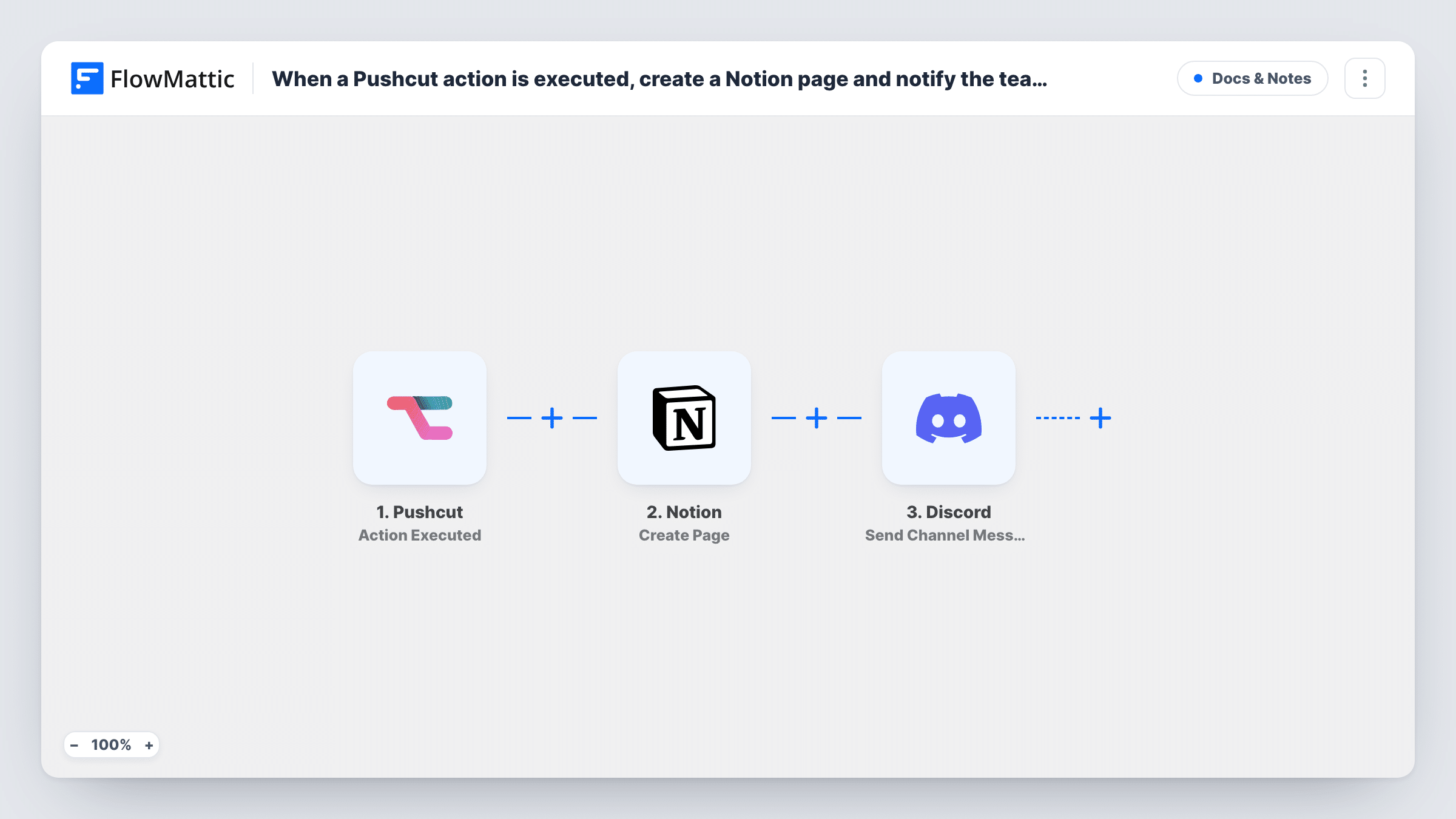
When an action is executed in Pushcut, this workflow creates a Notion page with the details and then posts a message to a Discord channel, so the event is recorded and the team hears about it.
 Pushcut
 Notion
 Discord
3 steps Setup ~5 min Used on 1.4k sites Free to import
What this workflow does
Pushcut sits on your iPhone or iPad and runs actions from notifications and shortcuts. Those taps often mark something real: a job approved, a visit logged, a check done. Recording them by hand is easy to forget. This workflow records each one in Notion and tells your team in Discord.
The Pushcut trigger fires when an action is executed, and the action's data comes into FlowMattic. The Notion step creates a page inside the parent page you choose, using that data for the title and content. The Discord step then posts a message to the channel you pick, and it can include details from the Pushcut data or the Notion page created a moment earlier.
The steps run in order for every executed action, with no conditions as imported. If Notion returns an error, the Discord message is still sent, and Task History shows which step failed and what the app returned.
Field visit log
A technician taps a Pushcut action when they finish a site visit. A Notion page logs the visit and the dispatch channel in Discord sees it is done.
Approvals from a phone
A manager approves a request from a Pushcut notification. The approval gets its own Notion page for the record, and the team channel hears it went through.
Home or office routine check-ins
Each time someone runs the closing-up action in Pushcut, a Notion page notes it and a Discord message lets the rest of the team know.
How this workflow runs
What happens at each step once the workflow is on, and what you need before you import it.
 Pushcut Action Executed
Starts a run each time an action is executed in your Pushcut account. The data from that action is passed on to the Notion and Discord steps.
- Notion Create Page
Creates a new Notion page inside the parent page you select. Map Pushcut data into the page and connect your Notion account, making sure that account can reach the parent page.
- Discord Send Channel Message
Sends a note about the Pushcut action into a Discord channel of your choice. Build the text from the Pushcut data, and include the link to the new Notion page if the Notion step returns one in a test run.
What you need
- FlowMatticCore
- Pushcut AccountAccount
- Notion AccountAccount
- Discord AccountAccount
After importing, map your own data. To keep the template universal, not every step is pre-filled. Open each step in the builder and connect your accounts and fields (channels, lists, sheets, recipients) before you switch the workflow on.
Make it yours
Changes worth making after you import it.
- Add a Filter after the Pushcut trigger that continues only for the action name you care about, so other Pushcut actions don't create pages or messages.
- Run the Pushcut action once after import, then open Task History to see what the Notion step returned and map the page link into the Discord message.
- Swap the single Discord step for a Router with one route per Pushcut action name, each posting to its own channel, so approvals and check-ins land in different places.
Questions about this workflow
Which Pushcut actions start this Notion and Discord workflow?
The trigger fires when an action is executed in your Pushcut account. As imported, every executed action starts a run, so add a Filter if you only want certain ones.
Where in Notion does the page go?
Inside the parent page you pick in the Notion step. The Notion connection you use must have access to that page, or Notion will refuse to create the new page there.
What happens if the Notion page can't be created?
The Discord step still runs and posts its message. Task History shows the error from Notion on that step, so you can fix the setup and check later runs.
How do I connect Discord for the channel message?
You connect Discord in the step after import and pick the channel. Follow the connection prompts in FlowMattic, then run the Pushcut action once to confirm the message posts.
More Docs & Notes workflows
Other ready-to-import templates from the same category.




Import this workflow into your WordPress site
Download the JSON, import it from the Workflows screen and connect your accounts. Every run stays on your server, with no per-task fees.
30-day money-back guarantee Unlimited workflows and runs Self-hosted