

When a refund request form is submitted, look up the customer in Stripe and alert the team in Slack
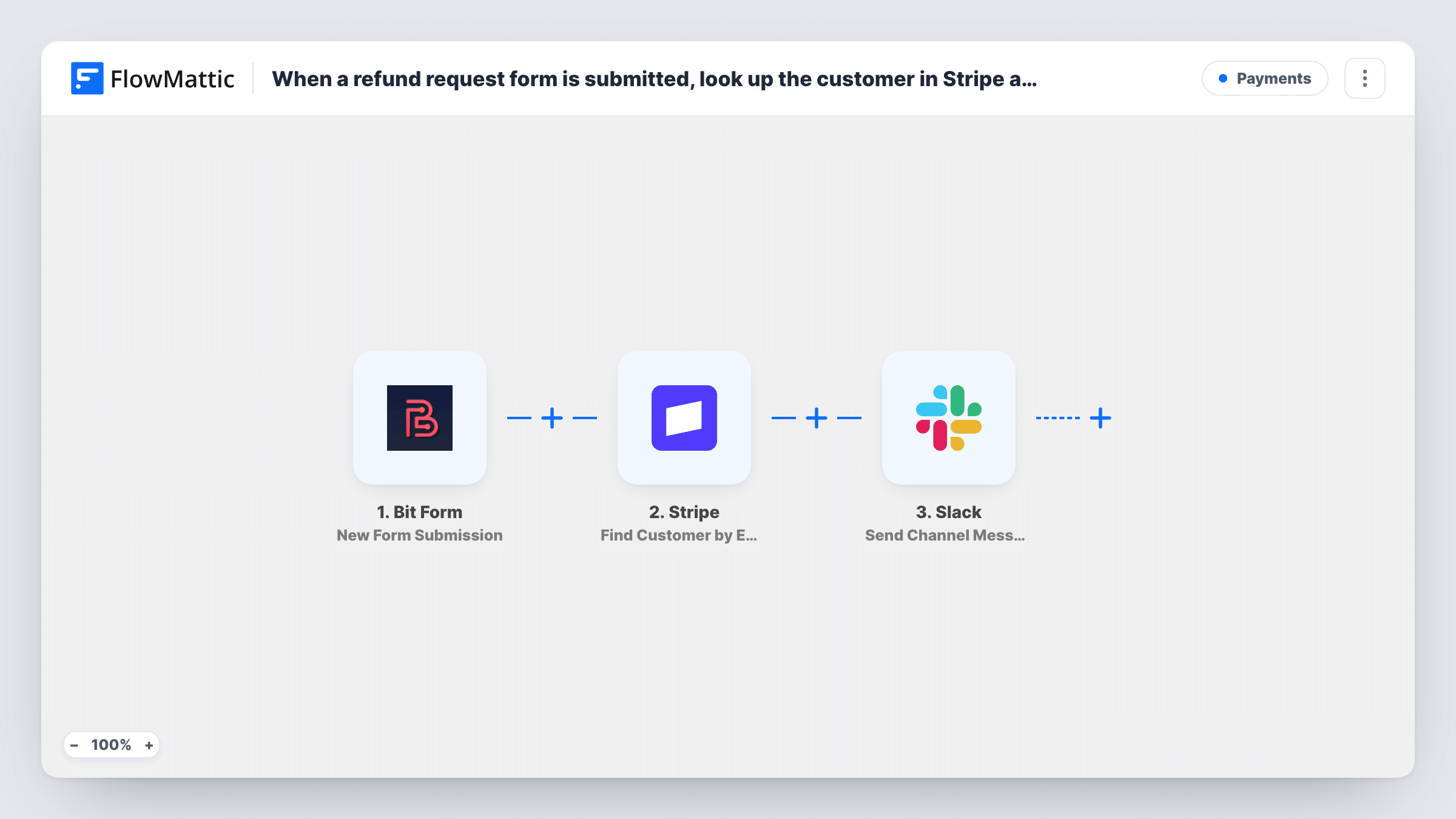
When someone submits your Bit Form refund request, FlowMattic finds their Stripe customer record by email and posts the request in a Slack channel, so your team can review it with the payment details at hand.
 Bit Form
 Stripe
 Slack
Slack3 steps Setup ~5 min Used on 2.6k sites Free to import
What this workflow does
Refund requests tend to arrive with only a name, an email and a reason. Before anyone can act, someone has to find the customer in Stripe. This workflow does that lookup for you and brings the request and the Stripe record to the team in Slack.
The Bit Form trigger fires each time your refund request form is submitted. Next, the Stripe step searches for an existing customer by email. It ships unmapped, so after import you map the email field from your form into it. The step only reads from Stripe: it doesn't issue a refund, open a dispute or change the customer.
The final step posts a message to a Slack channel. You write the text and map in what the form collected, such as the order number and reason, together with what Stripe returned, such as the customer ID. Check a test run to see which Stripe fields come back.
Every submission of the selected form starts a run, so use a form kept for refund requests. If the email on the form isn't the one the customer used in Stripe, the lookup finds no match; Task History shows the Stripe response for each run, and the team can search by hand.
Refund desk for an online course
A course creator's support person sees each refund request in #refunds with the Stripe customer ID beside it and opens the right record in one click.
Subscription cancellations with a refund ask
A membership site collects cancel-and-refund requests on a Bit Form, and the finance channel gets each one with the matching Stripe customer.
Agency handling client payments
An agency that bills clients through Stripe routes refund forms to Slack, so the account manager and the bookkeeper read the same details.
How this workflow runs
What happens at each step once the workflow is on, and what you need before you import it.
 Bit Form New Form Submission
Fires when the Bit Form you select receives a submission. Build the form to collect at least the customer's email, plus anything else your team needs, such as the order number or the reason for the refund.
- Stripe Find Customer by Email
Looks up an existing Stripe customer using the email from the form. The step ships unmapped, so map the form's email field into it after import. It reads the customer and changes nothing in Stripe.
- Slack Send Channel Message
Posts the refund request to the Slack channel you choose. Write the message and map the form answers and the Stripe customer details into it, so reviewers have both in one place.
What you need
- FlowMatticCore
- Bit Form PluginPlugin
- Stripe AccountAccount
- Slack AccountAccount
After importing, map your own data. To keep the template universal, not every step is pre-filled. Open each step in the builder and connect your accounts and fields (channels, lists, sheets, recipients) before you switch the workflow on.
Make it yours
Changes worth making after you import it.
- Ask for the email used at checkout on the form, and say so in the field label, so the Stripe lookup searches with the address the customer paid with.
- If refunds are handled in a private Slack channel, swap the step for the Send Private Channel Message action instead of the public-channel one in the template.
- Put a Filter between the Stripe step and the Slack step that continues only when the lookup returned a customer ID, if your team only wants requests from paying customers. Requests it stops won't reach Slack.
- Add a Google Sheets Add New Row step after the Slack step to keep a log of every refund request and the Stripe customer it matched.
Questions about this workflow
Does this workflow refund the payment in Stripe?
No. The Stripe step only finds the customer by email. Your team decides on the refund and issues it in Stripe, using the details posted in Slack.
What happens if Stripe has no customer with that email?
The lookup returns no customer. Check that run in Task History to see Stripe's response, and keep the form's email in the Slack message so the team can search Stripe themselves.
Which Stripe details can I show in the Slack message?
Whatever the Find Customer by Email step returns for the match, such as the customer ID. Run a test with a real customer's email and map the fields you see.
Can I use a Bit Form that also handles other requests?
Every submission of the selected form starts a run. To only pass refund requests, add a Filter between the Bit Form trigger and the Stripe step on the field that holds the request type.
More Payments workflows
Other ready-to-import templates from the same category.




Import this workflow into your WordPress site
Download the JSON, import it from the Workflows screen and connect your accounts. Every run stays on your server, with no per-task fees.
30-day money-back guarantee Unlimited workflows and runs Self-hosted