

Convert frequency from MHz to GHz for each Airparser score sheet and save it to Tables
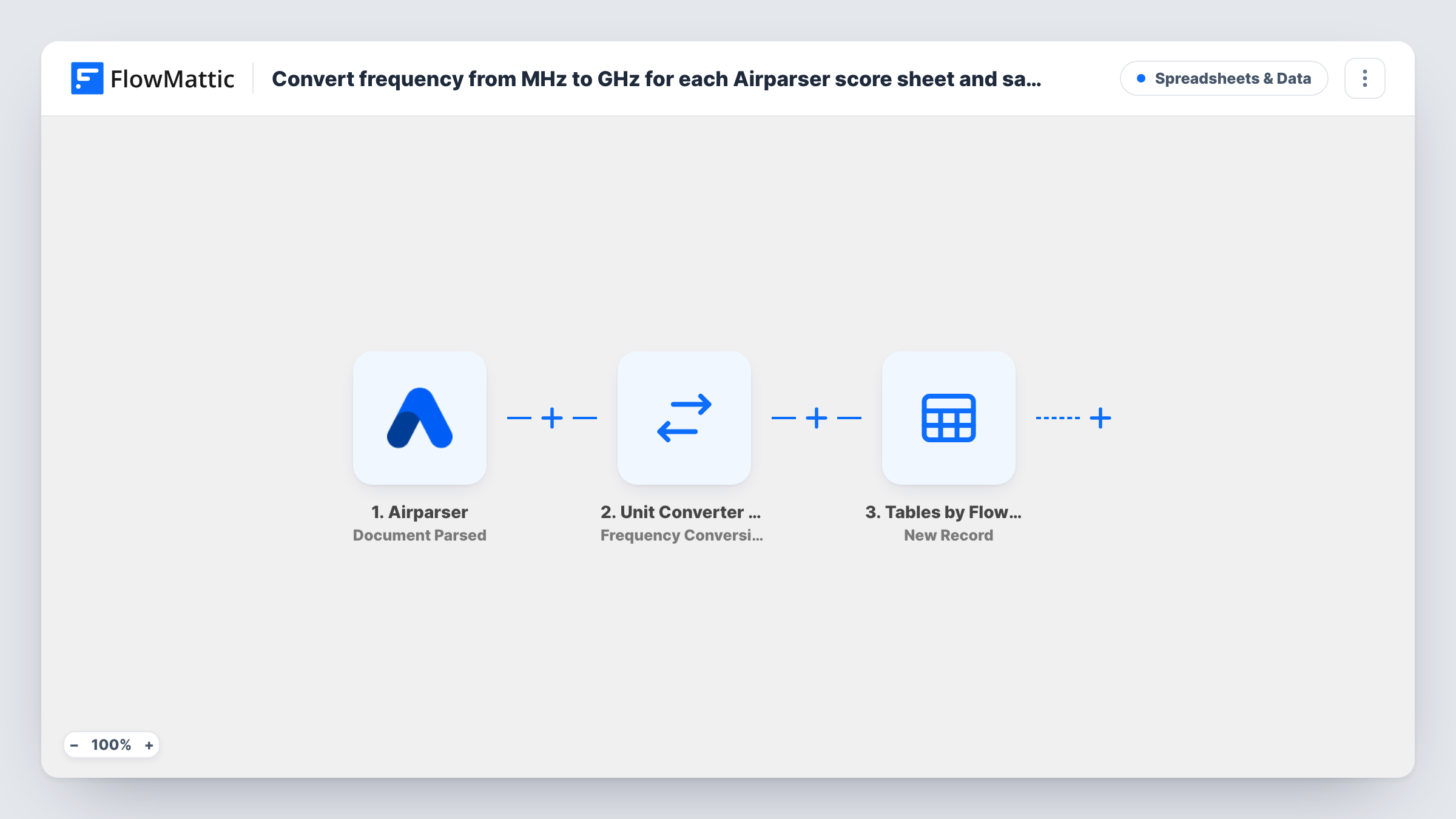
When Airparser parses a score sheet, FlowMattic’s Unit Converter turns the frequency it found from MHz into GHz and saves the result as a new record in FlowMattic Tables.
 Airparser
 Unit Converter by FlowMattic
 Tables by FlowMattic
3 steps Setup ~5 min Used on 3.3k sites Free to import
What this workflow does
Test labs, radio clubs and equipment reviewers often receive score sheets with frequencies written in megahertz, while their own records use gigahertz. Converting by hand for every sheet is slow and easy to get wrong. This workflow takes the value Airparser extracts, converts it and stores it on your WordPress site.
The Airparser trigger fires when a document is parsed and passes on the fields your Airparser parser extracts, such as the device, the score and the frequency. It runs for each parsed document, so use an Airparser inbox that only receives score sheets.
The Unit Converter by FlowMattic step does the frequency conversion. It ships unset: map the frequency field from Airparser as the value, and set the units to convert from megahertz (mhz) to gigahertz (ghz). The step returns the converted value along with the original, so 2400 MHz becomes 2.4 GHz.
The final step adds a new record to a table in FlowMattic Tables. Create the table first with the columns you need, then map the Airparser fields and the converted value into them. Task History shows each run's numbers if a conversion looks wrong.
Wireless test lab results
A lab emails router test score sheets to Airparser. Each sheet's channel frequency is stored in GHz next to the throughput score in a FlowMattic table.
Radio club contest logs
A radio club parses contest score sheets that list bands in MHz and keeps a GHz column in its table for members who work with microwave bands.
Hardware review database
A tech blog collects processor benchmark sheets, converts clock speeds from MHz to GHz and uses the table to build comparison posts.
How this workflow runs
What happens at each step once the workflow is on, and what you need before you import it.
 Airparser Document Parsed
Fires each time Airparser finishes parsing a document. The fields your parser extracts, including the frequency in MHz, are passed on for conversion and storage.
- Unit Converter by FlowMattic Frequency Conversion
Converts a frequency between units. The imported step is blank, so map the Airparser frequency as the value, set the from unit to mhz and the to unit to ghz, then check the converted value in a test run.
- Tables by FlowMattic New Record
Adds a new record to a FlowMattic table. The step ships unmapped, so pick your table and map the converted GHz value plus any Airparser fields, such as the score and device, into its columns.
What you need
- FlowMatticCore
- Airparser AccountAccount
After importing, map your own data. To keep the template universal, not every step is pre-filled. Open each step in the builder and connect your accounts and fields (channels, lists, sheets, recipients) before you switch the workflow on.
Make it yours
Changes worth making after you import it.
- Set up your Airparser parser so the frequency comes through as a number on its own, without other text, so the converter reads it cleanly.
- Keep the original MHz value in its own column too, by mapping it from Airparser, so you can check any record against the score sheet.
- If some sheets already list GHz, put a Filter between the Airparser trigger and the Unit Converter step that checks the unit field your parser extracts. Use whichever unit field your own parser produces.
- Add a Number Formatter Decimal Converter step between the Unit Converter step and the FlowMattic Tables step if you want the GHz value at a set number of decimal places.
Questions about this workflow
Do I need to write a formula for the MHz to GHz conversion?
No. The Unit Converter's frequency conversion handles it. Map the frequency value and set the units to mhz and ghz; the step returns the converted value.
Does every document Airparser parses start this workflow?
Yes, every parsed document runs it. Use an Airparser inbox that only receives score sheets, so other documents don't end up in your table.
Do I need a FlowMattic table before I import this?
Create it before you set up the last step. FlowMattic Tables is built into FlowMattic, so you only add the table and its columns, then map the values into them.
What happens if Airparser misses the frequency on a sheet?
An empty value converts as 0, so the record would show 0 GHz. Add a Filter between the trigger and the Unit Converter that continues only when the frequency isn't empty.
More Spreadsheets & Data workflows
Other ready-to-import templates from the same category.




Import this workflow into your WordPress site
Download the JSON, import it from the Workflows screen and connect your accounts. Every run stays on your server, with no per-task fees.
30-day money-back guarantee Unlimited workflows and runs Self-hosted