

When a Snackeet story is completed or abandoned, create a new item in Monday.com
Each time a visitor completes or abandons one of your Snackeet stories, FlowMattic creates an item on a Monday.com board with the details you map, so your team can follow up on every finished or dropped session.
 Snackeet
 Monday.com
2 steps Setup ~5 min Used on 3.4k sites Productivity Free to import
What this workflow does
Interactive stories and quizzes collect answers, contact details and scores, but they are only worth something if a team acts on them. A board item per session gives sales or marketing a clear queue to work through. This workflow puts each Snackeet session on a Monday.com board.
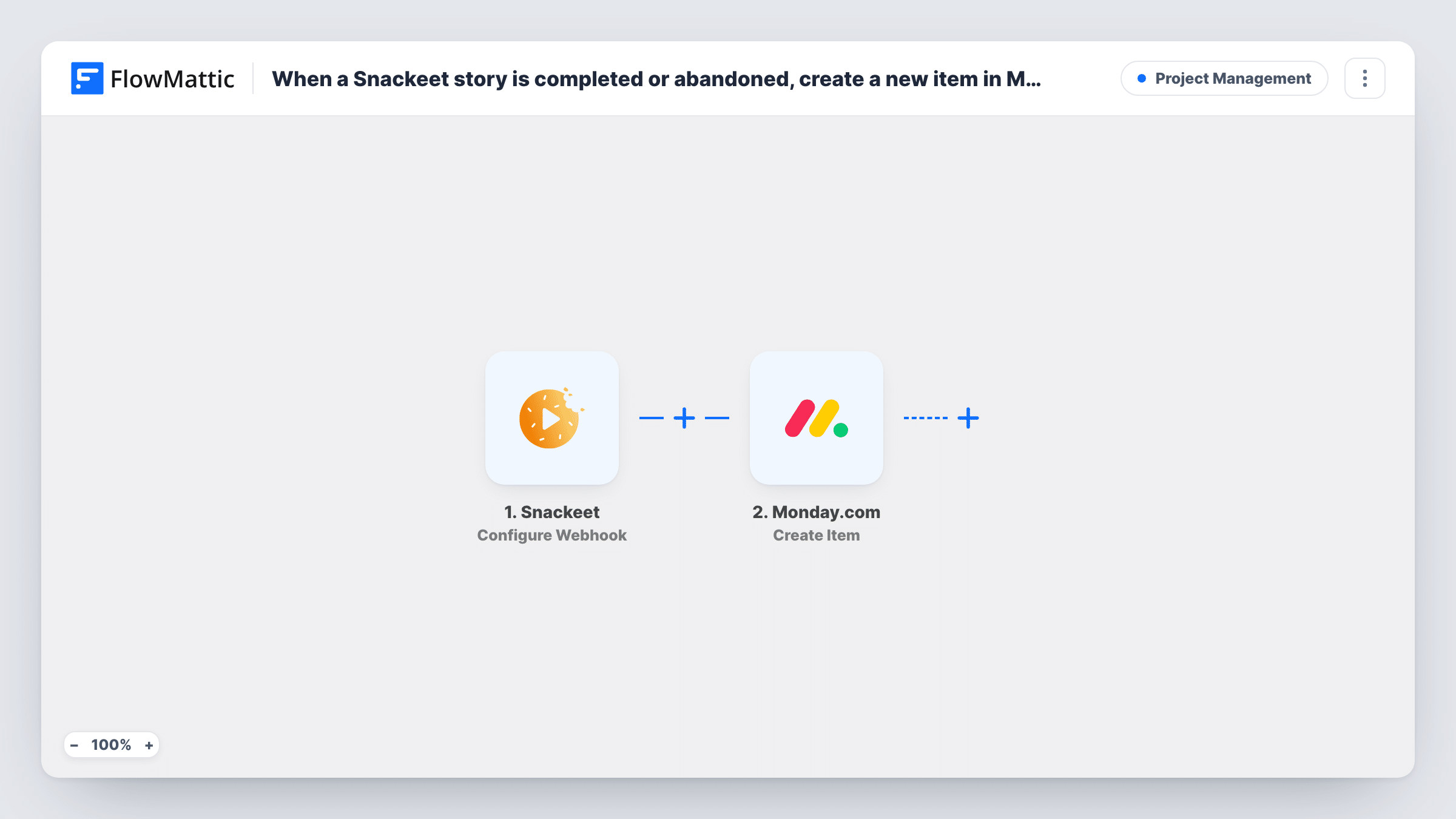
The Snackeet trigger, Configure Webhook, runs each time a visitor either finishes a story or leaves it unfinished. Both outcomes start a run. The session data Snackeet sends becomes available to map. The Monday.com step then creates a new item on the board you choose, built from the values you map, such as the visitor's name and answers.
Because abandoned sessions also arrive, the board gets an item for people who left part way. If you want to tell the two apart, map whatever the data says about the outcome into the item name or a column. Task History shows each run and what Monday.com returned.
Lead follow-up from a quiz funnel
A product-finder quiz in Snackeet collects email addresses. Every finished or dropped quiz becomes a Monday.com item the sales team assigns and works through.
Reviewing where visitors drop off
Abandoned sessions land on the board next to completed ones, so the marketing team can see which stories people leave and plan changes.
Job or programme applications
A Snackeet story works as an application flow. Each submission becomes an item the hiring team moves through its own Monday.com stages.
How this workflow runs
What happens at each step once the workflow is on, and what you need before you import it.
 Snackeet Configure Webhook
Fires when a Snackeet story is completed or abandoned. Both kinds of session start a run, and the session data is passed on for mapping.
- Monday.com Create Item
Creates a new item on the Monday.com board you choose from the Snackeet data. Map the visitor's details into the item, and connect your Monday.com account on import.
What you need
- FlowMatticCore
- Snackeet AccountAccount
- Monday.com AccountAccount
After importing, map your own data. To keep the template universal, not every step is pre-filled. Open each step in the builder and connect your accounts and fields (channels, lists, sheets, recipients) before you switch the workflow on.
Make it yours
Changes worth making after you import it.
- Add a Filter after the trigger that continues only for completed stories, if you don't want abandoned sessions on the board. Check a test run first to see which value marks the outcome.
- Use a Router to send completed sessions to one Monday.com board and abandoned ones to another. Set the two route conditions on the outcome value so a session can match only one.
- Run one completed and one abandoned test session after import, so you can see what Snackeet sends in each case before you map the item.
Questions about this workflow
Do abandoned Snackeet stories create Monday.com items too?
Yes. The trigger fires when a story is completed or abandoned, so both create an item unless you add a Filter after the trigger.
Which Monday.com board and group does the item go to?
The one you set in the Monday.com step after import. Run a test session to check where the item appears and which details it carries.
Can I keep the Snackeet answers on the Monday.com item?
You can map any value the Snackeet data contains into the item. Look at a captured test session in the Monday.com step to see which answers arrive.
More Project Management workflows
Other ready-to-import templates from the same category.




Import this workflow into your WordPress site
Download the JSON, import it from the Workflows screen and connect your accounts. Every run stays on your server, with no per-task fees.
30-day money-back guarantee Unlimited workflows and runs Self-hosted