

When a support ticket is created in Fluent Support, generate an AI voice response in ElevenLabs
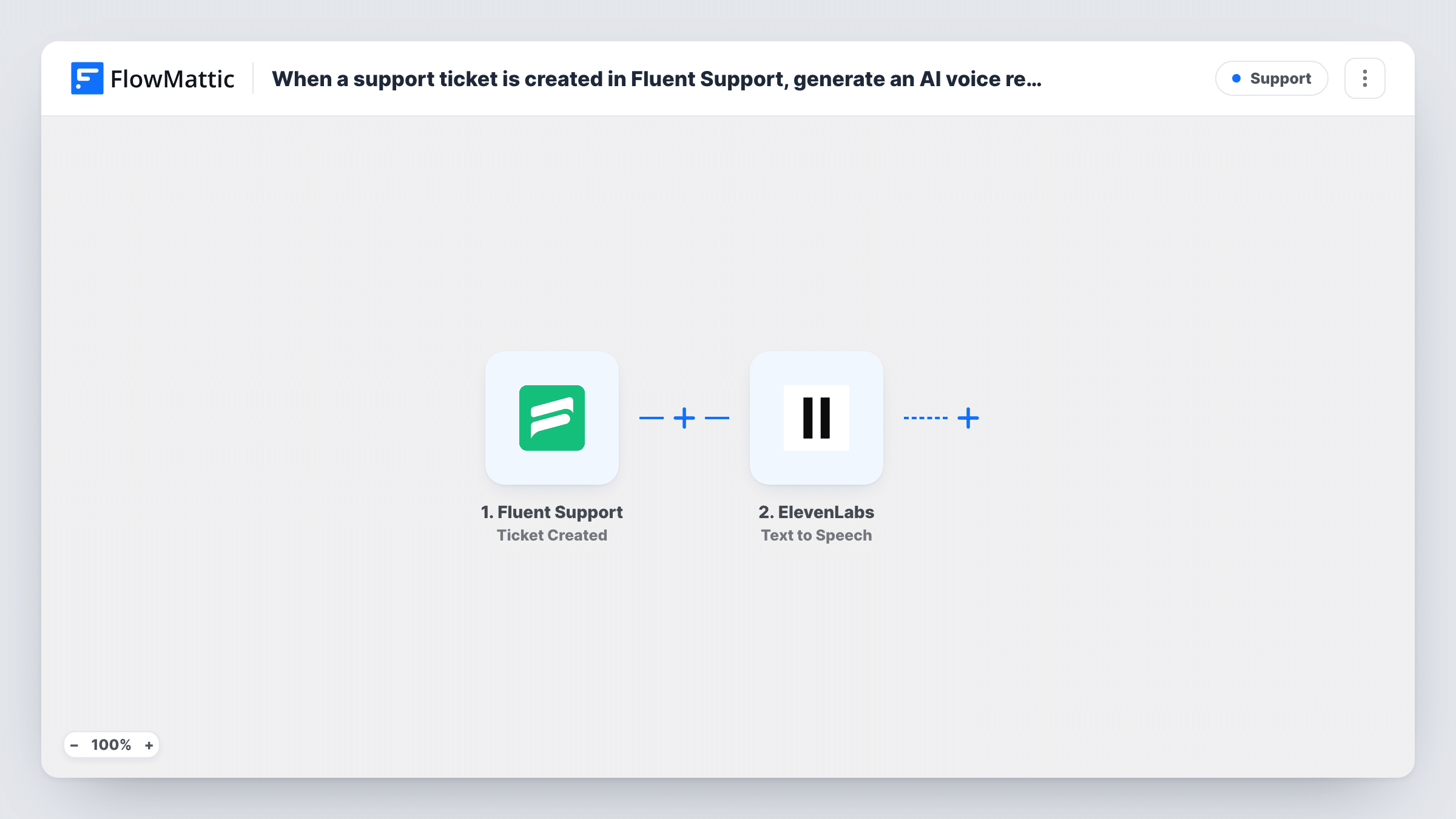
Each new Fluent Support ticket sends text you write, such as an acknowledgement with the ticket details mapped in, to ElevenLabs Text to Speech to produce a spoken version.
 Fluent Support
 ElevenLabs
2 steps Setup ~5 min Used on 3.1k sites Free to import
What this workflow does
Some support teams want a voice touch alongside written replies, for example an audio acknowledgement that a ticket has arrived, or a spoken summary an agent can listen to. This workflow is the first half of that idea. It turns text built from each new Fluent Support ticket into speech with ElevenLabs.
The Fluent Support trigger is Ticket Created, which fires when a new ticket is created by either a customer or an agent. The ticket's data is passed on. The ElevenLabs step runs Text to Speech, which converts text to speech using ElevenLabs voices. You decide the text: a fixed acknowledgement, the ticket subject, or a mix with details mapped in.
No AI writes a reply here. The words spoken are the ones you set up, and the audio is not attached to the ticket or sent to anyone as imported. Look at the ElevenLabs output in Task History after a test ticket, then add the step that delivers it where you want it.
Spoken ticket acknowledgement
Write a short message such as "We have your request about" followed by the mapped ticket subject, and turn it into audio for each new ticket.
Listening to new tickets on the move
A solo founder has the subject and opening text of each ticket read aloud, then adds a step that sends the audio to their phone.
Testing ElevenLabs voices for a support brand
Use real ticket text to compare how different ElevenLabs voices sound before you commit to voice replies.
How this workflow runs
What happens at each step once the workflow is on, and what you need before you import it.
 Fluent Support Ticket Created
Starts a run whenever a ticket is created in Fluent Support, whether a customer or an agent opens it. The ticket's details can be mapped into the ElevenLabs text.
- ElevenLabs Text to Speech
Turns the text you set into speech with an ElevenLabs voice. Map ticket details into the text and connect your ElevenLabs account. Nothing uses the audio until you add a step after this one.
What you need
- FlowMatticCore
- Fluent Support PluginPlugin
- ElevenLabs AccountAccount
After importing, map your own data. To keep the template universal, not every step is pre-filled. Open each step in the builder and connect your accounts and fields (channels, lists, sheets, recipients) before you switch the workflow on.
Make it yours
Changes worth making after you import it.
- Add a Filter after the trigger so only tickets opened by customers produce audio, since the trigger also fires for tickets an agent creates. Check a test run for a value that tells them apart.
- Add an OpenAI or other AI step before ElevenLabs if you want the spoken text written from the ticket content instead of a fixed message, and read its output before relying on it.
- Keep the spoken text short and avoid reading out private ticket details, especially if the audio will be sent outside your team.
Questions about this workflow
Does the customer hear the ElevenLabs audio?
Not as imported. The workflow creates the speech and stops. You need to add a step that sends the audio or a link to it before anyone receives it.
Does this write a reply to the Fluent Support ticket?
No. ElevenLabs only speaks the text you set up. The ticket in Fluent Support is not changed, and your agents still reply as usual.
Do tickets created by agents start the workflow too?
Yes. Ticket Created fires for tickets opened by customers or agents. Add a Filter if you only want customer tickets turned into audio.
Do I need an ElevenLabs account for the Fluent Support voice step?
Yes. Text to Speech runs through your ElevenLabs account, connected in FlowMattic. Fluent Support must be installed on the same WordPress site as FlowMattic.
More Support workflows
Other ready-to-import templates from the same category.





Import this workflow into your WordPress site
Download the JSON, import it from the Workflows screen and connect your accounts. Every run stays on your server, with no per-task fees.
30-day money-back guarantee Unlimited workflows and runs Self-hosted