

When a survey is completed, store responses in Airtable for analysis
Each Bit Form submission, such as a completed survey, is saved as a new record in an Airtable table, so you can sort, group and chart the responses in Airtable instead of in WordPress.
 Bit Form
 Airtable
2 steps Setup ~5 min Used on 2.0k sites Free to import
What this workflow does
Bit Form is a good way to collect survey answers on your WordPress site, but analysing them usually happens somewhere else. Airtable lets you sort, group and build views on the answers, and share them with people who never log into WordPress. This workflow sends each submission to Airtable as it arrives.
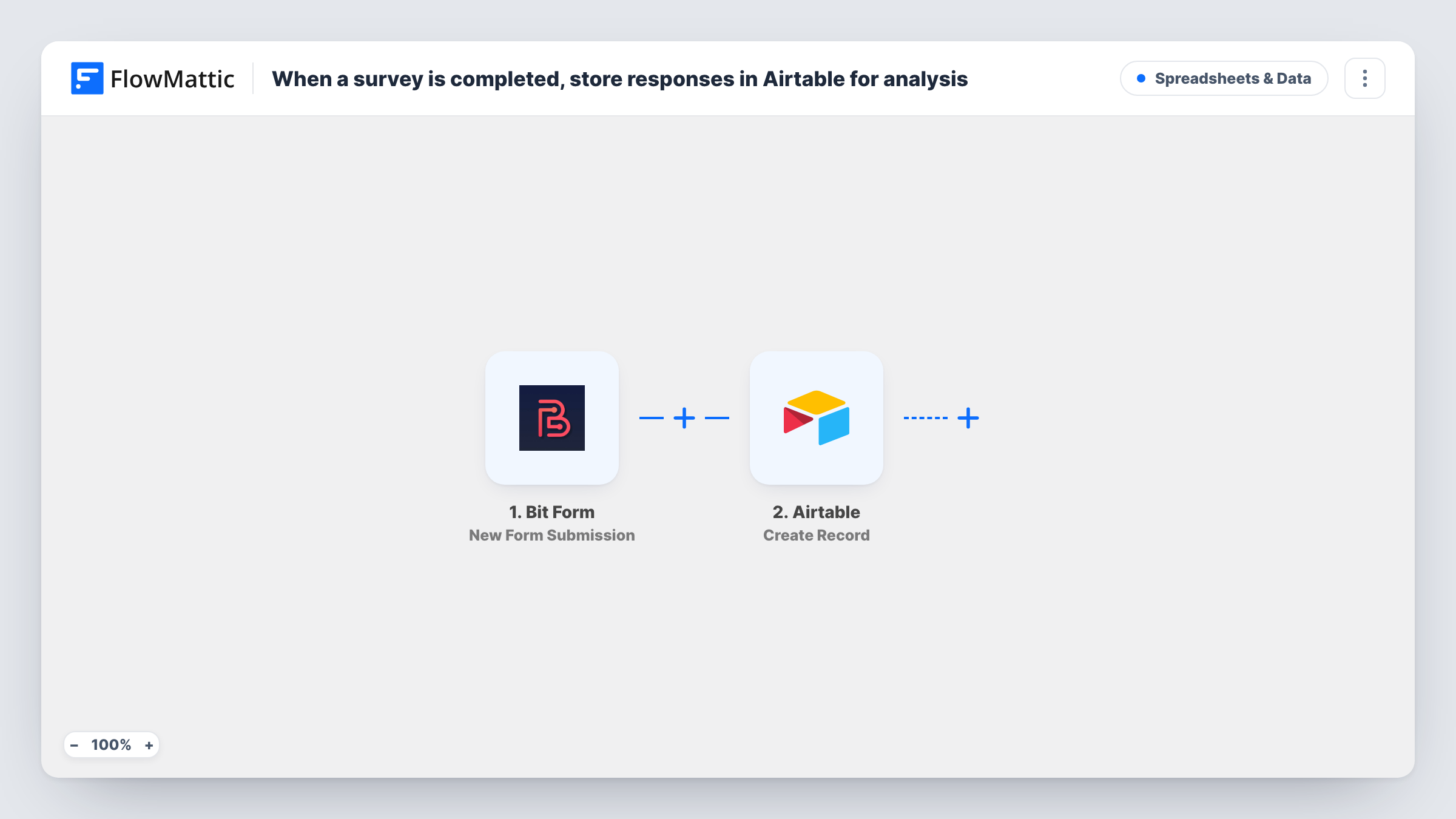
The Bit Form trigger runs on New Form Submission. FlowMattic passes the answers to the Create Record action in Airtable, which adds a record to the base and table you pick. You map each survey answer to an Airtable field.
One submission means one record, and every submission is sent. Plan your Airtable fields to match the survey questions, and pick field types that suit the answers, such as a single select for a multiple choice question. Task History shows each run and anything Airtable rejected.
Customer satisfaction survey
Customers rate your service in a Bit Form survey. In Airtable, you group the records by rating and read the comments for each group.
Event feedback after a workshop
Attendees fill in a feedback form after the session. The organiser builds an Airtable view per workshop to compare answers.
Product research with a team
Researchers who work in Airtable see each new survey response as a record, without exporting entries from WordPress.
How this workflow runs
What happens at each step once the workflow is on, and what you need before you import it.
 Bit Form New Form Submission
Runs when someone submits a Bit Form form on your WordPress site. The answers are passed on so you can map them into Airtable.
- Airtable Create Record
Creates a record in the Airtable base and table you choose. Map each Bit Form answer to the matching field and connect your Airtable account.
What you need
- FlowMatticCore
- Bit Form PluginPlugin
- Airtable AccountAccount
After importing, map your own data. To keep the template universal, not every step is pre-filled. Open each step in the builder and connect your accounts and fields (channels, lists, sheets, recipients) before you switch the workflow on.
Make it yours
Changes worth making after you import it.
- If more than one Bit Form form is on your site, add a Filter after the trigger so only the survey form creates Airtable records. Check a test run for the value that identifies the form.
- Set up the Airtable table before import, with one field per survey question, so mapping is a matter of matching names.
- Submit the survey once yourself after import so FlowMattic captures the answers, then map them and check the record in Airtable.
Questions about this workflow
Does Bit Form still store the survey entry in WordPress?
The workflow only listens for submissions and does not change how Bit Form handles them, so your form's own entry storage works as before.
What if an answer does not fit the Airtable field type?
Airtable may reject the value or the record. Task History shows the error on the Airtable step, so match field types to the answers you collect.
Are earlier Bit Form survey responses sent to Airtable?
No. Only submissions made after the workflow is on create records.
Can one Bit Form survey fill two Airtable tables?
Yes, with a change. Add a second Airtable Create Record step after the first and map the answers you want in the other table.
More Spreadsheets & Data workflows
Other ready-to-import templates from the same category.




Import this workflow into your WordPress site
Download the JSON, import it from the Workflows screen and connect your accounts. Every run stays on your server, with no per-task fees.
30-day money-back guarantee Unlimited workflows and runs Self-hosted