

When a Synap Academy exam is submitted, log the score in Airtable, then notify the instructor in Slack
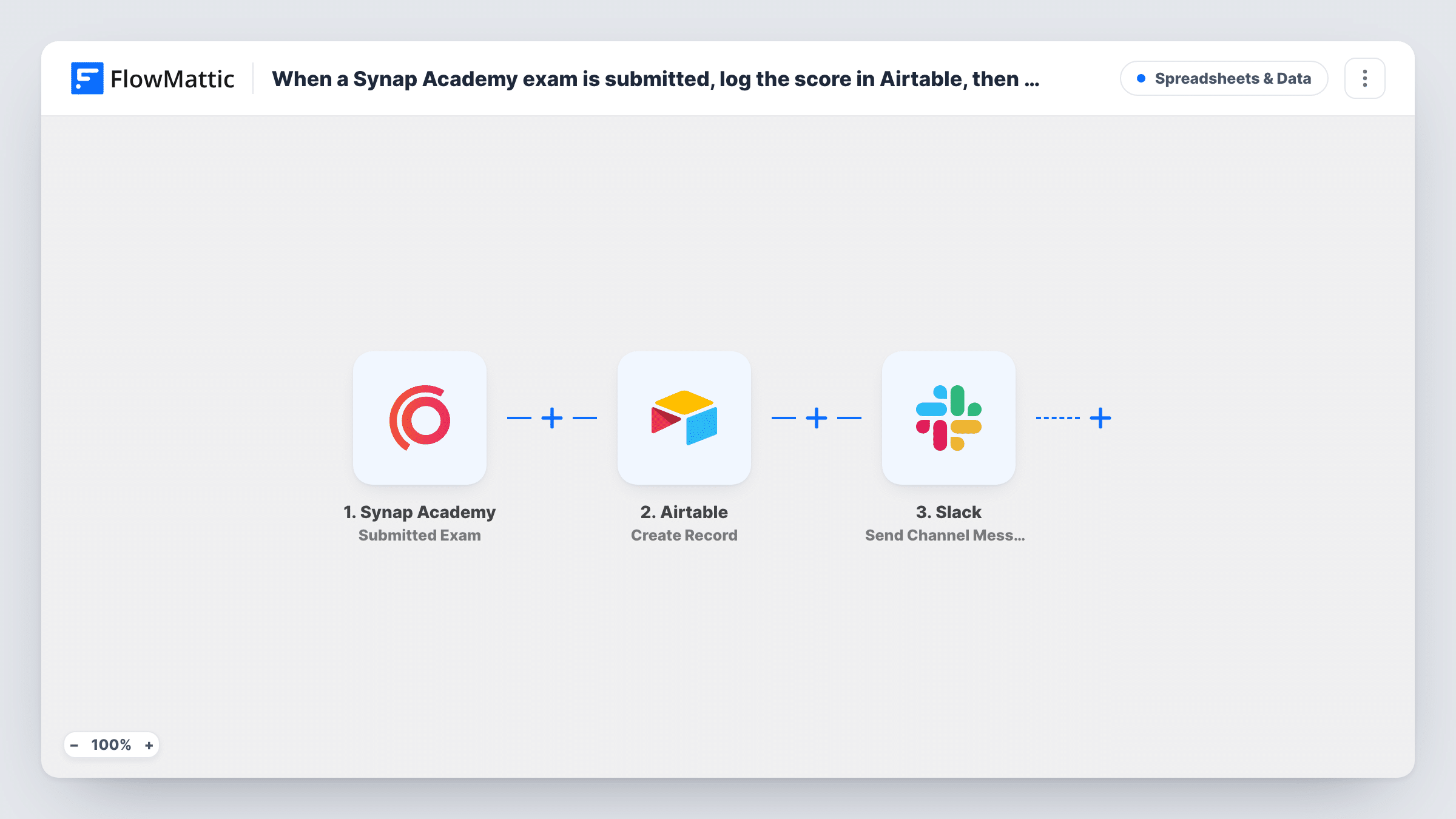
Each submitted Synap Academy exam creates a record in Airtable, then posts a message to a Slack channel your instructor follows, so results are logged and the instructor hears about them in one run.
 Synap Academy
 Airtable
 Slack
Slack3 steps Setup ~5 min Used on 1.7k sites Free to import
What this workflow does
Exam results that stay inside your learning platform are hard to compare, share or chart. Instructors also have to log in to find out who has finished. This workflow keeps a running log of submissions in Airtable and tells your teaching team in Slack each time a learner hands in an exam.
The Synap Academy trigger runs on the Submitted Exam event and passes the submission details to FlowMattic. Next, the Create Record action in Airtable adds a row to the base and table you choose. You map the learner, exam and score into your Airtable fields, using whatever data the trigger provides for that exam.
Last, Slack receives a Send Channel Message step. The message is posted to the channel you pick, so pick one your instructor watches and write the text from the same exam data. Each submission runs all three steps in order.
Course gradebook in Airtable
Every Synap Academy exam submission adds a record to an Airtable gradebook, where you sort by course, filter by learner and build views for each class.
Instructor channel for marking
Tutors who mark written answers watch a Slack channel. A message appears there for each submitted exam, so they know there is work to review.
Certification programme records
A training company logs each certification exam attempt in Airtable as an audit trail, and the lead trainer sees the attempts in Slack.
How this workflow runs
What happens at each step once the workflow is on, and what you need before you import it.
 Synap Academy Submitted Exam
Starts the workflow whenever a learner submits an exam in Synap Academy. The exam submission details become data for the Airtable and Slack steps.
- Airtable Create Record
Creates a new record in the Airtable base and table you select. Map the learner, exam and score data from the trigger into your table's fields; a test submission shows which values Synap Academy sends.
- Slack Send Channel Message
Sends a note about the submitted exam to a Slack channel of your choosing. Write the text with mapped values such as the learner's name and score, so the instructor can read the result without opening Airtable.
What you need
- FlowMatticCore
- Synap Academy AccountAccount
- Airtable AccountAccount
- Slack AccountAccount
After importing, map your own data. To keep the template universal, not every step is pre-filled. Open each step in the builder and connect your accounts and fields (channels, lists, sheets, recipients) before you switch the workflow on.
Make it yours
Changes worth making after you import it.
- Add a Filter before the Slack step that continues only when the score is below your pass mark, if instructors only want to hear about learners who need help. Airtable still logs every exam.
- To alert two groups, place a Router before Slack with one route for scores at or above the pass mark and one for scores below it, each posting to its own channel.
- Complete a practice exam yourself after import so FlowMattic captures the Synap Academy fields, then map them in both the Airtable and Slack steps.
Questions about this workflow
Does the Slack message go to the instructor directly?
No. The step is Send Channel Message, so it posts in a channel. Choose a channel the instructor follows, or a private channel shared with the teaching team.
Do I need an Airtable table ready for the Synap Academy results?
Yes. Create the base and table with the fields you want, such as learner, exam and score, before you map them in the Create Record step.
What happens if a learner submits the same Synap Academy exam twice?
Each submission is a new trigger event, so Airtable gets a second record and Slack gets a second message. That gives you a record of every attempt.
More Spreadsheets & Data workflows
Other ready-to-import templates from the same category.




Import this workflow into your WordPress site
Download the JSON, import it from the Workflows screen and connect your accounts. Every run stays on your server, with no per-task fees.
30-day money-back guarantee Unlimited workflows and runs Self-hosted