

When an Emarsys webhook fires, update the contact in ActiveCampaign and alert the team in Slack
When Emarsys sends an event to your FlowMattic webhook, the contact is created or updated in ActiveCampaign and a Slack channel gets a note about it, keeping both tools and your team informed.
 Emarsys
 ActiveCampaign
 Slack
3 steps Setup ~5 min Used on 1.3k sites Free to import
What this workflow does
If you run Emarsys alongside ActiveCampaign, contact details drift apart unless something keeps them aligned. This workflow takes contact data from Emarsys events and writes it into ActiveCampaign, then lets your team know in Slack.
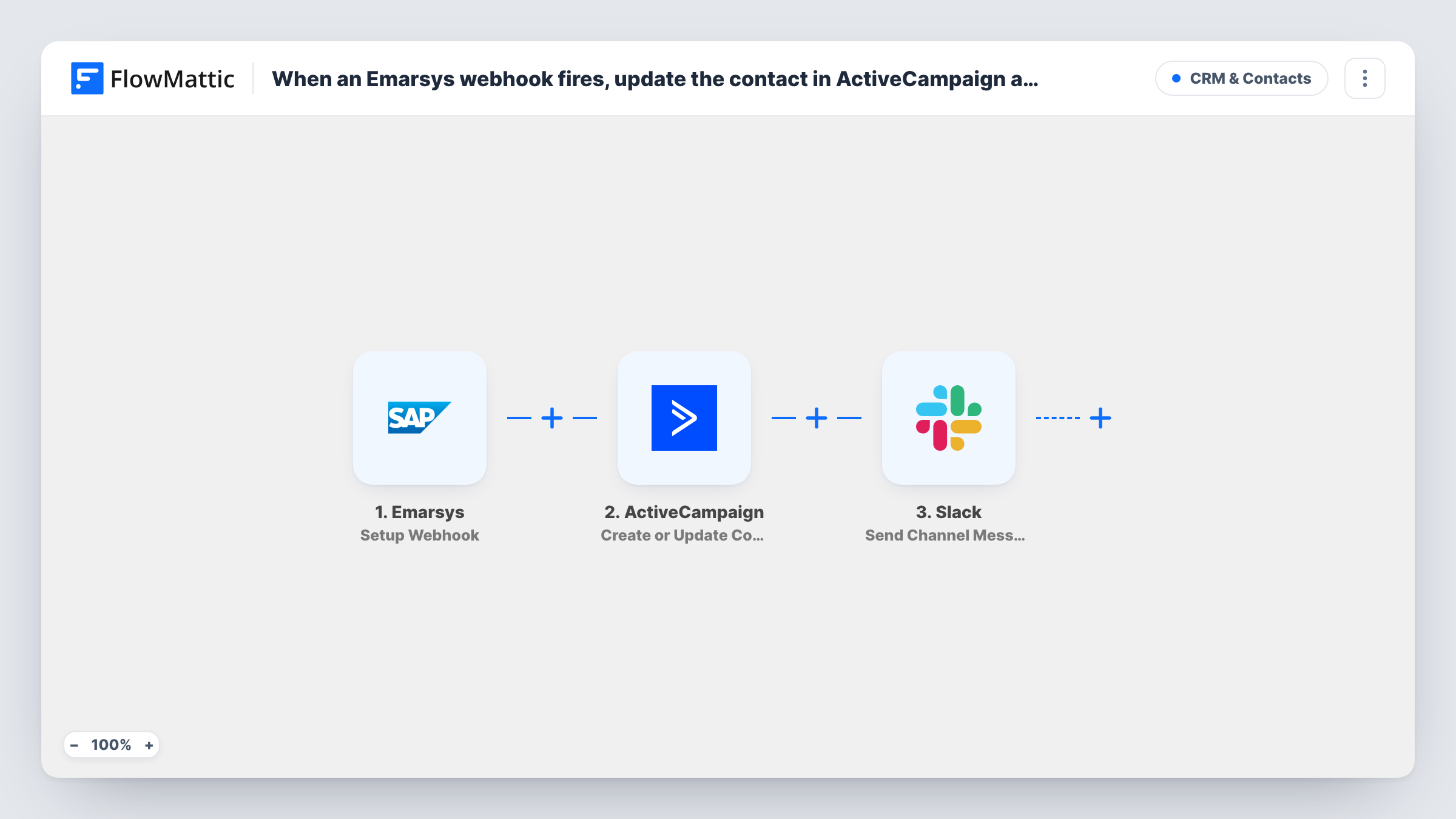
The Emarsys trigger listens on a FlowMattic webhook URL that you register in Emarsys, together with the events Emarsys should report. Each event that arrives becomes a run. The ActiveCampaign step uses Create or Update Contact, so the contact with that email address is updated, and a new contact is created if none exists. Then a message is posted to the Slack channel you set.
The title says update, but the action also creates. If you want only existing contacts touched, the tips show how. The events you choose in Emarsys decide how often this runs, so a busy event can mean a lot of Slack messages.
Keeping two email platforms in step
A brand that sends from both Emarsys and ActiveCampaign keeps contact details current in ActiveCampaign when Emarsys reports a change.
Sales sees engaged contacts
Emarsys reports a campaign event, the contact's ActiveCampaign record is refreshed, and the sales channel in Slack names the person.
Watching a migration
During a move between platforms, the Slack messages show which Emarsys contacts were written to ActiveCampaign and when.
How this workflow runs
What happens at each step once the workflow is on, and what you need before you import it.
 Emarsys Setup Webhook
Receives the Emarsys events you send to the FlowMattic webhook URL. Each one starts a run with its contact data ready to map.
- ActiveCampaign Create or Update Contact
Updates the ActiveCampaign contact that has the mapped email address, or creates one if there is no match. Map the email and the fields you want kept current.
- Slack Send Channel Message
Posts a note to a Slack channel you choose. Add the contact's email and the type of Emarsys event so readers know what changed.
What you need
- FlowMatticCore
- Emarsys AccountAccount
- ActiveCampaign AccountAccount
- Slack AccountAccount
After importing, map your own data. To keep the template universal, not every step is pre-filled. Open each step in the builder and connect your accounts and fields (channels, lists, sheets, recipients) before you switch the workflow on.
Make it yours
Changes worth making after you import it.
- To touch only existing ActiveCampaign contacts, add ActiveCampaign's Find Contact step before this one and a Filter that stops the run when no contact comes back.
- Remove the Slack step, or add a Filter in front of it, if the Emarsys events you send arrive too often for a channel to read.
- Send a test event from Emarsys after import so FlowMattic captures its fields before you map them in ActiveCampaign.
Questions about this workflow
Does this create new ActiveCampaign contacts from Emarsys events?
Yes, when the email address is not found. Create or Update Contact updates a match and creates a contact otherwise.
Which Emarsys events update ActiveCampaign?
Those you set Emarsys to send to the webhook URL. Pick events that carry the contact's email, since ActiveCampaign needs it to find or create the contact.
Are changes in ActiveCampaign sent back to Emarsys?
No. Data moves one way, from Emarsys events into ActiveCampaign. FlowMattic offers only a webhook trigger for Emarsys.
Can the Emarsys alerts go to a private Slack channel?
Use Slack's Send Private Channel Message action instead of Send Channel Message, which posts to the channel you select.
More CRM & Contacts workflows
Other ready-to-import templates from the same category.




Import this workflow into your WordPress site
Download the JSON, import it from the Workflows screen and connect your accounts. Every run stays on your server, with no per-task fees.
30-day money-back guarantee Unlimited workflows and runs Self-hosted