

When an Iyzico subscription order fails, find the row in Google Sheets, alert Slack, then mark it for follow-up in Google Sheets
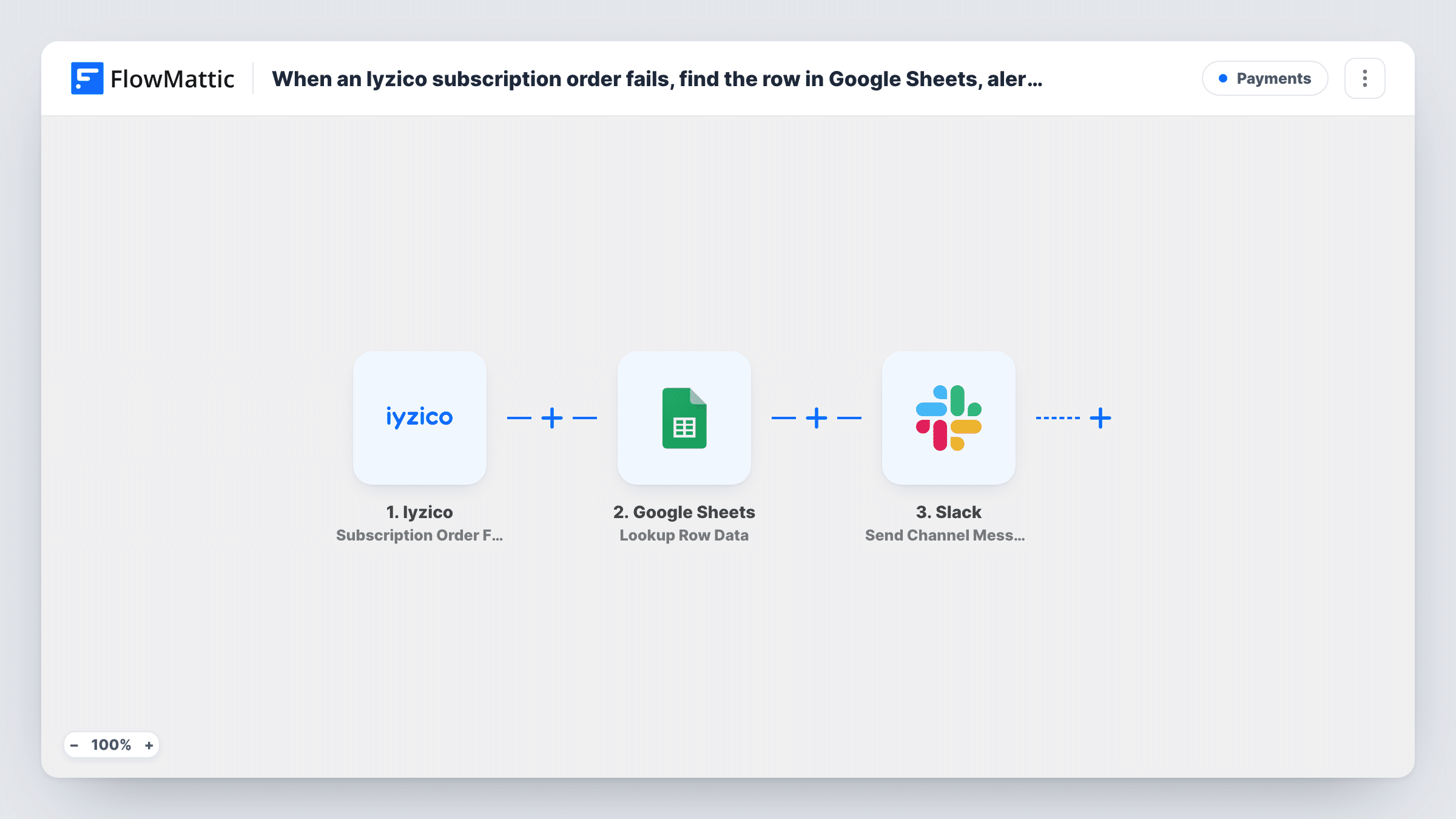
When an Iyzico subscription payment fails, FlowMattic finds the subscriber’s row in your Google Sheets tracker, alerts your team in Slack, then updates that row to mark it for follow-up.
 Iyzico
 Google Sheets
 Slack
Slack4 steps Setup ~8 min Used on 1.6k sites Free to import
What this workflow does
A failed subscription payment usually means someone on your team has to contact the customer. If your subscriber list lives in Google Sheets, this workflow keeps it current and tells the team at the same time, without anyone checking the Iyzico dashboard.
The Iyzico trigger fires when an initial or recurring subscription payment attempt fails, and passes on the order and customer data Iyzico sends. The first Google Sheets step, Lookup Row Data, searches your tracker for a value from that event, such as the customer's email or subscription reference. Your sheet needs a column holding the same value for the match to work.
Next, a Slack message goes to the channel you choose, so someone can pick up the follow-up. Finally, Update Row writes to the row the lookup found, for example a status of "Payment failed" and the date.
The template leaves the lookup, the alert and the update unmapped. After import, choose the spreadsheet and lookup column, write the Slack message, and map the row from the lookup plus the values to write into Update Row. Test with a subscriber you know is in the sheet, and check Task History to see which row was found and what each step returned.
Dunning list for a subscription box
A subscription box company marks failed renewals in its Google Sheets customer list, and the Slack alert prompts the support lead to email each customer that day.
Payment problems for a SaaS team
A Turkish SaaS startup that bills through Iyzico flags failed initial payments in its trial-conversion sheet and pings sales in Slack to help the customer finish signing up.
Membership desk follow-up
A gym that collects memberships through Iyzico keeps a member sheet for the front desk, which sees the follow-up flag and raises it when the member next visits.
How this workflow runs
What happens at each step once the workflow is on, and what you need before you import it.
 Iyzico Subscription Order Failure
Starts a run each time Iyzico reports a failed first or renewal payment on a subscription. The order and customer details Iyzico sends are passed on for the lookup, the alert and the update.
- Google Sheets Lookup Row Data
Searches your Google Sheets tracker for the row matching a value from the Iyzico event, such as the customer email. Pick the spreadsheet, sheet and lookup column after import.
- Slack Send Channel Message
Posts an alert about the failed payment to the Slack channel you pick. Write the message after import and map in details from Iyzico or the found row, such as the customer's name and plan.
- Google Sheets Update Row
Updates the row the lookup found with the values you map, for example a follow-up status and the failure date. Map the row reference from step 2 so the right row changes.
What you need
- FlowMatticCore
- Iyzico AccountAccount
- Google Sheets AccountAccount
- Slack AccountAccount
After importing, map your own data. To keep the template universal, not every step is pre-filled. Open each step in the builder and connect your accounts and fields (channels, lists, sheets, recipients) before you switch the workflow on.
Make it yours
Changes worth making after you import it.
- Add a dedicated status column to your tracker, such as Payment status, so the Update Row step has a clear place to write the follow-up flag.
- Check a test run to see which customer identifier Iyzico sends, then make sure that same value is stored in a column of your sheet for the lookup.
- Include the customer's name and plan in the Slack alert, taken from the found row, so the team knows who to contact without opening the sheet.
- Build a second workflow on Iyzico's Subscription Order Success trigger that clears the follow-up flag when a later payment goes through.
Questions about this workflow
What if the customer isn't in my Google Sheets tracker?
The lookup has no row to return, so there is nothing for Update Row to change. Task History shows what Lookup Row Data found on each run, which helps you spot customers missing from the sheet.
Does this cover both first and renewal Iyzico payments?
Yes. FlowMattic describes the trigger as firing when an initial or recurring payment attempt fails, so both kinds start a run.
Which value should the Google Sheets lookup search for?
One that Iyzico sends and your sheet also stores, such as the customer email or a subscription reference. Run a test to see the fields Iyzico includes, then choose the column.
Can the failed-payment alert post to a private Slack channel?
Not with the step as shipped. For a private channel, use Slack's Send Private Channel Message action in its place.
More Payments workflows
Other ready-to-import templates from the same category.




Import this workflow into your WordPress site
Download the JSON, import it from the Workflows screen and connect your accounts. Every run stays on your server, with no per-task fees.
30-day money-back guarantee Unlimited workflows and runs Self-hosted