

When an Upflowy flow is finished, create a FluentCRM contact and log it in Google Sheets
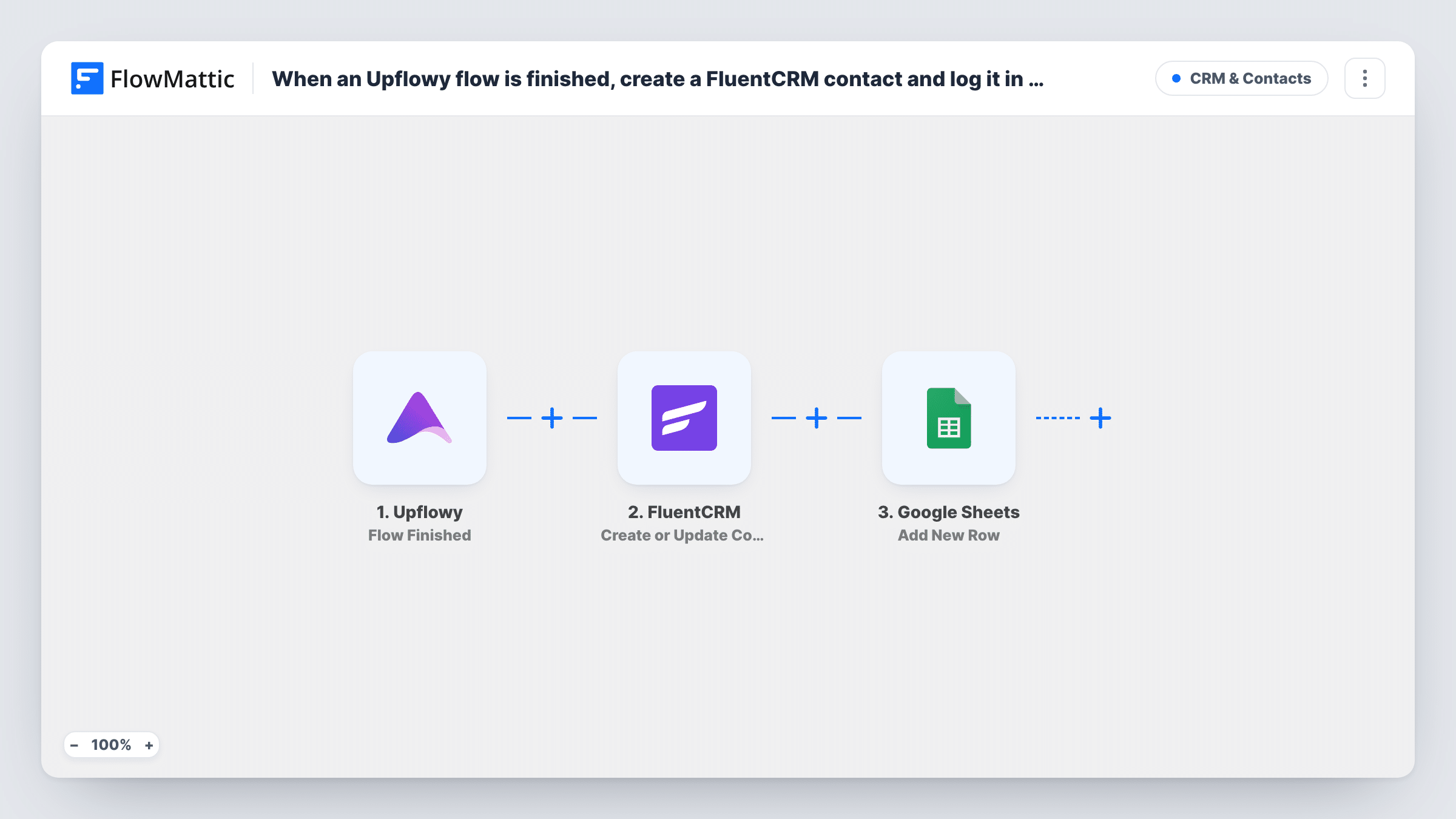
When someone finishes an Upflowy flow, this workflow creates or updates their FluentCRM contact on your WordPress site and adds a row with the same details to a Google Sheets spreadsheet.
 Upflowy
 FluentCRM
 Google Sheets
3 steps Setup ~5 min Used on 941 sites Free to import
What this workflow does
Upflowy flows collect answers step by step, often during onboarding or lead capture. Once a person reaches the end, you usually want them in your CRM so you can email them, and a spreadsheet copy is handy for people who never log into WordPress. This workflow does both each time a flow is finished.
The Upflowy trigger starts a run as soon as someone completes a flow. FlowMattic passes the answers from that flow to FluentCRM, whose Create or Update Contact action adds the person as a contact, or updates them if their email is already there. Then the Google Sheets step adds a new row with whichever Upflowy answers you map to its columns.
The contact lives in FluentCRM on your own site, while the row goes to your Google account. Both steps run for every finished flow, and there is no check in between. Task History shows each run with the data Upflowy sent and what each step returned.
Onboarding questionnaire for new clients
New clients complete an Upflowy onboarding flow. They become FluentCRM contacts for your welcome emails, and the sheet gives your account team their answers at a glance.
Qualification flow on a landing page
Visitors answer a few questions about their needs. Everyone who finishes lands in FluentCRM, and sales sorts the sheet by the answers that matter to them.
Course or webinar intake
Students fill in an Upflowy intake flow before a course. FluentCRM holds them for course emails, and the instructor reads the sheet to prepare.
How this workflow runs
What happens at each step once the workflow is on, and what you need before you import it.
 Upflowy Flow Finished
Runs when a person finishes one of your Upflowy flows. Their answers from the flow are passed on to FluentCRM and Google Sheets for mapping.
- FluentCRM Create or Update Contact
Creates a FluentCRM contact from the Upflowy answers, or updates the existing contact with the same email. Map the email answer, plus any name fields the flow collects.
- Google Sheets Add New Row
Adds a new row to the Google Sheets spreadsheet you select, holding the Upflowy answers you map to its columns. Connect your Google account when you import.
What you need
- FlowMatticCore
- Upflowy AccountAccount
- FluentCRM PluginPlugin
- Google Sheets AccountAccount
After importing, map your own data. To keep the template universal, not every step is pre-filled. Open each step in the builder and connect your accounts and fields (channels, lists, sheets, recipients) before you switch the workflow on.
Make it yours
Changes worth making after you import it.
- If you run several Upflowy flows, add a Filter after the trigger so only the flow you want reaches FluentCRM. Run a test to see which value tells the flows apart.
- Finish your Upflowy flow once yourself after import. FlowMattic then captures the answers, and you can map them in both the FluentCRM and Google Sheets steps.
Questions about this workflow
What if the Upflowy respondent is already a FluentCRM contact?
The FluentCRM step is Create or Update Contact, so the existing contact is updated rather than duplicated. The Google Sheets step still adds a new row every time.
Do people who leave an Upflowy flow halfway get added?
No. The trigger is Flow Finished, so only people who reach the end of a flow start a run.
Do I need FluentCRM on the same site as FlowMattic?
Yes. FluentCRM is a WordPress plugin, and the step creates the contact on the site where FlowMattic is installed. Upflowy and Google Sheets connect through their own accounts.
Is a missing email a problem for the FluentCRM step?
FluentCRM identifies contacts by email, so make the email question required in your Upflowy flow. Task History shows the error on that step if a run arrives without one.
More CRM & Contacts workflows
Other ready-to-import templates from the same category.






Import this workflow into your WordPress site
Download the JSON, import it from the Workflows screen and connect your accounts. Every run stays on your server, with no per-task fees.
30-day money-back guarantee Unlimited workflows and runs Self-hosted