

When Chatfuel sends data, create a contact in Zoho CRM and add a follow-up task in Todoist
When your Chatfuel bot sends data to FlowMattic, this workflow creates a contact in Zoho CRM from it and adds a Todoist task so someone follows up with the person who chatted with your bot.
 Chatfuel
 Zoho CRM
 Todoist
3 steps Setup ~5 min Used on 1.7k sites Free to import
What this workflow does
A chatbot can collect a name, an email and what someone wants at any hour. The details then need to reach your CRM, and someone needs a reminder to follow up. This workflow handles both from one Chatfuel request.
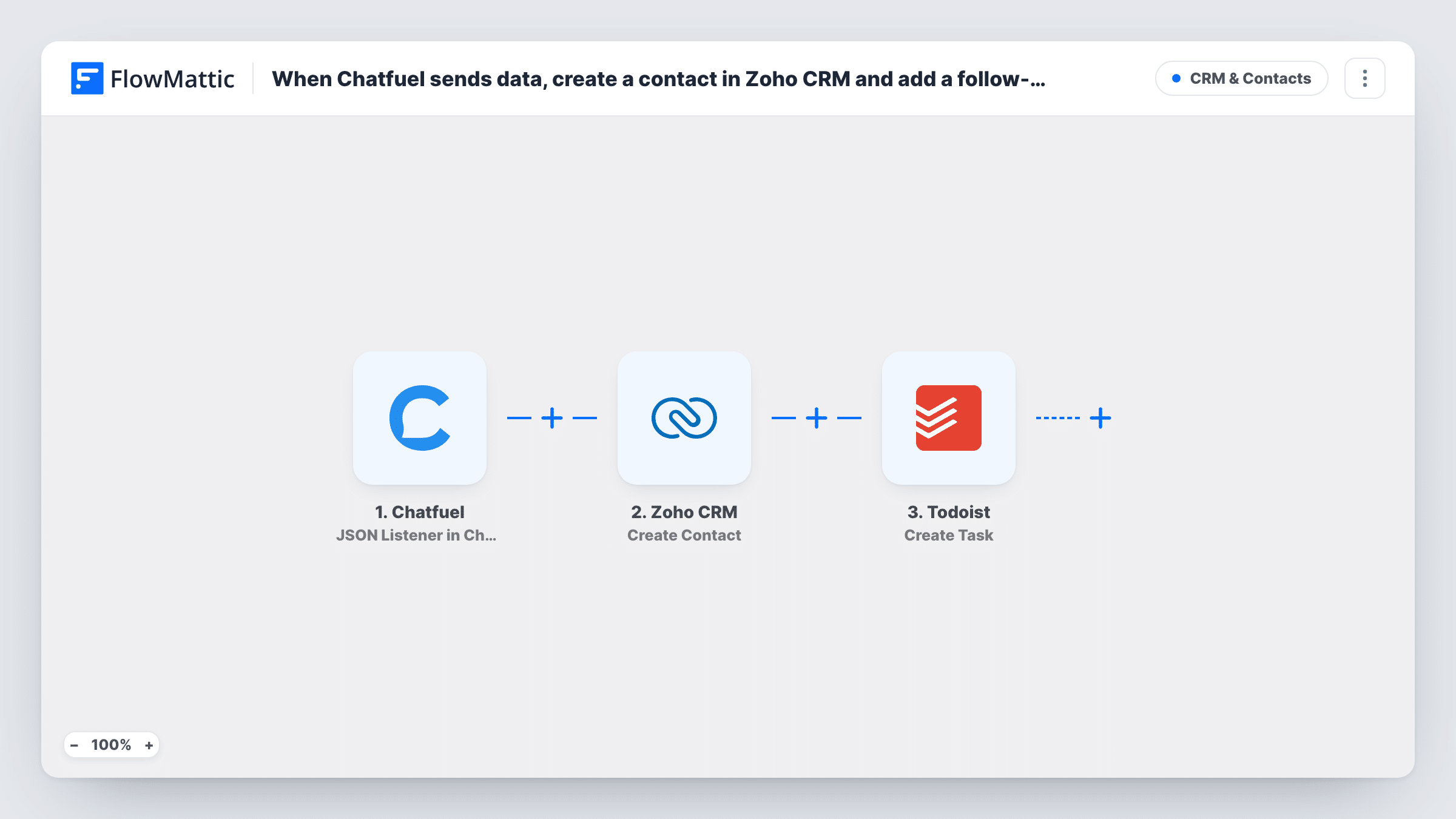
The Chatfuel trigger, JSON Listener in Chatfuel, receives the data your bot sends to the FlowMattic URL, usually user attributes collected in the conversation. Next, Zoho CRM Create Contact makes a new contact from those values. Finally, Todoist Create Task adds a task, for example "Call Jane about the demo", built from the chat data and the new contact.
You decide what the bot sends, so set up the JSON request in Chatfuel to include every attribute you want to map. Create Contact always creates a new record; it doesn't check whether the person is already in Zoho CRM. Each run adds one Todoist task.
Demo requests from a Messenger bot
A bot asks visitors whether they want a product demo and collects their email. Each request becomes a Zoho CRM contact and a Todoist task for the sales rep to book the call.
Quote requests for a service business
The bot gathers job type and postcode. The contact lands in Zoho CRM with those details, and a Todoist task reminds you to send the quote.
Event enquiries out of hours
People asking your bot about venue hire at night are in Zoho CRM by morning, with a Todoist task waiting for the events manager.
How this workflow runs
What happens at each step once the workflow is on, and what you need before you import it.
 Chatfuel JSON Listener in Chatfuel
Receives the JSON your Chatfuel bot sends to FlowMattic's URL. Each attribute in the request, such as name, email or phone, becomes a value you can map in the next steps.
- Zoho CRM Create Contact
Creates a new contact in Zoho CRM from the Chatfuel attributes. Connect Zoho CRM on import, map the bot's values into the contact, and check the result with a test conversation.
- Todoist Create Task
Creates a task in Todoist for the follow-up. Map the person's name and request from the chat, or values from the new Zoho CRM contact, into the task text.
What you need
- FlowMatticCore
- Chatfuel AccountAccount
- Zoho CRM AccountAccount
- Todoist AccountAccount
After importing, map your own data. To keep the template universal, not every step is pre-filled. Open each step in the builder and connect your accounts and fields (channels, lists, sheets, recipients) before you switch the workflow on.
Make it yours
Changes worth making after you import it.
- To avoid duplicate Zoho CRM contacts for people who chat more than once, swap Create Contact for Zoho CRM's Find or Create Contact action.
- Add a Filter after the trigger that continues only when the email attribute is not empty, so half-finished conversations don't create contacts or tasks.
- Put the chat's main question into the Todoist task text so the person following up knows what to talk about.
- Run one full conversation with the bot after import so FlowMattic captures the JSON before you map the Zoho CRM and Todoist steps.
Questions about this workflow
Which Chatfuel data reaches Zoho CRM?
Only what your bot puts in the JSON request. Include each user attribute you need when you set up the request in Chatfuel, then map them in FlowMattic.
What happens when a returning Chatfuel user chats again?
Create Contact makes another contact in Zoho CRM, unless Zoho's own duplicate rules stop it. Switch to Find or Create Contact if you want one record per person.
Does every Chatfuel request create a Todoist task?
Yes. Each request the trigger receives runs both steps, so a task is added each time. Add a Filter if only some conversations need follow-up.
Is the Todoist task linked to the Zoho CRM contact?
Not directly. You can include the contact's details in the task text so the two are easy to match.
More CRM & Contacts workflows
Other ready-to-import templates from the same category.






Import this workflow into your WordPress site
Download the JSON, import it from the Workflows screen and connect your accounts. Every run stays on your server, with no per-task fees.
30-day money-back guarantee Unlimited workflows and runs Self-hosted