

When data received from Integrately, get the value of the first array index using PHP Array, and pass the data to Zapier
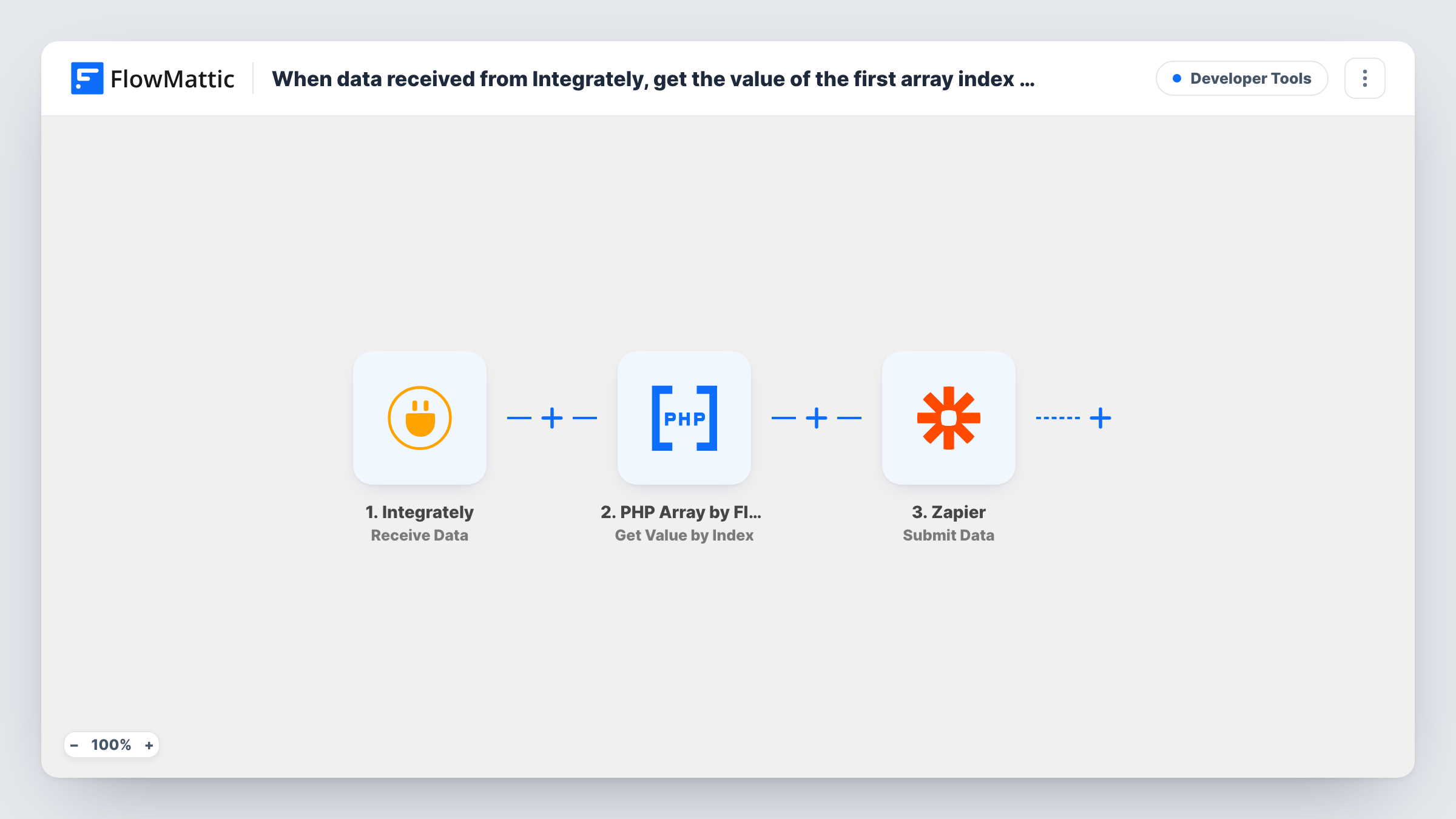
When Integrately sends data to FlowMattic, this workflow pulls one value out of an array in that payload with PHP Array, then forwards the data to Zapier so a Zap can use it.
 Integrately
 PHP Array by FlowMattic
 Zapier
3 steps Setup ~5 min Used on 2.1k sites Free to import
What this workflow does
Data that moves between automation platforms often arrives as a list when the next tool only needs one item. Integrately might pass along a set of line items, tags or email addresses, while the Zap waiting for it expects a single value. This workflow sits between the two and picks out the item you want before handing the data on.
The run starts when Integrately posts data to the Receive Data trigger in FlowMattic. The PHP Array step then reads an array from that payload and returns the value at the index you set. For the first item, that index is 0, because PHP counts array positions from zero. The last step uses Submit Data to pass the payload and the extracted value to Zapier.
Every request Integrately sends starts one run, and nothing filters them. The template ships with its steps unconfigured, so you choose the array, the index and the data Zapier receives after import. Task History logs every run, so you can see what Integrately sent and which value went to Zapier.
Primary email from a contact record
An Integrately automation passes a contact whose email addresses come as an array. PHP Array takes the first one, and your Zap uses it as the single address its next app needs.
First line item of an order
Order data from Integrately carries its products as a list. The workflow pulls out the first product so a Zap can post it to a channel or log it in a tool that takes one item per entry.
Bridging a migration between platforms
You are moving automations from Integrately to Zapier one at a time. FlowMattic reshapes the payload in the middle, so the new Zap gets the flat value it expects.
How this workflow runs
What happens at each step once the workflow is on, and what you need before you import it.
 Integrately Receive Data
Gives you a URL for Integrately to send data to. Each request Integrately makes starts a run, and the fields it sends become available to map in the PHP Array and Zapier steps.
- PHP Array by FlowMattic Get Value by Index
Reads an array from the Integrately payload and returns the item at the index you choose. Map the array field into the step and use index 0 for the first item, then confirm the result with a test run.
- Zapier Submit Data
Sends data on to Zapier. Map the value from the PHP Array step and any other Integrately fields the Zap needs, and point the step at the Zap that should receive them.
What you need
- FlowMatticCore
- Integrately AccountAccount
- Zapier AccountAccount
After importing, map your own data. To keep the template universal, not every step is pre-filled. Open each step in the builder and connect your accounts and fields (channels, lists, sheets, recipients) before you switch the workflow on.
Make it yours
Changes worth making after you import it.
- Send one test request from Integrately before you configure the PHP Array step, so FlowMattic captures the payload and you can see which field holds the array.
- If the Zap needs the last item rather than the first, add PHP Array's Get Array Count step first, then use that count minus one as the index.
- When some requests arrive with an empty array, add a Filter after the trigger that continues only when the array field is not empty, so Zapier never receives a blank value.
Questions about this workflow
Why is the first item index 0 in the PHP Array step?
PHP numbers the items of a list starting at zero, so index 0 is the first item, 1 is the second, and so on. Run a test after import to confirm the step returns the item you expect.
Do I need accounts on both Integrately and Zapier?
Yes. Integrately sends the data that starts each run, and Zapier receives the result, so each side needs an automation set up in its own account.
What does Zapier get if the Integrately array is empty?
The PHP Array step has nothing to return at that index, and the run still continues to Submit Data, so the Zap may receive a blank value. Task History shows what each step returned.
Can the workflow pull more than one value from the Integrately data?
Yes. Add another Get Value by Index step with a different index, then map both results into the Zapier step.
More Developer Tools workflows
Other ready-to-import templates from the same category.







Import this workflow into your WordPress site
Download the JSON, import it from the Workflows screen and connect your accounts. Every run stays on your server, with no per-task fees.
30-day money-back guarantee Unlimited workflows and runs Self-hosted