

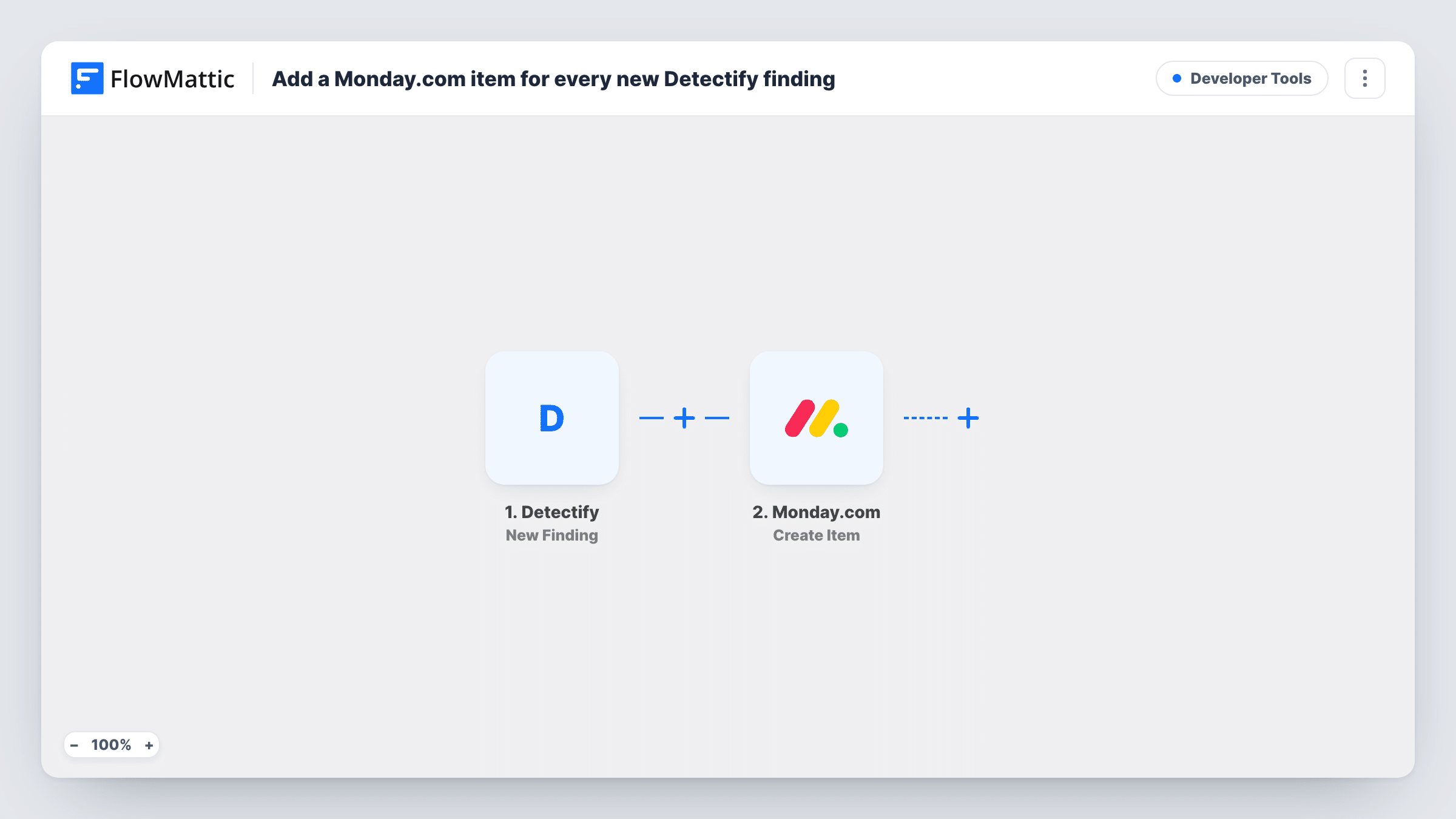
Add a Monday.com item for every new Detectify finding
Every vulnerability finding Detectify reports becomes a new item on a Monday.com board, so security issues sit in the same place your team plans and tracks its work.
 Detectify
 Monday.com
2 steps Setup ~5 min Used on 2.9k sites Free to import
What this workflow does
Security scanners report problems in their own dashboard, and developers plan their work somewhere else. When findings stay in the scanner, nobody owns them and they are easy to lose. This workflow puts each new finding on the board your team already checks.
Detectify starts the workflow when it reports a new vulnerability finding. FlowMattic takes the finding data from that event and passes it to Monday.com, where the Create Item action adds a new item to a board. You decide which parts of the finding go into that item when you set up the mapping after import.
One finding gives one item, and every finding Detectify reports is sent, whatever its severity. From there your team can assign the item, set a status and discuss the fix on Monday.com as with any other task. Task History logs each run, so you can confirm a finding reached the board.
Security backlog for a web team
A small team runs Detectify against its sites and plans sprints in Monday.com. New findings show up on the sprint board, ready to be assigned like any other ticket.
Agency tracking client site issues
An agency scans client domains in Detectify and keeps a Monday.com board per client. Each finding lands as an item the account manager can follow up.
A record of findings for audits
A Monday.com board fills with every finding as it is reported, giving you a dated list of what was found and how each item was handled.
How this workflow runs
What happens at each step once the workflow is on, and what you need before you import it.
 Detectify New Finding
Fires when Detectify reports a new vulnerability finding. The data that comes with the finding is passed to the Monday.com step so you can map it.
- Monday.com Create Item
Creates a new item in a Monday.com board. Map details from the Detectify finding into the item, then do a test run to confirm where it lands and what it shows.
What you need
- FlowMatticCore
- Detectify AccountAccount
- Monday.com AccountAccount
After importing, map your own data. To keep the template universal, not every step is pre-filled. Open each step in the builder and connect your accounts and fields (channels, lists, sheets, recipients) before you switch the workflow on.
Make it yours
Changes worth making after you import it.
- Add a Filter after the trigger if you only want findings above a certain severity on the board. Run a test first to see which value Detectify sends for severity.
- Use a Router to send findings to different Monday.com boards or groups, for example one per scanned domain, giving each route a condition that can't match the others.
- Add a Slack Send Direct Message step after Create Item so the person on security duty hears about each new item.
Questions about this workflow
Will every Detectify finding create a Monday.com item?
Yes. The template has no Filter, so each new finding Detectify reports adds one item. To hold back low-risk findings, place a Filter right after the Detectify trigger.
Does closing the Monday.com item fix or close the finding in Detectify?
No. The workflow only copies new findings to Monday.com. Changes you make to the item stay in Monday.com and are not sent back to Detectify.
Are findings reported before I turn the workflow on added?
No. The trigger reacts to new findings, so only those reported after the workflow is active reach your board.
Do I need a Detectify and a Monday.com account to use this?
Yes. Both connections are set up in the two steps once the template is imported. Detectify supplies the findings and Monday.com receives the items.
More Developer Tools workflows
Other ready-to-import templates from the same category.






Import this workflow into your WordPress site
Download the JSON, import it from the Workflows screen and connect your accounts. Every run stays on your server, with no per-task fees.
30-day money-back guarantee Unlimited workflows and runs Self-hosted