

When form submission is received in Contact Form 7, call PHP Date() function to get the current date and time using PHP Functions Module, and add the data to Google Spreadsheets
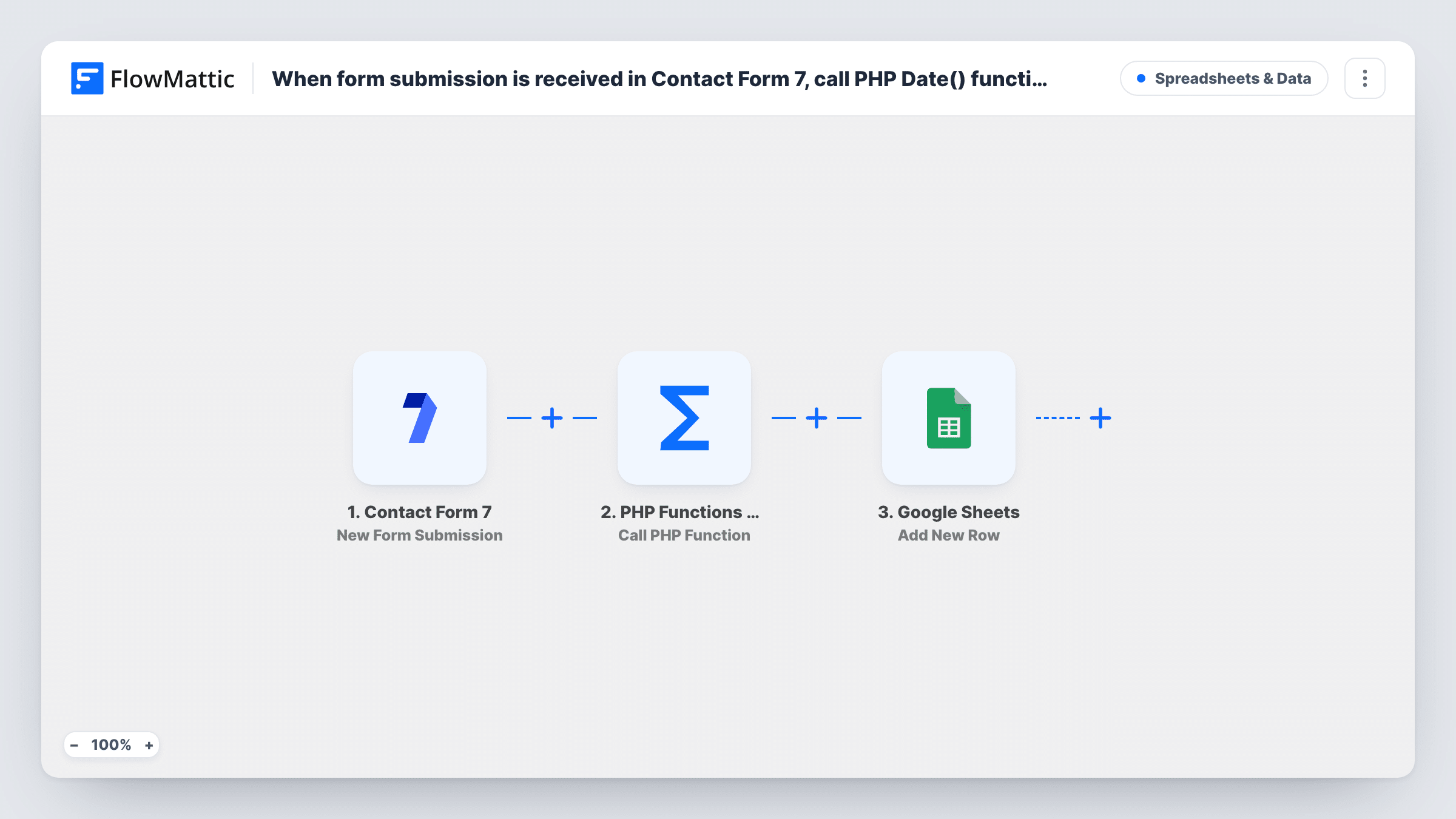
When a visitor submits a Contact Form 7 form, this workflow calls PHP’s date() function to get the current date and time, then adds the submission and that timestamp to a Google Sheets row.
 Contact Form 7
 PHP Functions by FlowMattic
 Google Sheets
3 steps Setup ~5 min Used on 1.3k sites Free to import
What this workflow does
A spreadsheet of form entries is far more useful when every row says when it arrived. This workflow creates a timestamp on your server for each Contact Form 7 entry before the row is written, so the time sits in a column you control.
Each run begins when someone sends one of your Contact Form 7 forms. Next, the PHP Functions step calls date(), a built-in PHP function that returns the current date and time in the format you pass it, such as Y-m-d H:i:s. The last step adds a row in Google Sheets with the form fields and the returned value in the columns you map.
The template ships unconfigured, so you enter the function and its format after import. The time comes from your WordPress server, and WordPress sets PHP to UTC, so expect UTC rather than local time. Every submission adds a row, and Task History records each run.
Response-time tracking for enquiries
Your team logs when they replied to each enquiry. With the submission time in the sheet, you can see how long each one waited.
Callback requests sorted by arrival
Visitors ask for a phone call through a Contact Form 7 form. Sorting the sheet by the timestamp column gives staff a first-come list to work through.
Date stamp for consent records
A sign-up form asks people to agree to your terms. Each row keeps the date and time the form was sent beside the answers.
How this workflow runs
What happens at each step once the workflow is on, and what you need before you import it.
 Contact Form 7 New Form Submission
Starts the workflow whenever a Contact Form 7 form on your WordPress site is sent. Each field of that form is passed on so you can map it into the sheet.
- PHP Functions by FlowMattic Call PHP Function
Calls a PHP function on your server and returns its result. Enter date as the function and pass a format such as Y-m-d H:i:s, then check a test run to see the value it returns.
- Google Sheets Add New Row
Appends the entry to the Google Sheets file and tab you select. Map the form fields to columns and the PHP Functions result to your date column, then connect your Google account.
What you need
- FlowMatticCore
- Contact Form 7 PluginPlugin
- Google Sheets AccountAccount
After importing, map your own data. To keep the template universal, not every step is pre-filled. Open each step in the builder and connect your accounts and fields (channels, lists, sheets, recipients) before you switch the workflow on.
Make it yours
Changes worth making after you import it.
- Pick the date format that suits your sheet. Y-m-d sorts cleanly as text, while d/m/Y H:i reads more naturally for people in many countries.
- If the times look a few hours off, that is because PHP inside WordPress runs on UTC. Add a column formula that shifts the value to your local time, or note UTC in the column header.
- Add a Filter after the trigger if one Contact Form 7 form on the site should be logged and others should not.
Questions about this workflow
Why call PHP date() when Google Sheets has a NOW formula?
A NOW formula changes every time the sheet recalculates. The value from the PHP Functions step is written once as plain text, so it keeps the time of the submission.
Which time zone does the Contact Form 7 timestamp use?
WordPress sets PHP's default time zone to UTC, so date() usually returns UTC rather than the time zone chosen in your WordPress settings. Compare a test row with your clock after import.
Do I need to write any PHP code for this workflow?
No. date() is built into PHP, so you only enter its name and the format string in the step. No custom code or extra plugin is needed.
Will older Contact Form 7 submissions be added to the sheet?
No. The trigger reacts to new submissions only, so rows start appearing from the moment you turn the workflow on.
More Spreadsheets & Data workflows
Other ready-to-import templates from the same category.




Import this workflow into your WordPress site
Download the JSON, import it from the Workflows screen and connect your accounts. Every run stays on your server, with no per-task fees.
30-day money-back guarantee Unlimited workflows and runs Self-hosted