

When form submission is received in Fluent Forms, create a new contact in Autonami and add new row in Google Spreadsheet
Each Fluent Forms submission creates a contact in FunnelKit Automations (Autonami) and adds the same answers to a Google Sheets row, so your marketing contacts and your spreadsheet record both get filled.
 Fluent Forms
 Autonami
 Google Sheets
3 steps Setup ~5 min Used on 316 sites Free to import
What this workflow does
Fluent Forms stores entries on your site, but those people aren't in your marketing tool and your team may want them in a spreadsheet too. Doing both by hand for each entry is slow. This workflow handles both on every submission.
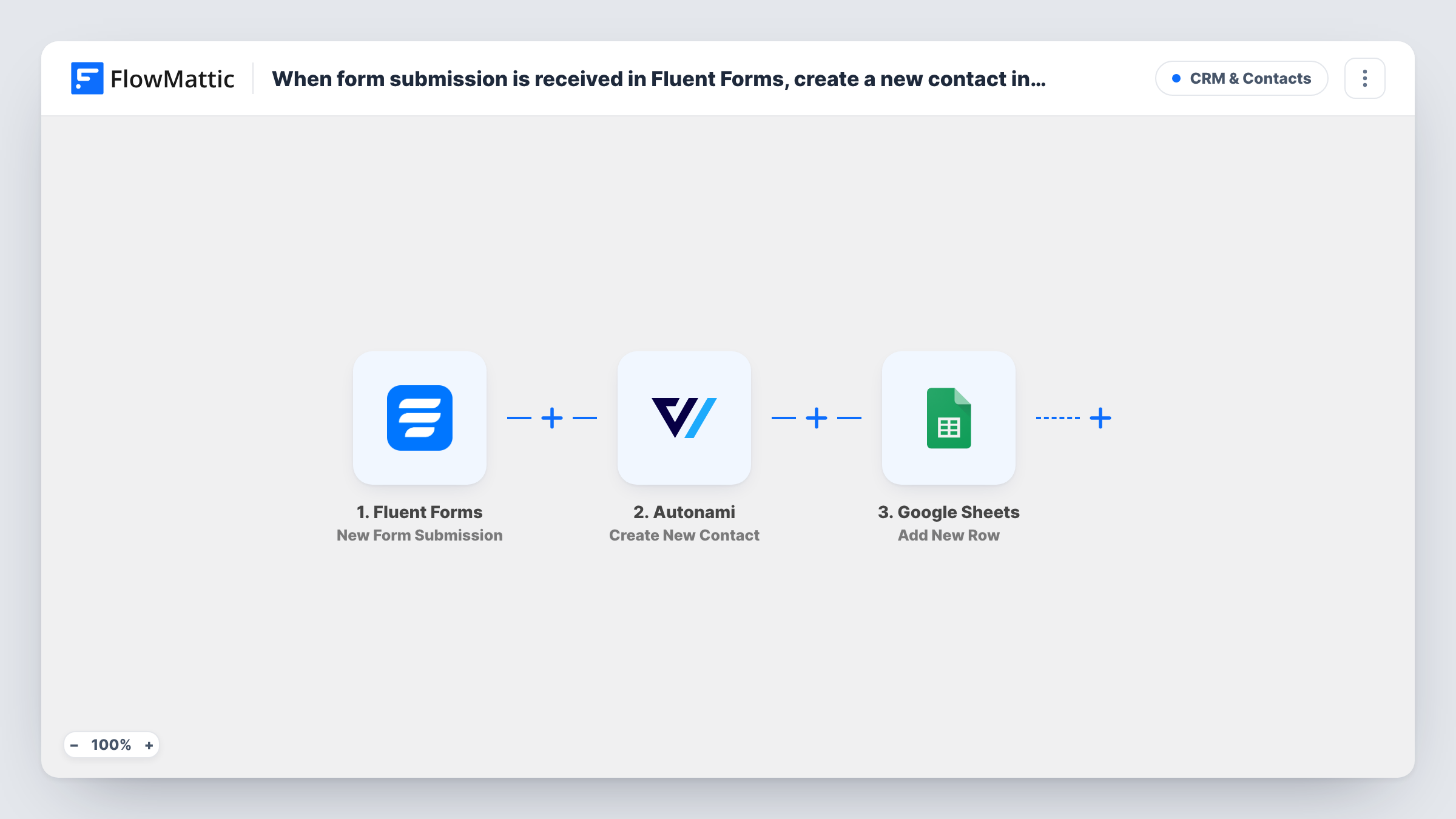
When a visitor submits a Fluent Forms form, FlowMattic passes the answers to Autonami, whose Create New Contact action adds the person to FunnelKit Automations on the same WordPress site. The run then moves to Google Sheets, where Add New Row writes the answers to the spreadsheet you choose.
The two actions run one after the other for every entry. The sheet row is written even if the contact step reports a problem, and Task History shows which step returned an error.
Lead capture on a service site
A quote form adds each enquirer to FunnelKit for follow-up emails and gives the sales team a sheet of all requests.
Course waitlist
People who join a waitlist through Fluent Forms become contacts you can email at launch, and the sheet shows the full list for planning.
Event RSVPs
RSVP forms feed FunnelKit for reminder emails, while the spreadsheet serves as the check-in list.
How this workflow runs
What happens at each step once the workflow is on, and what you need before you import it.
 Fluent Forms New Form Submission
Runs each time a Fluent Forms form on your site receives a new submission. All of its answers are available to the next two steps.
- Autonami Create New Contact
Adds the person who submitted the form as a contact in FunnelKit Automations (Autonami). Map the email field and any name fields from the submission.
- Google Sheets Add New Row
Copies the Fluent Forms answers into a new row of your chosen Google Sheets tab. Connect Google, pick the spreadsheet, and assign form fields to columns.
What you need
- FlowMatticCore
- Fluent Forms PluginPlugin
- FunnelKit Automations ( Autonami ) PluginPlugin
- Google Sheets AccountAccount
After importing, map your own data. To keep the template universal, not every step is pre-filled. Open each step in the builder and connect your accounts and fields (channels, lists, sheets, recipients) before you switch the workflow on.
Make it yours
Changes worth making after you import it.
- Make the email field required in Fluent Forms, so FunnelKit always gets an address for the contact.
- Add a Filter after the trigger that continues only when a consent checkbox is ticked, so only people who agreed reach FunnelKit and the sheet.
- Submit a test entry after import so FlowMattic captures the form fields for mapping in both actions.
Questions about this workflow
What if the person is already a FunnelKit contact?
FunnelKit's step here is Create New Contact, with no lookup first. Submit a test with an existing address and check Task History to see how FunnelKit Automations responds. The sheet row is added either way.
Do I need FunnelKit Automations on the same site as Fluent Forms?
Yes. Fluent Forms, FunnelKit Automations and FlowMattic all need to live on one WordPress install. Only the Google Sheets step sends data off the site.
Does every Fluent Forms submission go to both places?
Yes, as imported. There is no condition, so each entry runs both the contact step and the sheet step.
More CRM & Contacts workflows
Other ready-to-import templates from the same category.





Import this workflow into your WordPress site
Download the JSON, import it from the Workflows screen and connect your accounts. Every run stays on your server, with no per-task fees.
30-day money-back guarantee Unlimited workflows and runs Self-hosted