

When form submission received in Fluent Forms, Get subscriber details in MailPoet and share on WhatsApp using WhatsApp Cloud API
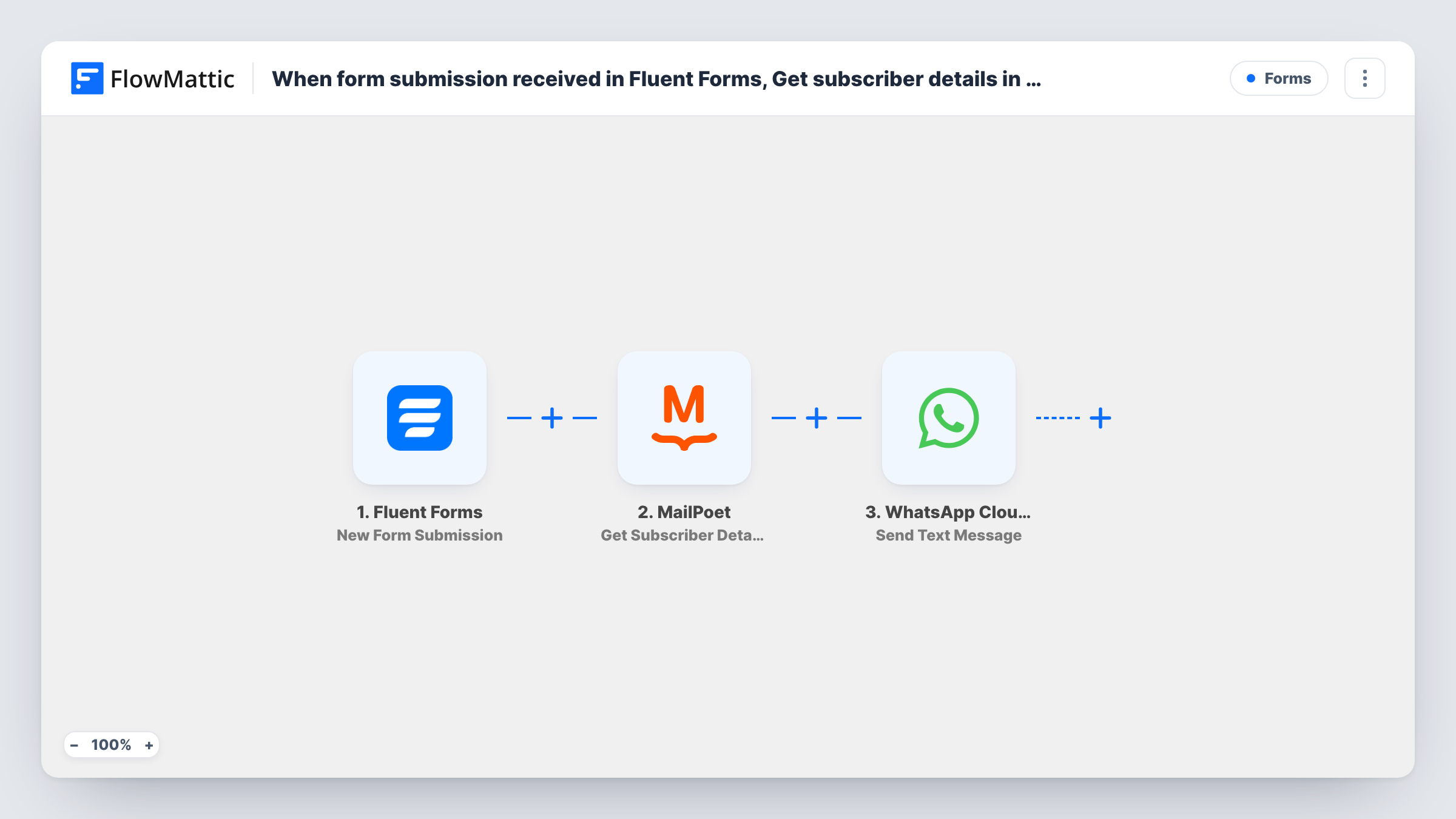
When someone submits a Fluent Forms form, this workflow looks the person up in MailPoet and sends a WhatsApp text through the WhatsApp Cloud API with the form answers and their subscriber details.
 Fluent Forms
 MailPoet
 WhatsApp Cloud API
3 steps Setup ~5 min Used on 2.0k sites Free to import
What this workflow does
A form entry tells you what someone just asked. It doesn't tell you whether they already read your newsletter or which lists they joined. If your team answers enquiries from a phone, having both in one WhatsApp message saves a trip to the WordPress dashboard. This workflow builds that message for each submission.
The Fluent Forms trigger fires when a form on your site receives a submission. FlowMattic then asks MailPoet for the details of an existing subscriber, using the address you map from the form. Last, the WhatsApp Cloud API step sends a text message to the number you set, combining form answers with what MailPoet returned.
Two limits matter. If the person isn't a MailPoet subscriber, the lookup finds nothing and the WhatsApp text still goes out without those details. And WhatsApp only delivers free-form text within 24 hours of the recipient messaging your business number, so a number that hasn't written to you recently usually won't receive it.
Sales enquiries checked against your list
A quote request arrives through Fluent Forms, and the owner sees on WhatsApp whether the person is already a MailPoet subscriber before calling back.
Event sign-ups for a membership group
Registrations reach an organiser's phone with the subscriber status from MailPoet, so they can tell existing members from newcomers at a glance.
Support requests from newsletter readers
When a reader uses your contact form, the person on duty gets the message on WhatsApp with their MailPoet details, which gives context before answering.
How this workflow runs
What happens at each step once the workflow is on, and what you need before you import it.
 Fluent Forms New Form Submission
Starts each time one of your Fluent Forms forms is submitted. Every answer, including the email field, becomes available to map in the MailPoet and WhatsApp steps.
- MailPoet Get Subscriber Details
Looks up an existing MailPoet subscriber using the email you map from the form. The details MailPoet returns can be used in the WhatsApp message. Nothing is created or changed in MailPoet.
- WhatsApp Cloud API Send Text Message
Sends a free-form WhatsApp text through the WhatsApp Cloud API to the number you enter. Write the message with form answers and MailPoet details mapped in, and connect your account.
What you need
- FlowMatticCore
- Fluent Forms PluginPlugin
- MailPoet PluginPlugin
- WhatsApp Cloud API AccountAccount
After importing, map your own data. To keep the template universal, not every step is pre-filled. Open each step in the builder and connect your accounts and fields (channels, lists, sheets, recipients) before you switch the workflow on.
Make it yours
Changes worth making after you import it.
- Free-form texts only reach someone who messaged your business number in the last 24 hours. For reliable alerts, switch to the WhatsApp Cloud API Send Template Message action with an approved template.
- Add a Filter after the MailPoet step if you only want alerts for people who are already subscribers, using a value you saw in a test lookup.
- Submit the form once with an address that is in MailPoet and once with one that isn't, then check Task History to see what each lookup returns before writing the message.
Questions about this workflow
Does this add the Fluent Forms submitter to MailPoet?
No. Get Subscriber Details only reads an existing subscriber. To add new people, swap or add MailPoet's Create New Subscriber action.
What happens if the email isn't in MailPoet?
The lookup returns no subscriber, and Task History shows that on the MailPoet step. The WhatsApp step still runs, so the text is sent with the MailPoet values left empty.
Who receives the WhatsApp message?
The number you enter in the WhatsApp step, such as a team member's phone. That number must have messaged your WhatsApp business number within the last 24 hours, or WhatsApp won't deliver a free-form text.
Do Fluent Forms and MailPoet need to be on the same WordPress site?
Yes. Both are WordPress plugins, and FlowMattic reaches them on the site where it is installed. The WhatsApp Cloud API step connects to your Meta account.
More Forms workflows
Other ready-to-import templates from the same category.





Import this workflow into your WordPress site
Download the JSON, import it from the Workflows screen and connect your accounts. Every run stays on your server, with no per-task fees.
30-day money-back guarantee Unlimited workflows and runs Self-hosted