

When Inoreader saves an article, add it to Notion and notify the content team in Slack
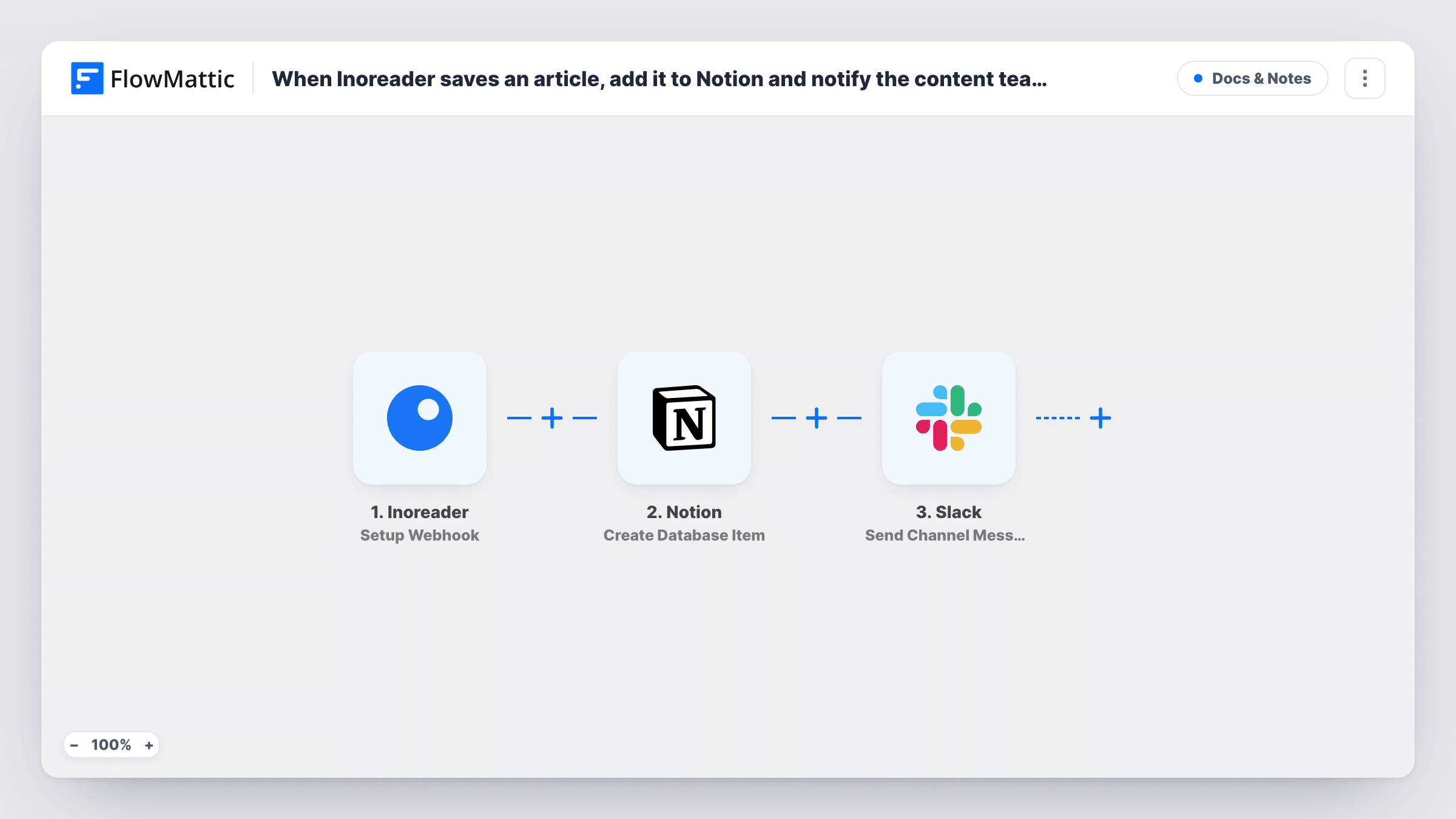
When Inoreader sends a saved article to FlowMattic’s webhook, this workflow adds it to a Notion database and posts a Slack message to your content team, so research ends up in one place and people hear about it.
 Inoreader
 Notion
 Slack
Slack3 steps Setup ~5 min Used on 2.7k sites Free to import
What this workflow does
Content teams save useful articles in Inoreader all day, but saved items stay in one person's reader. Moving them into a shared Notion database and telling the team is extra work that rarely gets done. This workflow does both each time Inoreader sends an article over.
The Inoreader trigger is Setup Webhook: FlowMattic gives you a webhook URL, and the workflow runs whenever Inoreader posts to it. Set Inoreader to send saved articles there, and FlowMattic captures what arrives, such as the article title and link, for mapping. The Notion step then runs Create Database Item, adding an item to the database you choose. Last, the Slack step posts a message to the #channel you pick, with whichever article details you insert.
The Notion item and the Slack message come from the same run, so the team sees each article as it lands in the database. Task History lists every run and the result of each step.
Shared research library
Writers save sources in Inoreader while they read, and each one becomes an item in the team's Notion research database with a Slack note in #content.
Competitor news tracking
An analyst saves articles about competitors in Inoreader. Each one is filed in Notion and posted to a #market channel so product and sales see it.
Newsletter link collection
Editors save candidate links through the week, and the Notion database becomes the list they pick from when they put the newsletter together.
How this workflow runs
What happens at each step once the workflow is on, and what you need before you import it.
 Inoreader Setup Webhook
Gives you a webhook URL and runs each time Inoreader posts data to it. Point Inoreader at that URL for saved articles, then save one test article so FlowMattic captures the fields it sends.
- Notion Create Database Item
Adds the saved article as a new item in your chosen Notion database. Map the article details from the webhook, such as title and URL, into the database's properties and connect your Notion account.
- Slack Send Channel Message
Tells the content team in a Slack #channel of your choice. Write the text for your content team and insert the article title and link from the webhook.
What you need
- FlowMatticCore
- Inoreader AccountAccount
- Notion AccountAccount
- Slack AccountAccount
After importing, map your own data. To keep the template universal, not every step is pre-filled. Open each step in the builder and connect your accounts and fields (channels, lists, sheets, recipients) before you switch the workflow on.
Make it yours
Changes worth making after you import it.
- Before testing, check that the Notion account you connect can open the target database; the step can only add items to a database it can reach.
- If your content team works in a private Slack channel, switch the last step to Send Private Channel Message.
- Add a Filter after the trigger when only some saved articles belong in Notion, for example continuing only when the article title or source contains a word you track.
Questions about this workflow
How do I get Inoreader to send saved articles to this workflow?
The trigger is a webhook. You copy the URL FlowMattic shows into Inoreader's webhook setup for the articles you save. Each post to that URL starts one run; turn on the trigger's authentication setting if you want to block callers other than Inoreader.
Which article details reach Notion and Slack?
It depends on the payload your Inoreader webhook posts. Save a test article after setup and look at the captured fields before mapping them.
Can I send articles to Notion without the Slack message?
Yes. Delete the Slack step after import and the workflow stops after creating the Notion item.
Will articles I saved before setup reach the Notion database?
No. Only articles Inoreader sends to the webhook after you turn the workflow on create Notion items and Slack messages.
More Docs & Notes workflows
Other ready-to-import templates from the same category.




Import this workflow into your WordPress site
Download the JSON, import it from the Workflows screen and connect your accounts. Every run stays on your server, with no per-task fees.
30-day money-back guarantee Unlimited workflows and runs Self-hosted