

When a new attendee registers in HeySummit, send the attendee details to a webhook URL
When someone registers for your HeySummit event, FlowMattic sends that attendee’s details as JSON to a webhook URL, so your own app, CRM endpoint or another tool can act on the signup.
 HeySummit
 Webhook Outgoing
2 steps Setup ~5 min Used on 359 sites Free to import
What this workflow does
HeySummit handles registration for your virtual summit, but the attendee list is usually needed somewhere else as well: a custom onboarding app, a sponsor's lead endpoint, or a system FlowMattic has no dedicated step for. Pointing every new registration at a webhook gives that system the data without manual exports from HeySummit.
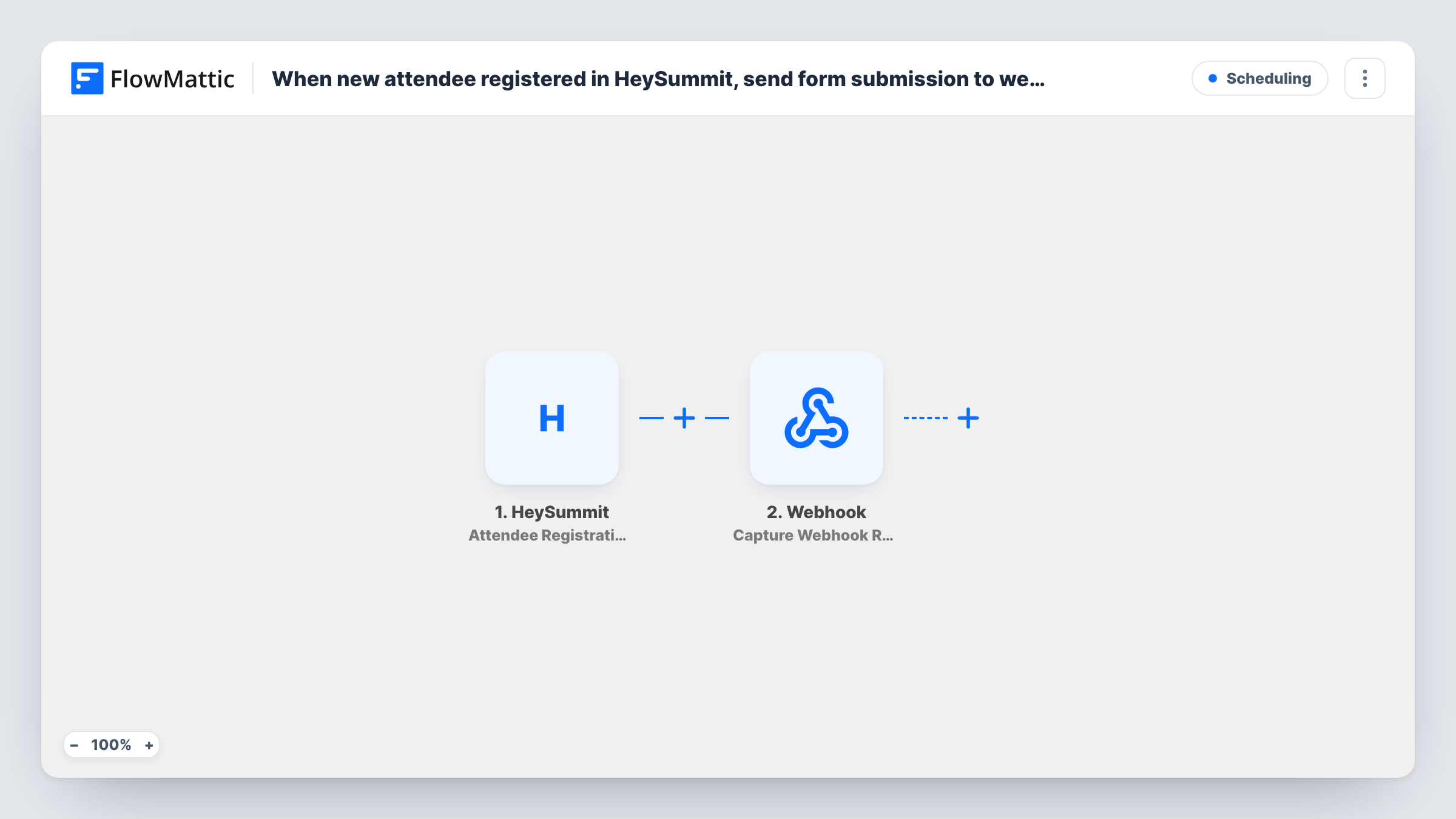
The HeySummit trigger, named Attendee Registration Started, fires when a new attendee registers for an event. FlowMattic picks up the attendee information HeySummit provides, such as the name, email and the event registered for.
The Webhook Outgoing step sends a POST request in JSON format to the address you enter. The template ships with this step unmapped, so after import you paste the destination URL and pick the HeySummit fields to put in the body, naming each key the way the receiver expects.
One registration means one request, and only signups made after you switch the workflow on are sent. Register a test attendee before launch, then check Task History for the HeySummit data that arrived and the reply from the receiving URL.
Sponsor lead sharing
A summit organiser forwards each registration to an endpoint the sponsor provides, so the sponsor's system receives attendee details as people sign up.
Custom attendee portal accounts
An event company's own portal creates a login for every HeySummit registrant from the JSON this workflow posts.
Registrations into an internal dashboard
A marketing team sends signups to an internal service that counts registrations per talk and shows them on a live dashboard.
How this workflow runs
What happens at each step once the workflow is on, and what you need before you import it.
 HeySummit Attendee Registration Started
Starts the workflow each time a new attendee registers for one of your HeySummit events. The attendee and event details are passed on for mapping into the webhook body.
- Webhook Outgoing Submit Data to Webhook
Sends the HeySummit attendee data to a URL as a JSON POST. URL and payload are both empty as imported: enter the receiving address and map each attendee field you want to send.
What you need
- FlowMatticCore
- HeySummit AccountAccount
After importing, map your own data. To keep the template universal, not every step is pre-filled. Open each step in the builder and connect your accounts and fields (channels, lists, sheets, recipients) before you switch the workflow on.
Make it yours
Changes worth making after you import it.
- Include the HeySummit event name in the payload if you run several events, so the receiving system can tell which summit each registration is for.
- To forward only one event's registrations, put a Filter between the HeySummit trigger and the Submit Data to Webhook step that checks the event name.
- Test the request against a free request-bin style URL first, check the JSON shape, then replace it with the production endpoint.
Questions about this workflow
Does the trigger wait until the HeySummit registration is complete?
FlowMattic describes the Attendee Registration Started trigger as firing when a new attendee registers for an event. Register a test attendee and check Task History to confirm the data you receive at that moment.
What format does the webhook URL receive the attendee in?
A POST request with a JSON body. The keys and values are the ones you set when mapping the HeySummit fields in the webhook step.
Will past HeySummit registrants be sent when I activate this?
No. Only attendees who register while the workflow is active start a run. Export earlier registrations from HeySummit if the receiving system needs them.
More Scheduling workflows
Other ready-to-import templates from the same category.



Import this workflow into your WordPress site
Download the JSON, import it from the Workflows screen and connect your accounts. Every run stays on your server, with no per-task fees.
30-day money-back guarantee Unlimited workflows and runs Self-hosted