

When new booking is created in Book Like a Boss, send an SMS with Acumbamail
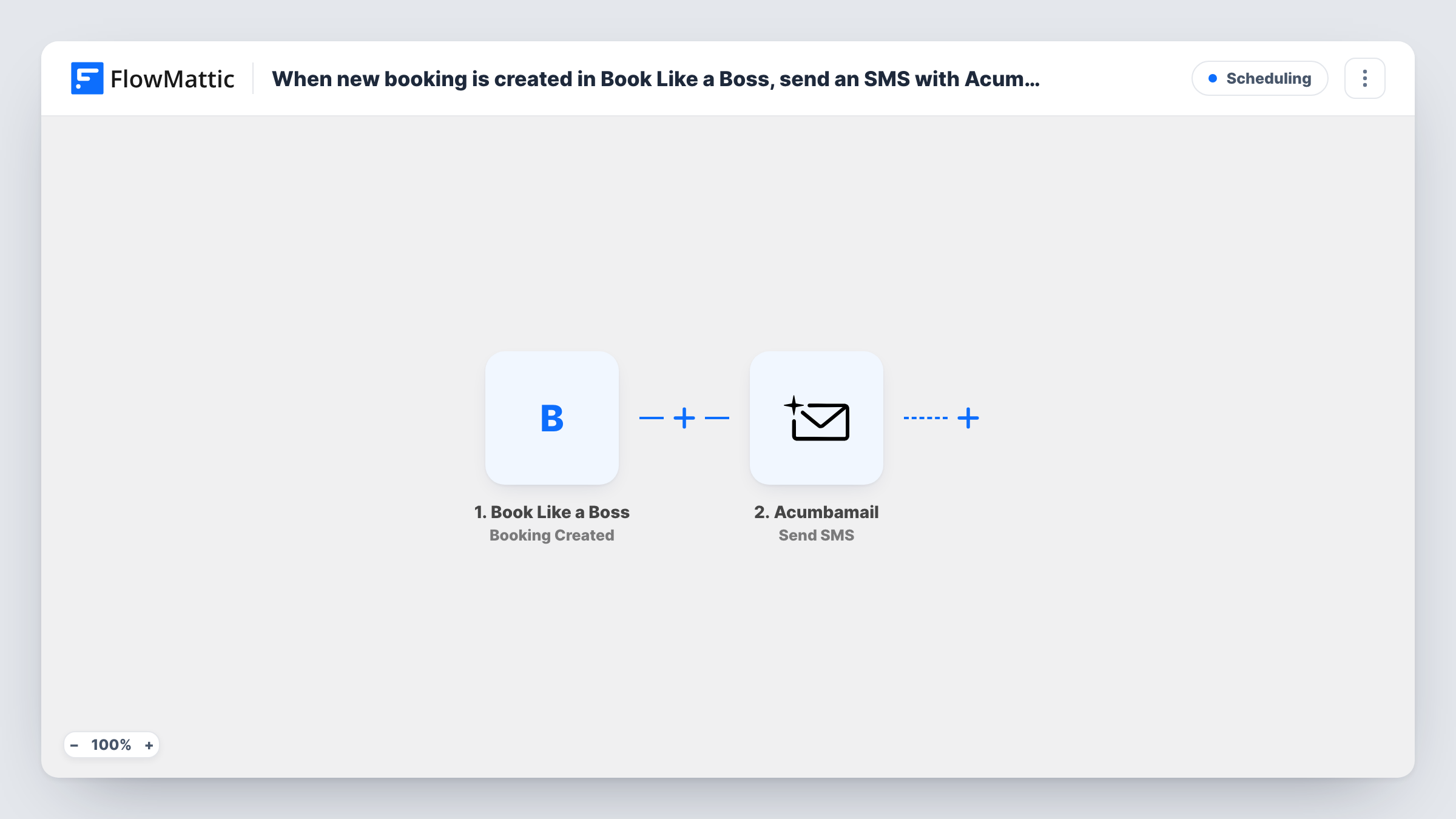
Each new booking in Book Like a Boss starts a run that sends an SMS through Acumbamail to the phone number you set, such as the client’s own number or a team phone that needs a heads-up.
 Book Like a Boss
 Acumbamail
2 steps Setup ~5 min Used on 451 sites Free to import
What this workflow does
Booking confirmations by email are easy to miss. A short text message gets noticed, whether it goes to the client who just booked or to the person who will run the session. This workflow sends one through your Acumbamail account every time a booking is created in Book Like a Boss.
The Book Like a Boss trigger fires when a new booking is created and passes the booking details on. Run a test booking to see which details arrive, such as the client's name, the booked time and a phone number if your booking page asks for one.
The Acumbamail Send SMS step then sends a text to a telephone number of your choosing. It ships unmapped. After import you connect Acumbamail, decide who gets the message, and write the text. Map the client's phone from the booking to confirm with them, or enter a fixed number to alert yourself or a colleague.
Every new booking starts a run, so each one sends a text. Phone numbers usually need to include the country code for SMS delivery. Check Task History after a test booking to see what Acumbamail returned.
Text confirmations for coaching calls
A business coach sends each client an SMS with the date and time of the call they just booked, so the confirmation sits on their phone rather than in a busy inbox.
Instant alert for a solo consultant
A consultant who is often away from the laptop puts their own number in the SMS step and gets a text whenever someone books a slot.
Heads-up for the person running the session
A small agency books discovery calls through one page and texts the account manager on duty with the client's name and the booked time.
How this workflow runs
What happens at each step once the workflow is on, and what you need before you import it.
 Book Like a Boss Booking Created
Starts a run each time a new booking is created in Book Like a Boss. The booking's details are passed to the SMS step; check a test booking to see whether a phone number is included.
- Acumbamail Send SMS
Sends an SMS through Acumbamail to the number you set. The step ships unmapped: connect your account, map the client's phone or enter a fixed one, and write the message with the booking details you want in it.
What you need
- FlowMatticCore
- Book Like a Boss AccountAccount
- Acumbamail AccountAccount
After importing, map your own data. To keep the template universal, not every step is pre-filled. Open each step in the builder and connect your accounts and fields (channels, lists, sheets, recipients) before you switch the workflow on.
Make it yours
Changes worth making after you import it.
- If you text clients, make sure your Book Like a Boss booking page asks for a phone number, so bookings carry one for the SMS step.
- Keep the SMS short and include the booked date and time mapped from the trigger, so the client sees the essentials without opening anything.
- Want both the client and your team to hear about a booking? Add a second Acumbamail Send SMS step after the first one with your team's number and its own message.
Questions about this workflow
Who receives the SMS for a Book Like a Boss booking?
Whoever you set in the Send SMS step. The template leaves the number empty, so map the client's phone from the booking or type in a fixed number for yourself.
Do I need an Acumbamail account with SMS sending?
Yes. The message goes out through your Acumbamail account, so connect it in the Send SMS step and make sure SMS sending is available to you there.
What if a booking has no phone number?
If you map the client's phone and it arrives empty, Acumbamail has no number to send to and may return an error. You can see Acumbamail's reply for that run in Task History. Asking for a phone on the booking page avoids this.
Does a rescheduled or cancelled booking send a text?
No. The trigger fires only when a new booking is created in Book Like a Boss, so changes to existing bookings don't start this workflow. FlowMattic's Book Like a Boss integration also has Booking Rescheduled and Booking Cancelled triggers if you want texts for those in a separate workflow.
More Scheduling workflows
Other ready-to-import templates from the same category.






Import this workflow into your WordPress site
Download the JSON, import it from the Workflows screen and connect your accounts. Every run stays on your server, with no per-task fees.
30-day money-back guarantee Unlimited workflows and runs Self-hosted