

When new employee added via Zoho People, create workspace in Zoho WorkDrive and add user to workspace with access role
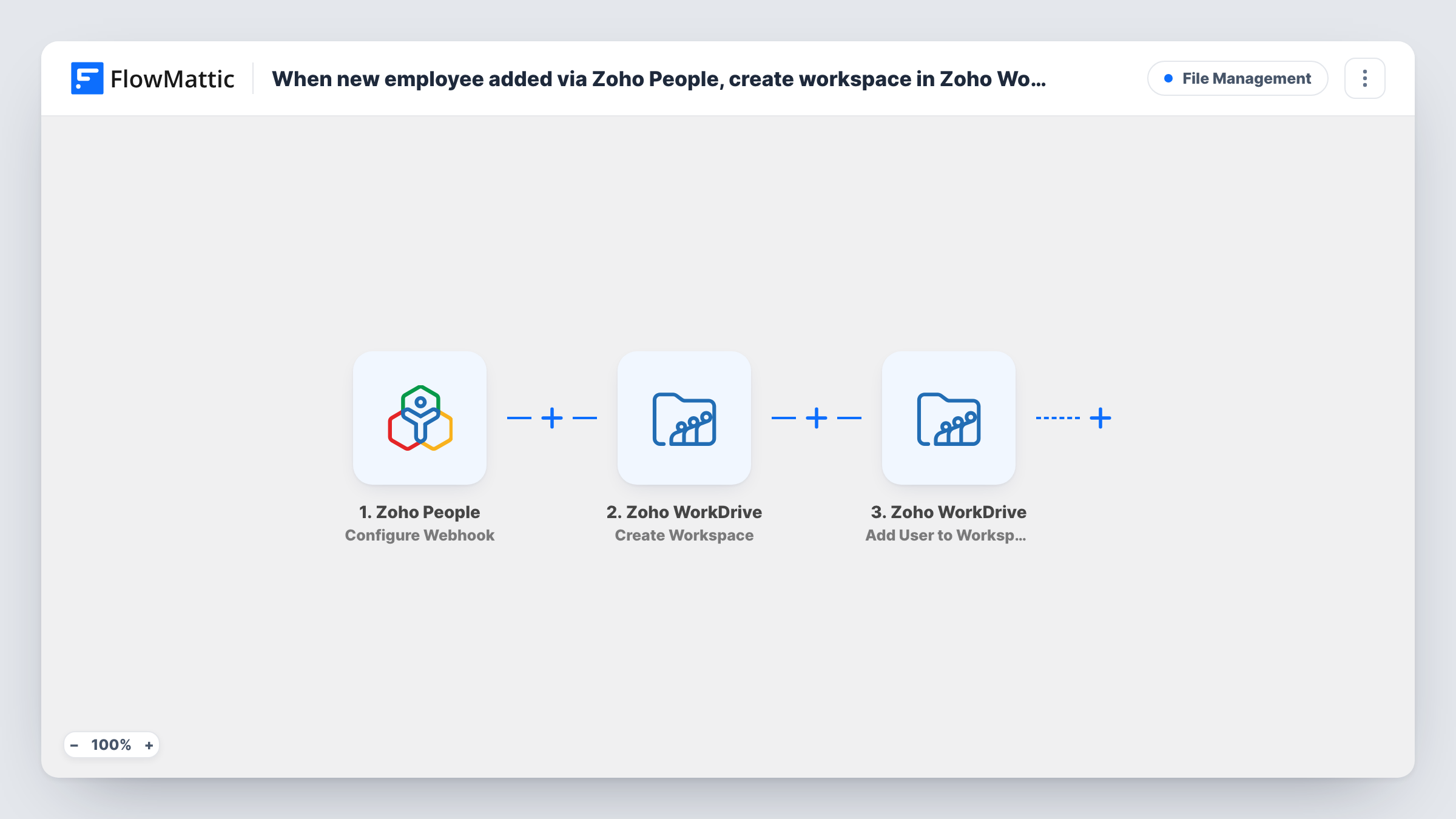
When Zoho People records a new employee, FlowMattic creates a Zoho WorkDrive workspace for them and adds the employee to it with the access role you pick.
 Zoho People
 Zoho WorkDrive
3 steps Setup ~5 min Used on 2.4k sites Free to import
What this workflow does
A new starter needs somewhere to keep onboarding documents, contracts and their first project files. Setting up that space by hand in WorkDrive after HR adds the person is one more onboarding chore. This workflow creates a personal workspace in Zoho WorkDrive for each new employee and gives them access to it.
The Zoho People trigger receives a webhook that you configure in Zoho People. On its own it can fire for events on any Zoho People form, such as Employee, Leave or Attendance. Set the Zoho People workflow on the Employee form with the "New record is created" event, so only new employee records reach FlowMattic.
The first Zoho WorkDrive step creates a workspace (a Team Folder) in the team you choose. Map a name from the employee record, for example their full name followed by "Onboarding". The second step adds a user to that workspace with a role. After import, map the workspace from step 2 and the employee's email from the Zoho People data, and choose the access role.
Both WorkDrive steps ship unmapped. Add a test employee in Zoho People and look at Task History to check the fields that arrived and what WorkDrive returned for the workspace and the member.
Onboarding folder for each new hire
An HR team adds a starter in Zoho People and the new employee gets a WorkDrive workspace to receive their handbook, contract and first-week checklist.
Private space for contractors
An agency records freelancers as employees in Zoho People and gives each one a separate WorkDrive workspace, so they only see their own files.
Personal document space for new staff
A clinic gives every new staff member a WorkDrive workspace for training certificates and HR paperwork from their first day.
How this workflow runs
What happens at each step once the workflow is on, and what you need before you import it.
 Zoho People Configure Webhook
Receives the webhook from your Zoho People workflow. Configure that workflow on the Employee form with the "New record is created" event, so leave, attendance and other form events don't start runs.
- Zoho WorkDrive Create Workspace
Creates a new workspace (Team Folder) in your Zoho WorkDrive team. Pick the team and map a workspace name from the employee data, such as the person's name, after import.
- Zoho WorkDrive Add User to Workspace
Adds a user to the workspace with the role you specify. Map the workspace from the Create Workspace step and the employee's email from Zoho People, then choose the access role.
What you need
- FlowMatticCore
- Zoho People AccountAccount
- Zoho WorkDrive AccountAccount
After importing, map your own data. To keep the template universal, not every step is pre-filled. Open each step in the builder and connect your accounts and fields (channels, lists, sheets, recipients) before you switch the workflow on.
Make it yours
Changes worth making after you import it.
- Choose a role that lets the new employee upload and edit files in their own workspace, not just view them.
- Use a naming pattern for workspaces, such as the employee ID and name, so admins can find them in WorkDrive later.
- Add a second Add User to Workspace step after step 3 to give the employee's manager or HR access to the same workspace.
- If only some departments need a workspace, add a Filter between the Zoho People trigger and the Create Workspace step that checks the department. The department field is only an example; use whatever a test employee record shows.
Questions about this workflow
Will Zoho People leave or attendance records create WorkDrive workspaces?
Only if the Zoho People webhook sends those events. Set the Zoho People workflow on the Employee form's "New record is created" event and nothing else, so each run is a new employee.
Does the employee need a Zoho WorkDrive account?
WorkDrive decides who can be added to a workspace. Test with a new employee's email and check in Task History whether the Add User to Workspace step was accepted.
Do edits to an employee record in Zoho People create more workspaces?
Not if the Zoho People workflow is set to the create event only. If it also runs on edits, each edit would create another workspace.
Can the new workspace use a template of folders?
This template creates an empty workspace. FlowMattic's Zoho WorkDrive integration also has Create Folder and Copy Folder actions, which you can add after step 2 to build the folders you need.
More File Management workflows
Other ready-to-import templates from the same category.




Import this workflow into your WordPress site
Download the JSON, import it from the Workflows screen and connect your accounts. Every run stays on your server, with no per-task fees.
30-day money-back guarantee Unlimited workflows and runs Self-hosted