

When new feedback is received in SatisMeter, send an SMS alert via Twilio to the feedback manager
Each time SatisMeter receives a new piece of feedback, FlowMattic sends a text message through Twilio to the phone of the person who handles customer feedback, so a new response reaches them away from the dashboard.
 SatisMeter
 Twilio
2 steps Setup ~5 min Used on 3.0k sites Free to import
What this workflow does
Survey responses tend to sit in a dashboard until someone remembers to log in. If one person on your team owns customer feedback, a text message is a direct way to tell them a new response has arrived. This workflow sends that message for every new SatisMeter response.
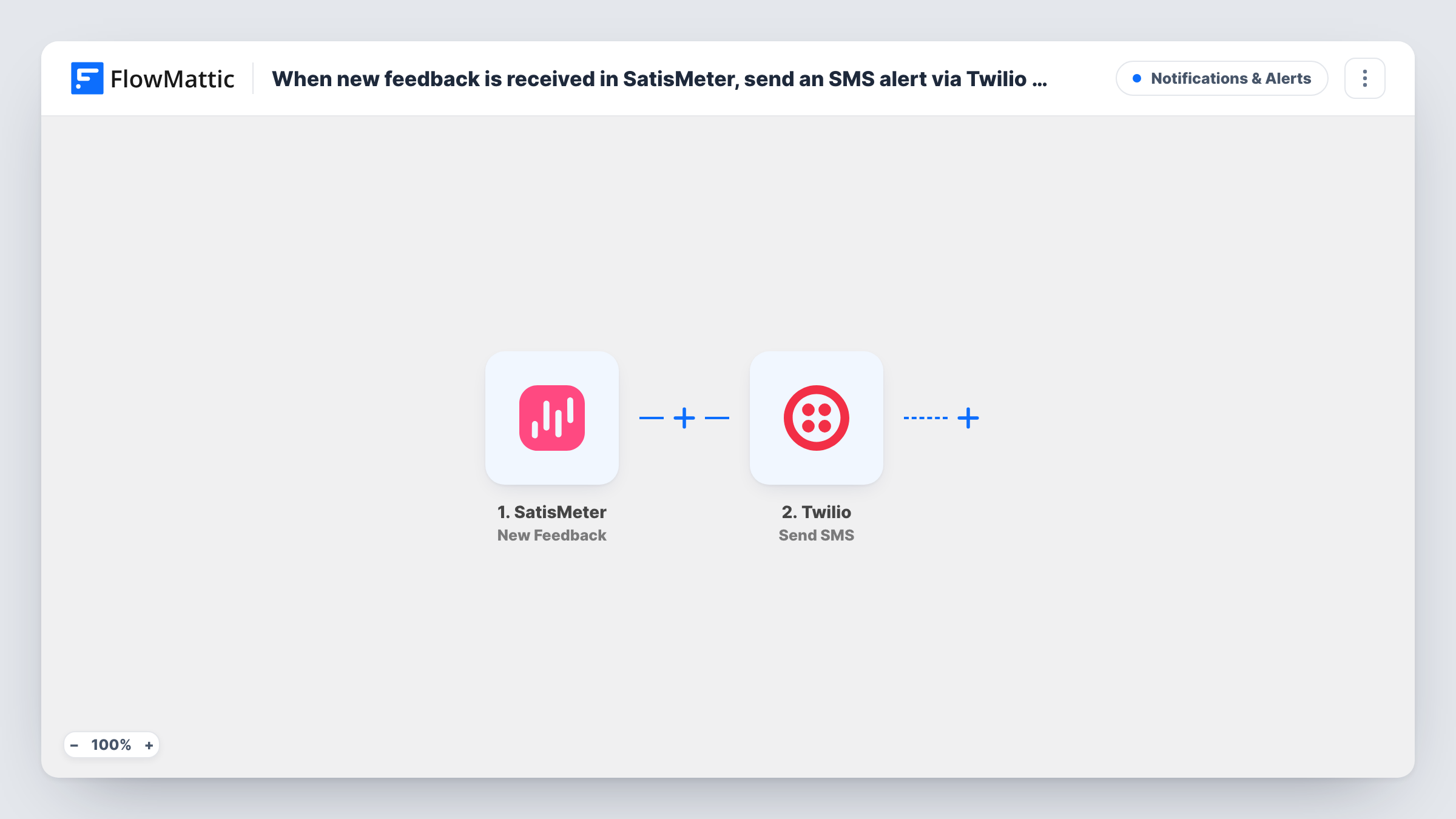
The SatisMeter trigger fires when a new feedback entry is received. FlowMattic takes the data that comes with it and hands it to the Twilio Send SMS action. You write the message once, mixing your own text with the feedback data you map in, and Twilio delivers it to the number you enter for your feedback manager.
There is no Filter in the template, so every response produces a text, whatever its score. If only some responses need a phone alert, you can add a condition after import. Each run is logged in Task History, where you can see the data SatisMeter sent and the reply Twilio returned.
Customer success lead on the move
The person who owns NPS follow-up spends the day in calls. A text for each SatisMeter response tells them to look at it between meetings.
Product launch week
Right after a release you want to see every reaction as it lands. Turn the workflow on for the launch and each new SatisMeter response reaches the product manager's phone.
Small team without a shared inbox
A two-person company has no support desk. Texting the founder for each response means survey feedback gets read the same day it arrives.
How this workflow runs
What happens at each step once the workflow is on, and what you need before you import it.
 SatisMeter New Feedback
Starts a run each time a customer answers your SatisMeter survey. The data that comes with the response is passed on so you can place it in the text message.
- Twilio Send SMS
Sends a text through your Twilio account to the number you enter. Write the message body and map in the feedback data you want the manager to see. Run a test to confirm which values SatisMeter sends.
What you need
- FlowMatticCore
- SatisMeter AccountAccount
- Twilio AccountAccount
After importing, map your own data. To keep the template universal, not every step is pre-filled. Open each step in the builder and connect your accounts and fields (channels, lists, sheets, recipients) before you switch the workflow on.
Make it yours
Changes worth making after you import it.
- Add a Filter between the two steps that continues only when the score is low, for example less than 7, so the manager's phone buzzes only for unhappy customers.
- Keep the text short and include the respondent's comment and score near the start, since long messages can be split into several parts by the carrier.
- To alert two people, add a second Twilio Send SMS step after the first one with the other phone number.
Questions about this workflow
Does every SatisMeter response send a text?
Yes, as imported. There is no condition between the trigger and Twilio, so each new feedback entry sends one SMS. Add a Filter if you want texts for certain scores only.
Which phone number does the Twilio step send from?
It sends from a number on your Twilio account. Connect Twilio when you import the workflow, enter the manager's phone number as the recipient, and send one test response to confirm the text arrives.
Can I see which SatisMeter data is available for the message?
Send a test response, or wait for a real one, and FlowMattic captures the trigger data. You can then pick those values when you write the Twilio message.
Will feedback received before I turn this on be texted?
No. The trigger reacts to new feedback, so only responses received after the workflow is active send an SMS.
More Notifications & Alerts workflows
Other ready-to-import templates from the same category.






Import this workflow into your WordPress site
Download the JSON, import it from the Workflows screen and connect your accounts. Every run stays on your server, with no per-task fees.
30-day money-back guarantee Unlimited workflows and runs Self-hosted